Verbatum
Structure & speak your sermon
Được thiết kế cho iPhone, iPad, Mac
Miễn phí
- Độ tuổi4+
- Danh mụcHiệu Suất
- Nhà phát triểnIvan Frolov
- Ngôn ngữTiếng Anh+ 17 ngôn ngữ khác
- Kích thước7,7 MB
Liên kết đến trang App Store chính thức
Download.org không lưu trữ tệp nào của Verbatum. Nút này mở trang ứng dụng trên App Store, nơi Ivan Frolov phát hành ứng dụng. Trang được kiểm tra lần cuối: 16/11/2026.
Ảnh chụp màn hình
Giới thiệu
Nhà phát triển chưa cung cấp nội dung này bằng ngôn ngữ của bạn.
A sermon is two tasks in one: structuring your argument and speaking
it at the pulpit. Most tools do one or the other. Verbatum does
both — a mind-map editor for shaping the sermon, and a Speech view
that strips every distraction once you walk to the pulpit.
THOUGHTS MODE
Outline your sermon as a mind map. Every heading is a branch; every
sentence is a leaf. Reorder by drag, fold sections away, see the whole
argument at a glance. Reading-time estimates show next to every
branch, with a running total against your target so you know how long
the sermon will be before you walk up.
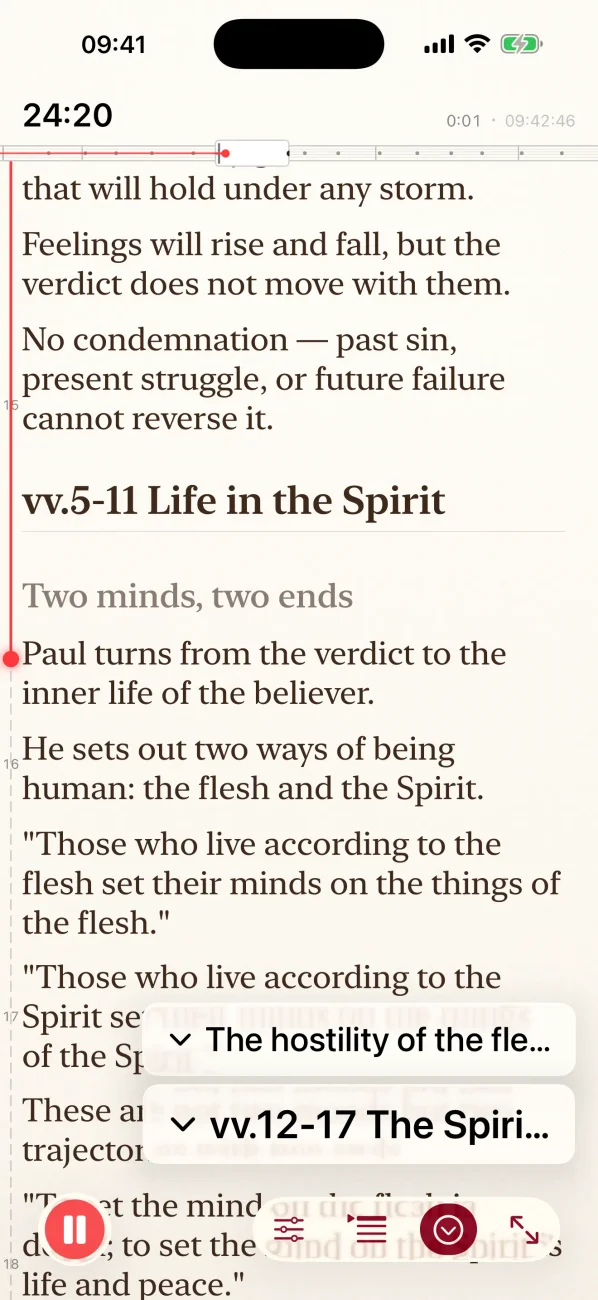
SPEECH MODE
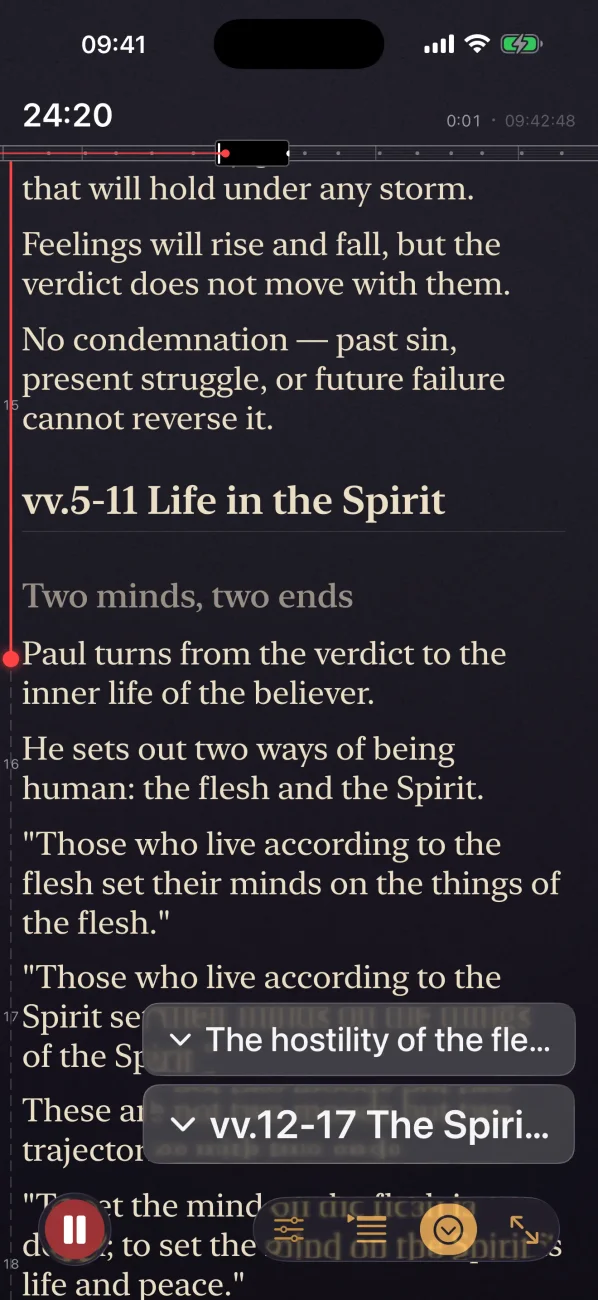
Plain prose, large type, generous line height. A quiet timer, an
unobtrusive ruler, and a progress runner that lets you see — without
reading the clock — how much sermon is left. No menu bars, no editing
controls, no notifications. Nothing between you and the words.
YOUR FILES, YOUR FUTURE
Sermons are saved as plain Markdown files on disk. No accounts, no
lock-in, no proprietary format. Open them in any editor; carry them
on a USB stick; sync through iCloud Drive if you want to. Your
archive outlives any app.
PRIVACY
Verbatum has no backend, no telemetry, no analytics. Your sermons
never leave your device unless you put them somewhere yourself.
REQUIREMENTS
macOS 15 (Sequoia) or later. iPadOS 17 or later.
Có gì mới
Phiên bản 1.0.2 · 12/05/2026
- **Thoughts and Speech.** What we called "Mind Map" and "Delivery" are now "Thoughts" (the mind map) and "Speech" (the preach view). Shortcuts and behaviour unchanged.
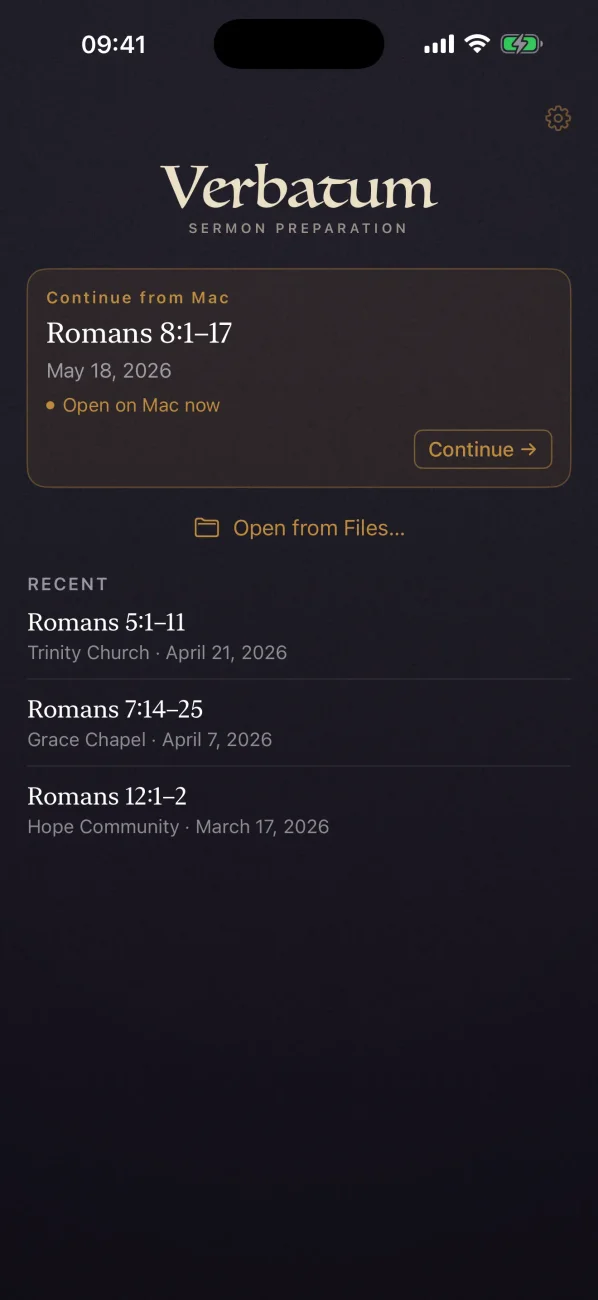
- **Recents, smarter.** The Recents list shows duration and last-preached info at a glance. Remove an entry with the hover-X (Mac) or a left swipe (iPad/iPhone).
- **Timer guardrails.** Target tops out at 4 hours; the timer auto-pauses if it runs five minutes past, so it can't quietly chew through an hour after you've stepped offstage.
- **iOS gestures.** Right-edge swipe to extend the timer mid-sermon; left-edge swipe-back to close Speech.
- **Speech polish.** The late-runner puck no longer grazes the lens edge, a dashed pin ghost previews where the next anchor will land, and the inside-lens runner reads more crisply at high magnification.
- **Fixes.** Dark/light follows your Settings choice exactly. About and Settings windows stay in front of the Welcome screen. The Mac file picker shows both `.md` and `.verbatum` by default. iPhone's late puck keeps animating across pause and resume.
Quyền riêng tư của ứng dụng
Những gì Ivan Frolov khai báo trên App Store về cách ứng dụng này xử lý dữ liệu.
-
Dữ liệu không được thu thập
Nhà phát triển không thu thập bất kỳ dữ liệu nào từ ứng dụng này.
Phương thức đảm bảo quyền riêng tư có thể khác nhau, chẳng hạn như tuỳ theo các tính năng bạn sử dụng hoặc độ tuổi của bạn.
Thông tin
- Người bán
- Ivan Frolov
- Danh mục
- Hiệu Suất
- Phiên bản
- 1.0.2
- Cập nhật
- 12/05/2026
- Phát hành
- 10/05/2026
- Kích thước
- 7,7 MB
- Yêu cầu
- iOS 17.0 trở lên
- Độ tuổi
- 4+
- Giá
- Miễn phí
- Ngôn ngữ
- Tiếng Anh, Tiếng Hà Lan, Filipino, Tiếng Pháp, Tiếng Đức, Tiếng Hungary, Tiếng Indonesia, Tiếng Ý, Tiếng Nhật, Tiếng Hàn, Tiếng Ba Lan, Tiếng Bồ Đào Nha + 6 ngôn ngữ khác
- Bản quyền
- © Ivan Frolov