
Video Compressor - LeanVid
Shrink & convert, keep quality
Được thiết kế cho iPhone, iPad
Miễn phí
- Độ tuổi4+
- Danh mụcẢnh & Video
- Nhà phát triểnHyungsung Kim
- Ngôn ngữTiếng Anh+ 10 ngôn ngữ khác
- Kích thước30,2 MB
Liên kết đến trang App Store chính thức
Download.org không lưu trữ tệp nào của Video Compressor - LeanVid. Nút này mở trang ứng dụng trên App Store, nơi Hyungsung Kim phát hành ứng dụng. Trang được kiểm tra lần cuối: 15/11/2026.
Ảnh chụp màn hình

Giới thiệu
Nhà phát triển chưa cung cấp nội dung này bằng ngôn ngữ của bạn.
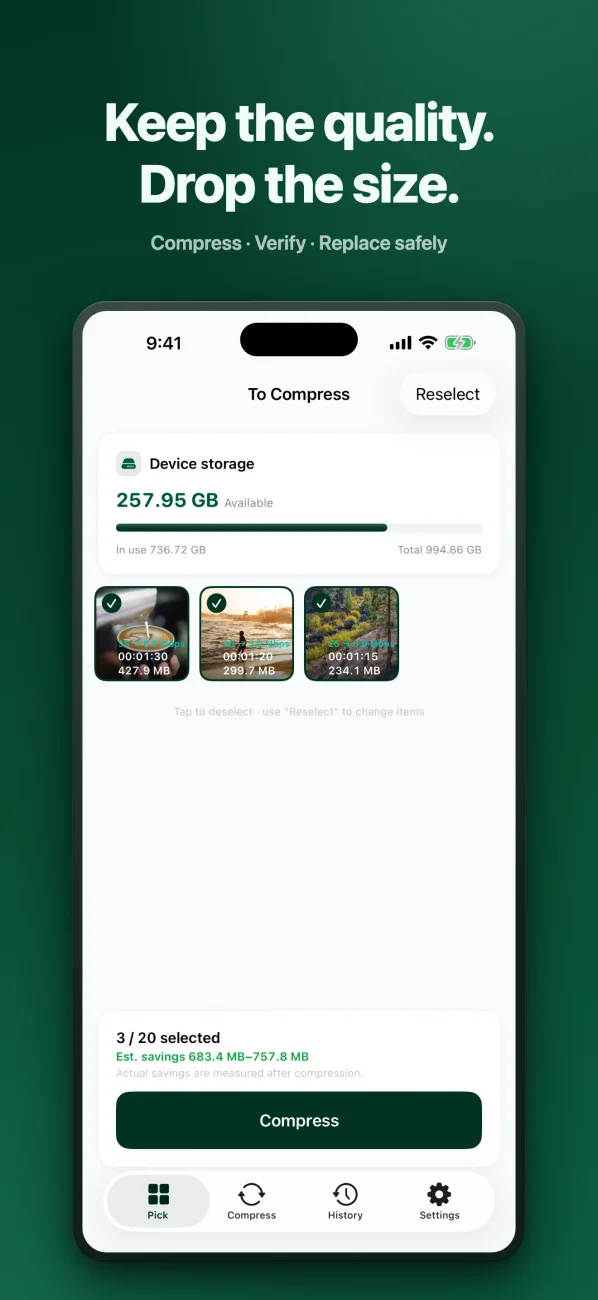
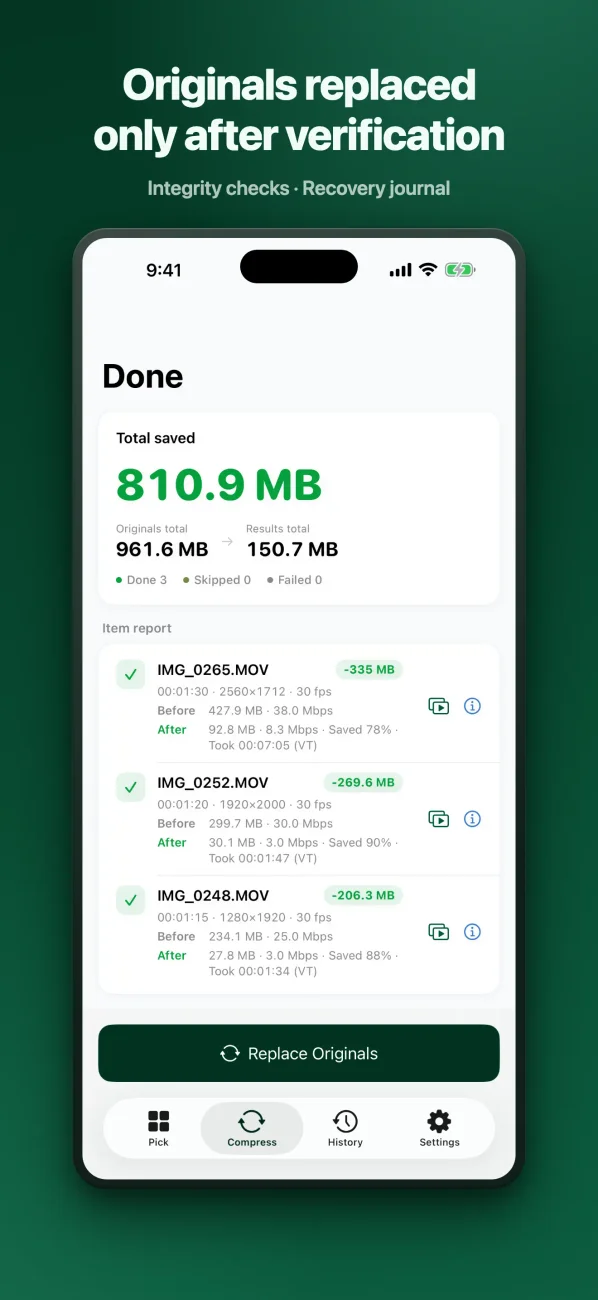
Your videos are eating your storage. Deleting them hurts, and cloud plans add up — LeanVid opens a third way. It compresses videos by lowering only the bitrate while preserving quality (resolution, frame rate, color, HDR, and every track), then safely replaces the originals — but only after each result passes an integrity check.
Free, no account needed, and everything happens on your device. Videos from the Files app such as MKV, WebM, and AVI are converted to MP4 that plays on iPhone, and compressed along the way.
■ MADE FOR YOU IF
• You keep seeing "iPhone Storage Almost Full"
• You can't bring yourself to delete family or travel videos
• You'd rather not add another monthly fee just for more cloud storage
■ COMPRESSION THAT PROTECTS QUALITY
• By default it lowers only the bitrate and leaves resolution and frame rate as they are
• Want it smaller? You can also lower the resolution (4K to FHD or HD, HD to 480p) and frame rate (60, 30, or 24 fps), for all videos or one by one
• Best-effort preservation of HDR (HDR10, HLG, Dolby Vision compatible) and color information
• Audio, subtitle, and metadata tracks are copied as-is (only audio that MP4 can't hold is converted to AAC)
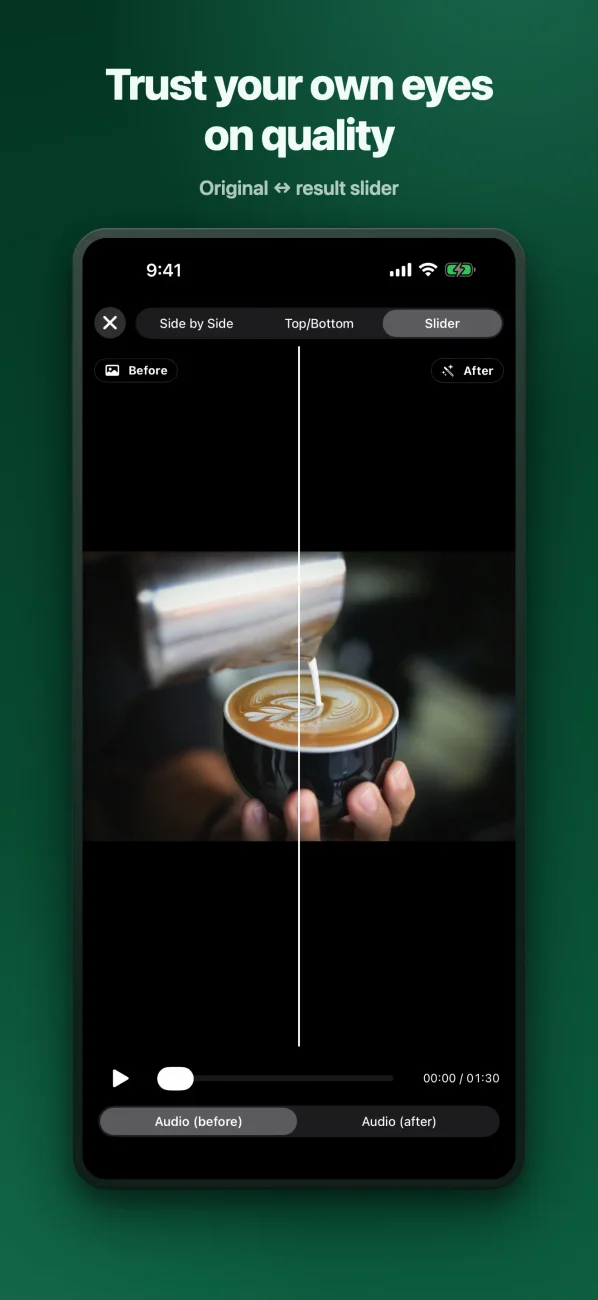
• Compare before and after with side-by-side, top-bottom, or slider playback — see for yourself, then decide
• Detailed spec comparison: codec, bitrate, HDR, frame rate, and more
■ VIDEOS OUTSIDE YOUR PHOTO LIBRARY, TOO
• Pick videos from the Files app (On My iPhone, iCloud Drive) and compress them
• Files your iPhone can't play are handled by the built-in converter — MKV, WebM, AVI, WMV, FLV, TS, MPG and VOB files with VP9, AV1, VP8, MPEG-1/2/4, DivX, Xvid, WMV or Motion JPEG video
• Their audio (AAC, MP3, AC-3, Opus, Vorbis, WMA, PCM) is converted along with the video; subtitle tracks and iPhone spatial audio are not carried over
• Replace the original file or save the result to your photo library
■ SAFEGUARDS FOR YOUR ORIGINALS
• Replacement proceeds only after the result passes integrity verification
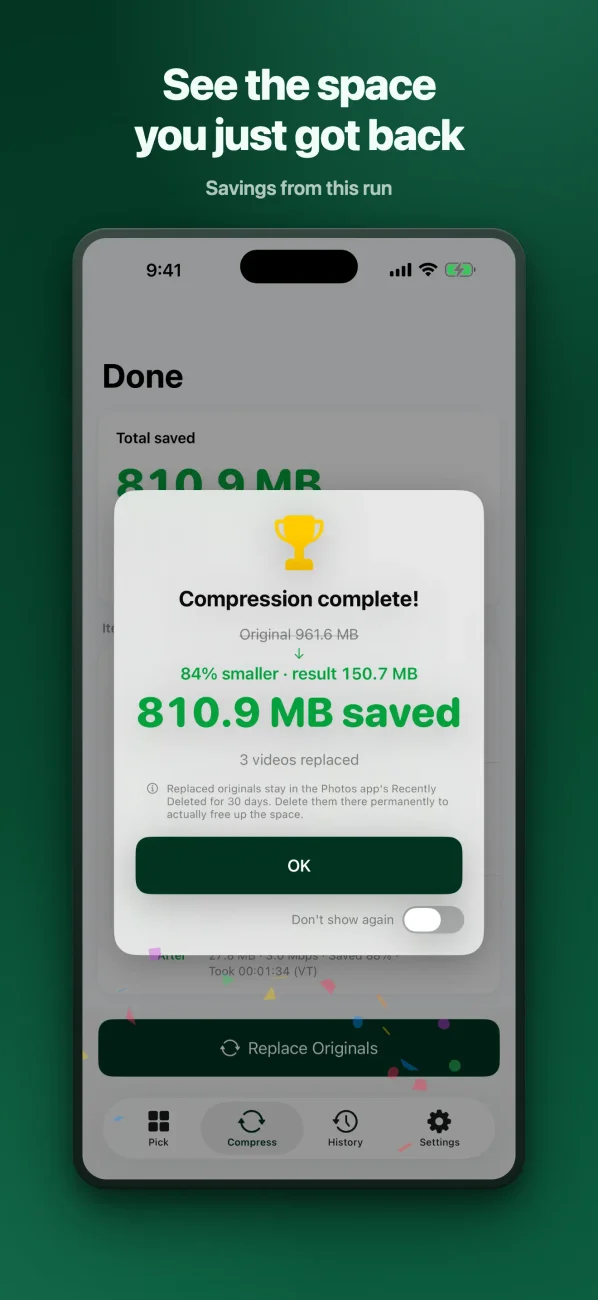
• Deleting originals goes through the iOS system confirmation, and they stay in Recently Deleted for 30 days
• A recovery journal safely rolls back interrupted work if the app quits mid-task
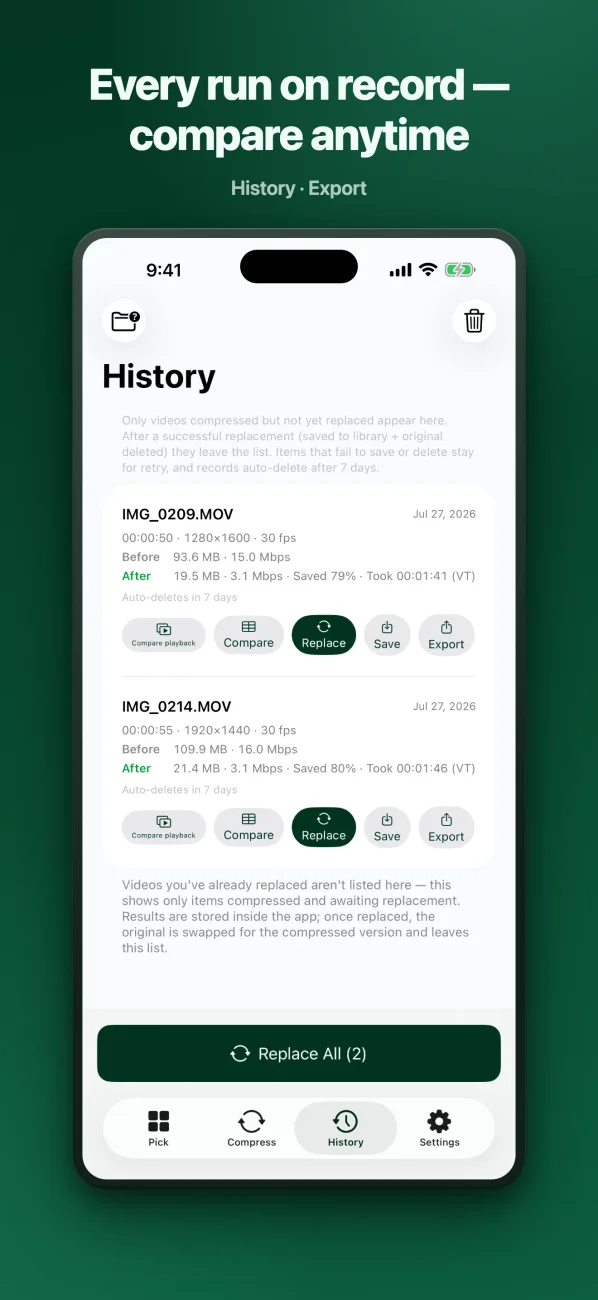
• Compression history lets you re-compare or export anytime
■ SAVINGS THAT REPEAT EVERY MONTH
• A lighter library lowers your cloud usage too
• Once usage drops below a plan tier, downgrading one step saves you money automatically every month
• Not a one-time cleanup — savings that show up on every bill
■ NO WAITING AROUND
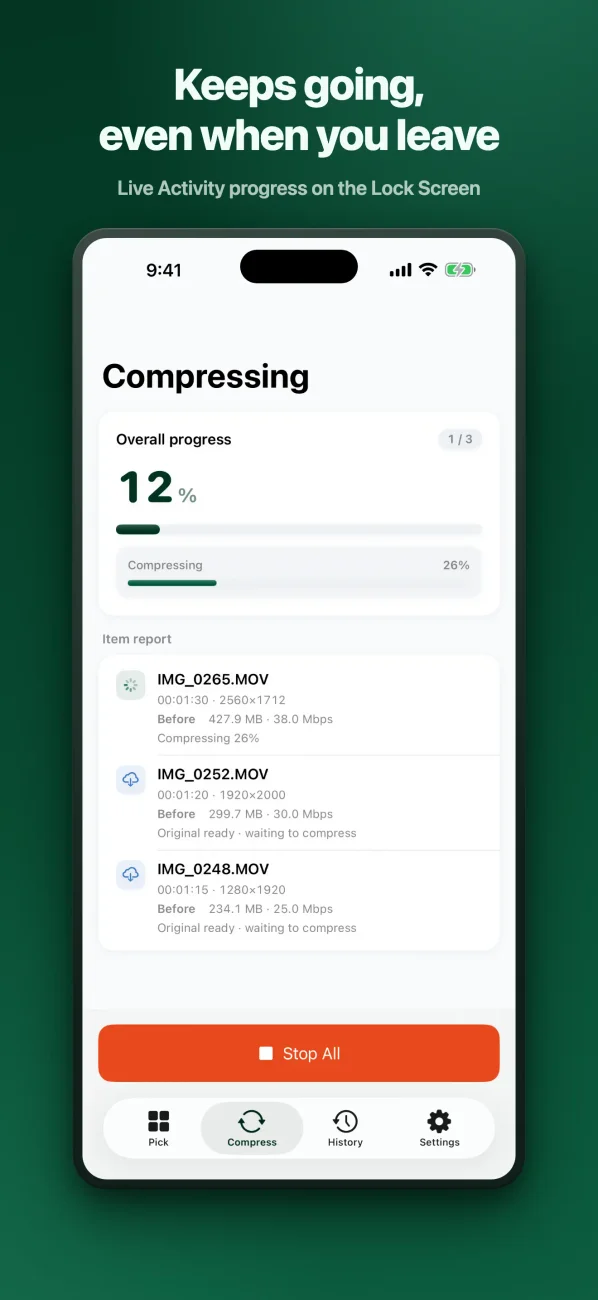
• Compression continues in the background (iOS 26+ devices; earlier versions pause and auto-resume)
• Track progress from the Lock Screen and Dynamic Island with Live Activities
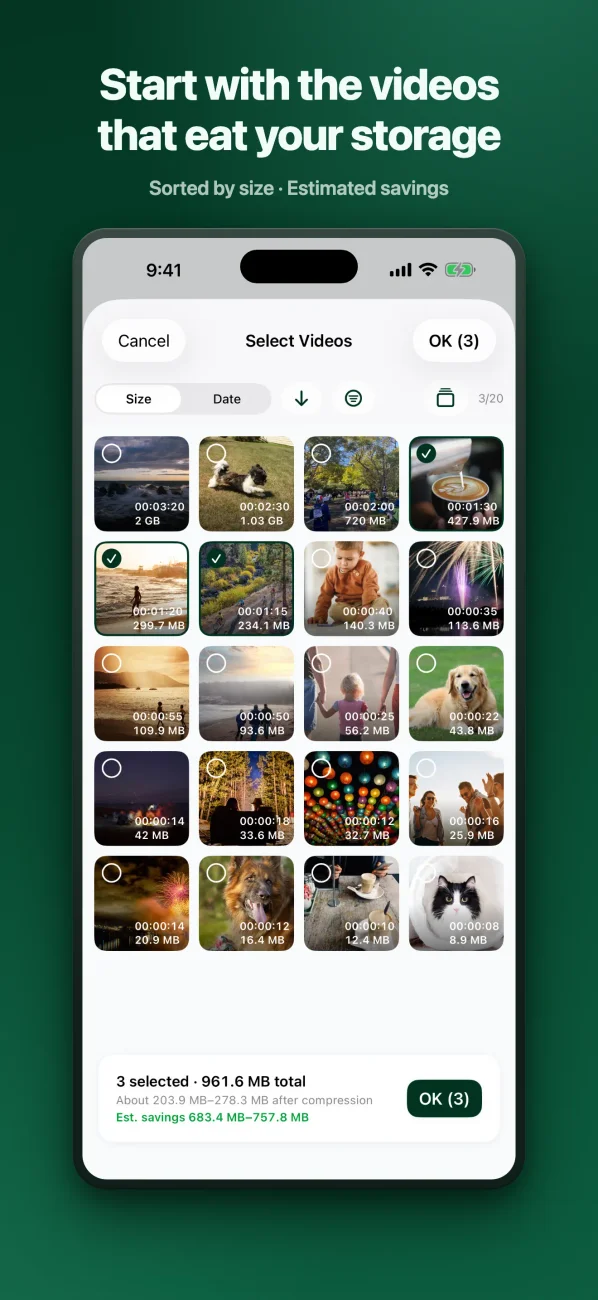
• Sort by size, date, or date added (iOS 26 or later) to start with the biggest or the newest videos
• Videos stored in iCloud are downloaded and processed automatically
■ PRIVACY
• Everything happens on your device — no data about your videos is ever collected or transmitted
• No contradiction: an app that cuts your cloud fees never uploads your videos to a cloud of its own
About the permission it asks for
LeanVid needs access to your photo library to find compressible videos and to replace originals after verification. Originals are deleted only with your confirmation. Videos from the Files app need no extra permission — only the files you pick are accessed.
Có gì mới
Phiên bản 1.1.5 · 06/11/2026
Sorting on the video picker is now a menu.
• Choose Size, Date, or Date added from the Sort menu.
• Date added follows the order videos entered your photo library, so videos you just saved or received are easy to find (iOS 26 or later).
Quyền riêng tư của ứng dụng
Những gì Hyungsung Kim khai báo trên App Store về cách ứng dụng này xử lý dữ liệu.
-
Dữ liệu được sử dụng để theo dõi bạn
Có thể được sử dụng để theo dõi bạn trên các ứng dụng và trang web do công ty khác sở hữu.
- Mã định danh
-
Dữ liệu liên kết với bạn
Có thể được thu thập và liên kết với danh tính của bạn.
- Vị trí
- Mã định danh
- Dữ liệu sử dụng
-
Dữ liệu không liên kết với bạn
Có thể được thu thập nhưng không liên kết với danh tính của bạn.
- Chẩn đoán
Phương thức đảm bảo quyền riêng tư có thể khác nhau, chẳng hạn như tuỳ theo các tính năng bạn sử dụng hoặc độ tuổi của bạn.
Thông tin
- Người bán
- Hyungsung Kim
- Danh mục
- Ảnh & Video
- Phiên bản
- 1.1.5
- Cập nhật
- 06/11/2026
- Phát hành
- 26/08/2026
- Kích thước
- 30,2 MB
- Yêu cầu
- iOS 18.0 trở lên
- Độ tuổi
- 4+
- Giá
- Miễn phí
- Ngôn ngữ
- Tiếng Anh, Tiếng Pháp, Tiếng Đức, Tiếng Ý, Tiếng Nhật, Tiếng Hàn, Tiếng Bồ Đào Nha, Tiếng Nga, Tiếng Trung Giản thể, Tiếng Tây Ban Nha, Tiếng Trung Phồn thể
- Bản quyền
- © 2026 Cream
Có thể bạn cũng thích
-
 FaceIdent: Quản Lý Ảnh AITìm khuôn mặt, người trong ảnh
-
 Second Photo Library・PicsFoldẢnh & Video
-
 Latent Photos: Lọc & gắn thẻDọn ảnh trùng, gắn thẻ album
-
 Photo Legacy: Album ScannerẢnh & Video
-
 VideoRecord: Dừng & quay tiếpNgày giờ, GPS và địa chỉ
-
 PGYTECH: Pro Camera & EditorẢnh & Video
-
 Video Compress, Resize, ShrinkMáy nén video đơn giản của tôi
-
 Video Compressor - Reduce sizeNén ảnh phim AI dọn dẹp bộ nhớ
-
 No Fusion-Powerful Pro CamẢnh & Video
-
 Dễ dàng nén videoGiảm dung lượng video