Viso - Projection Mapping
Projector Art & Visuals
Được thiết kế cho iPhone, iPad
Miễn phí · Mua hàng trong ứng dụng
- Độ tuổi4+
- Danh mụcẢnh & Video
- Nhà phát triểnMerek Barrett
- Ngôn ngữTiếng Anh
- Kích thước137,3 MB
Liên kết đến trang App Store chính thức
Download.org không lưu trữ tệp nào của Viso - Projection Mapping. Nút này mở trang ứng dụng trên App Store, nơi Merek Barrett phát hành ứng dụng. Trang được kiểm tra lần cuối: 13/11/2026.
Ảnh chụp màn hình

Giới thiệu
Nhà phát triển chưa cung cấp nội dung này bằng ngôn ngữ của bạn.
Projection mapping made simple. Map faster and create professional visual displays directly from your iPhone or iPad.
Visomapper transforms your device into a complete projection mapping studio. No computer. No video editing software. No expensive hardware. Just powerful, intuitive tools that let you map visuals onto buildings, sculptures, stages, or home setups in minutes.
Connect to any projector via HDMI, USB-C, or AirPlay and start mapping immediately. Visomapper gives you the creative freedom to light up the world without the complex workflow.
WHY VISOMAPPER?
A COMPLETE VFX STUDIO IN YOUR POCKET
Stop rendering loops in external video editors. Visomapper lets you apply professional visual effects live inside the app. Transform simple images or videos using the Effects Engine—apply Fragment Effects to shatter your visuals, create pulsing Scale animations, or automate Opacity fades. Achieve complex motion graphics results in seconds, not hours.
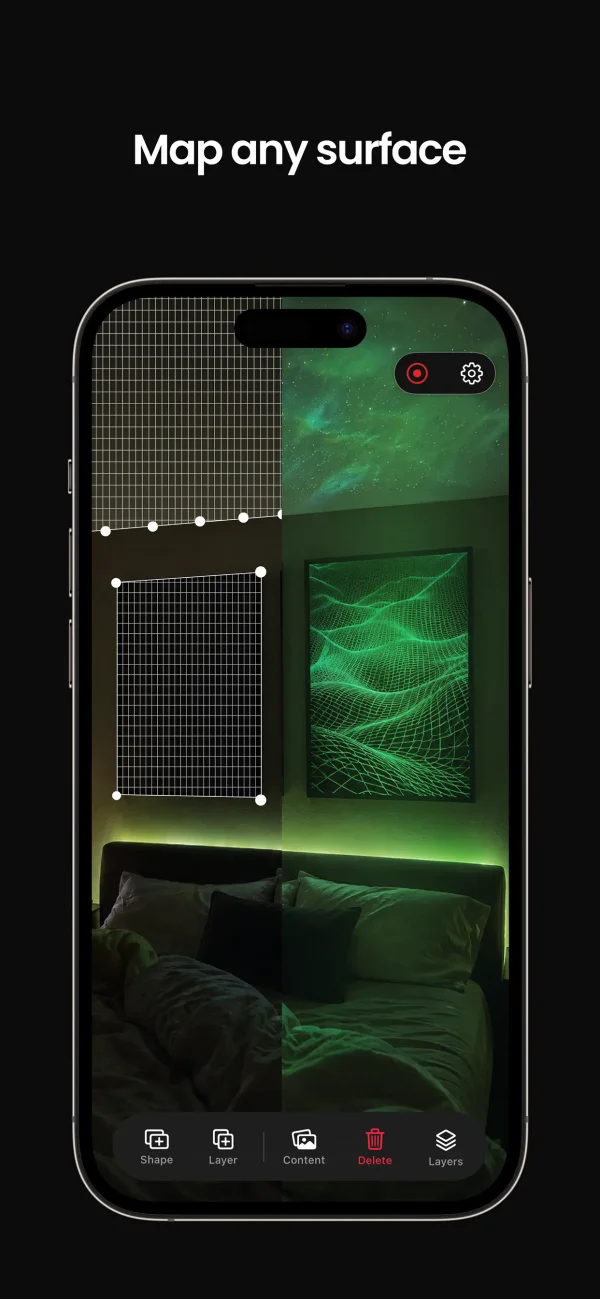
MAP ANYTHING, ANYWHERE
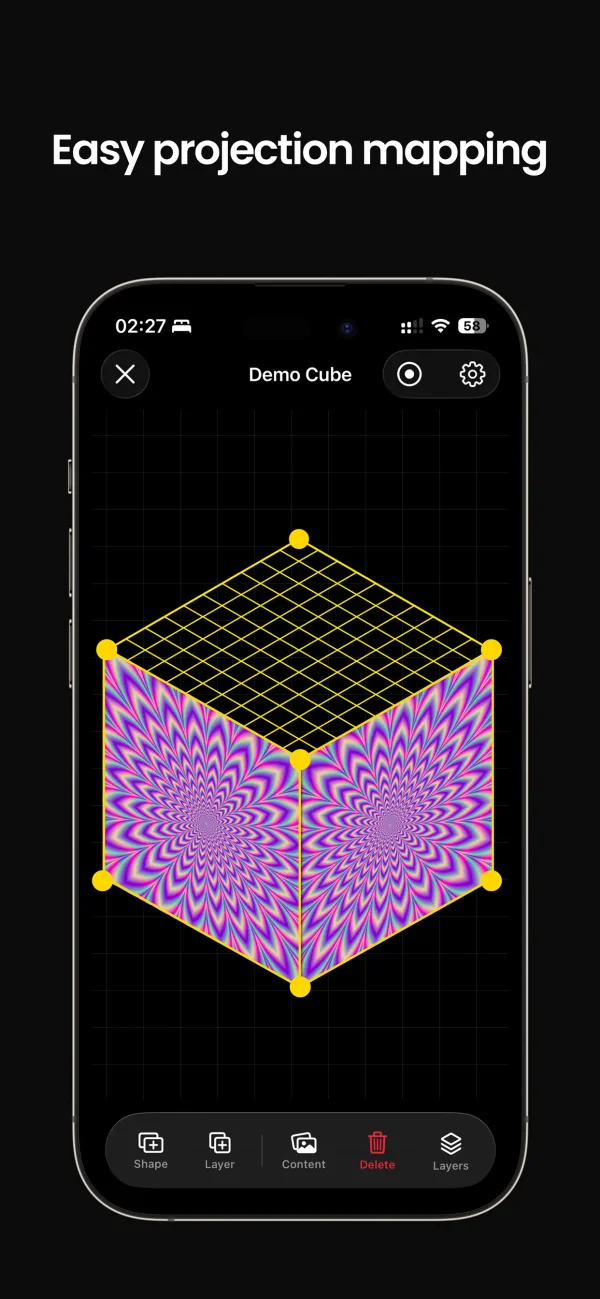
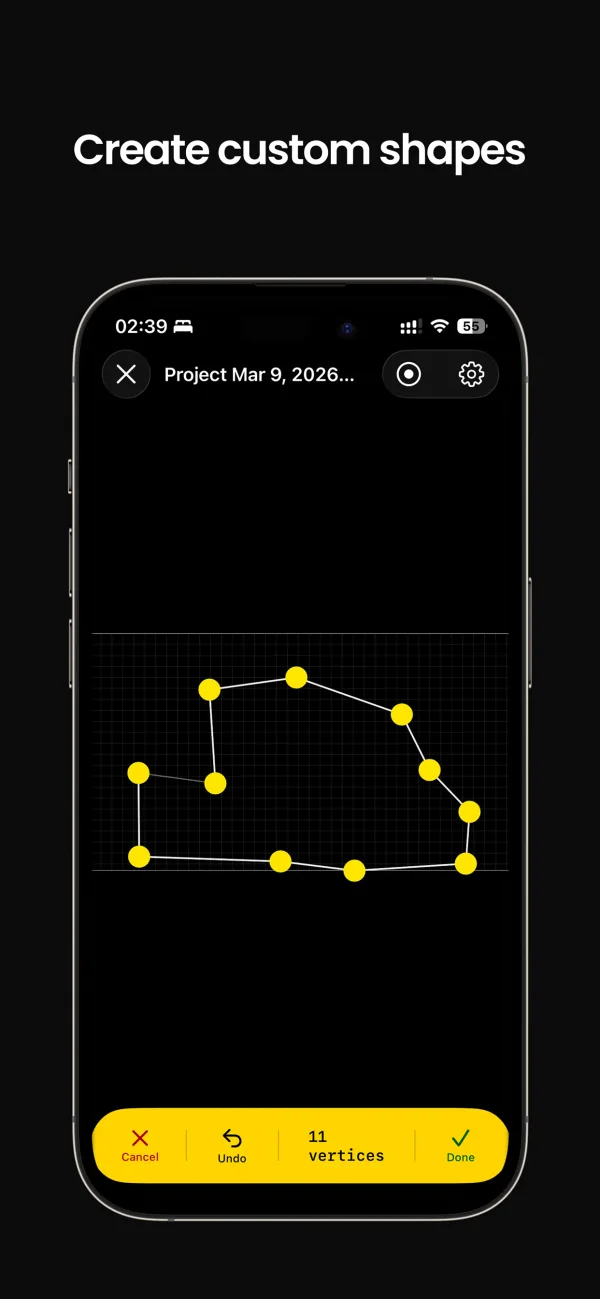
Turn any object into a dynamic canvas. Visomapper’s touch-first interface makes it effortless to project onto irregular surfaces. Use precise Masking Tools to cut out shapes and Corner Warping to align your visuals perfectly to any geometry. Drag corners, warp meshes, and snap vertices to fit your projection to reality.
DYNAMIC VISUALIZERS
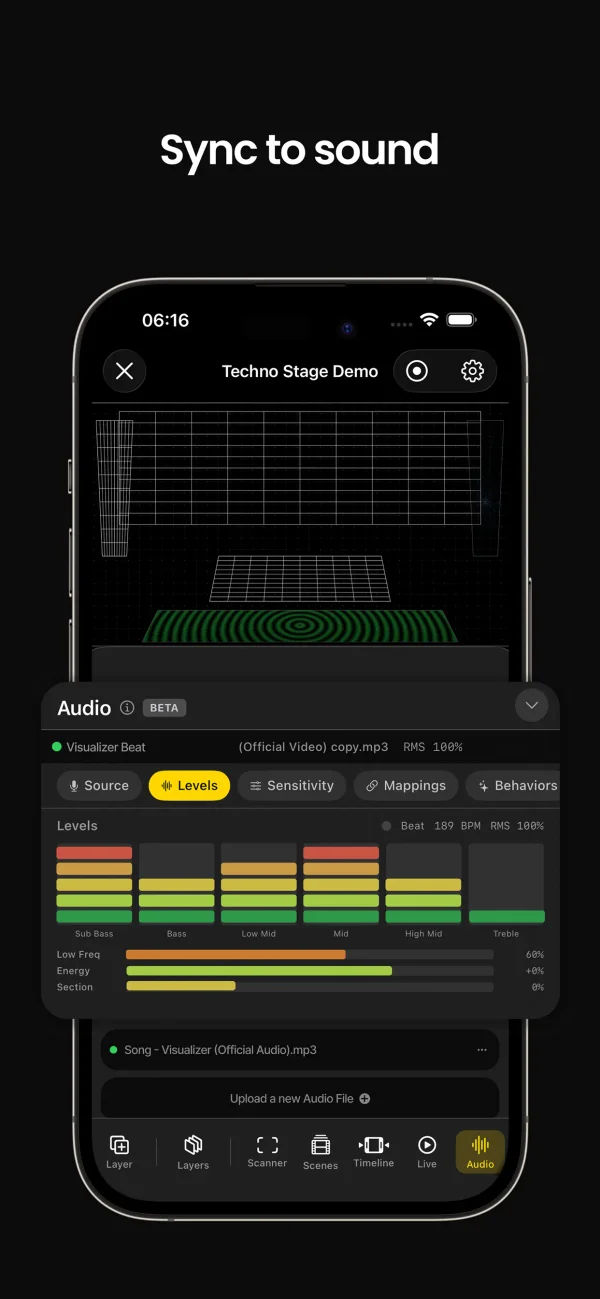
Forget static images. Visomapper includes a library of Visualizers—real-time generative backgrounds that animate and evolve. Explore Kaleidoscopes, Particles, Tunnels, and fluid Gradients that render live on your device.
EXTENSIVE ASSET STORE
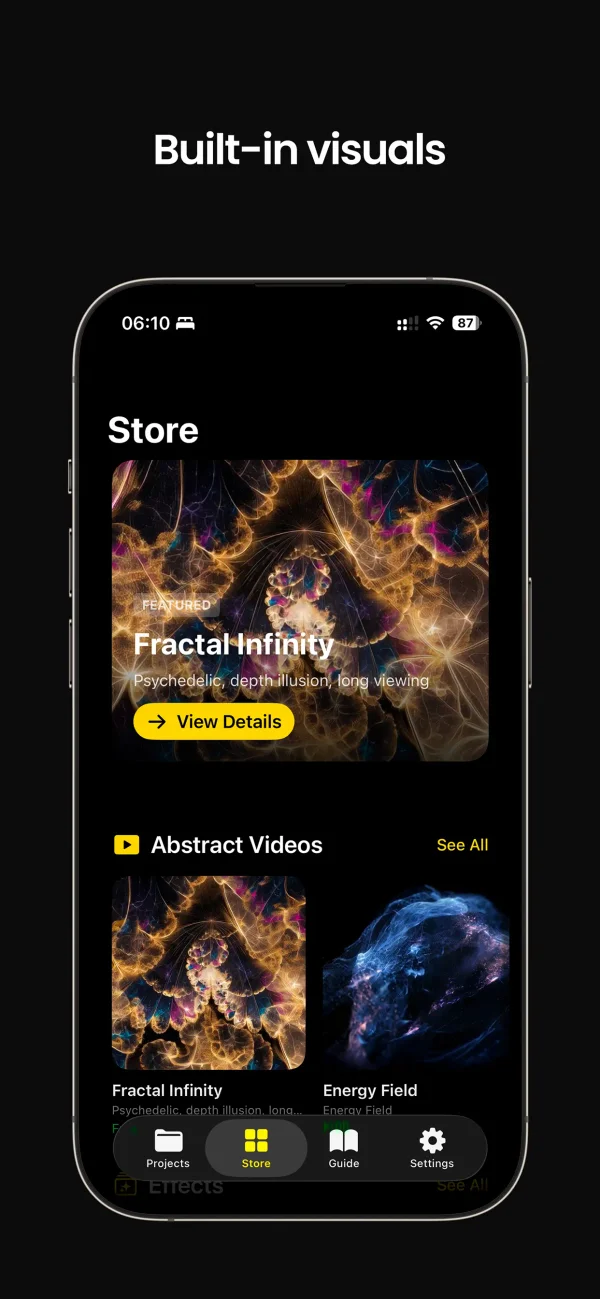
Expand your creative possibilities with the integrated Asset Store. Browse and download high-quality textures, video loops, and visualizer presets designed specifically for projection mapping. Finding the perfect content for your installation has never been easier.
SIMPLE DESIGN, PROFESSIONAL RESULTS
Project full-resolution visuals while keeping your control interface private. Built on Apple’s Metal graphics engine, Visomapper ensures buttery-smooth playback and high performance, even when stacking multiple effects and layers.
CORE FEATURES
PROJECTION MAPPING TOOLS
Precision Warping: Corner handles and mesh distortion for exact alignment.
Masking & Drawing: Create custom shapes to fit specific objects or architectural details.
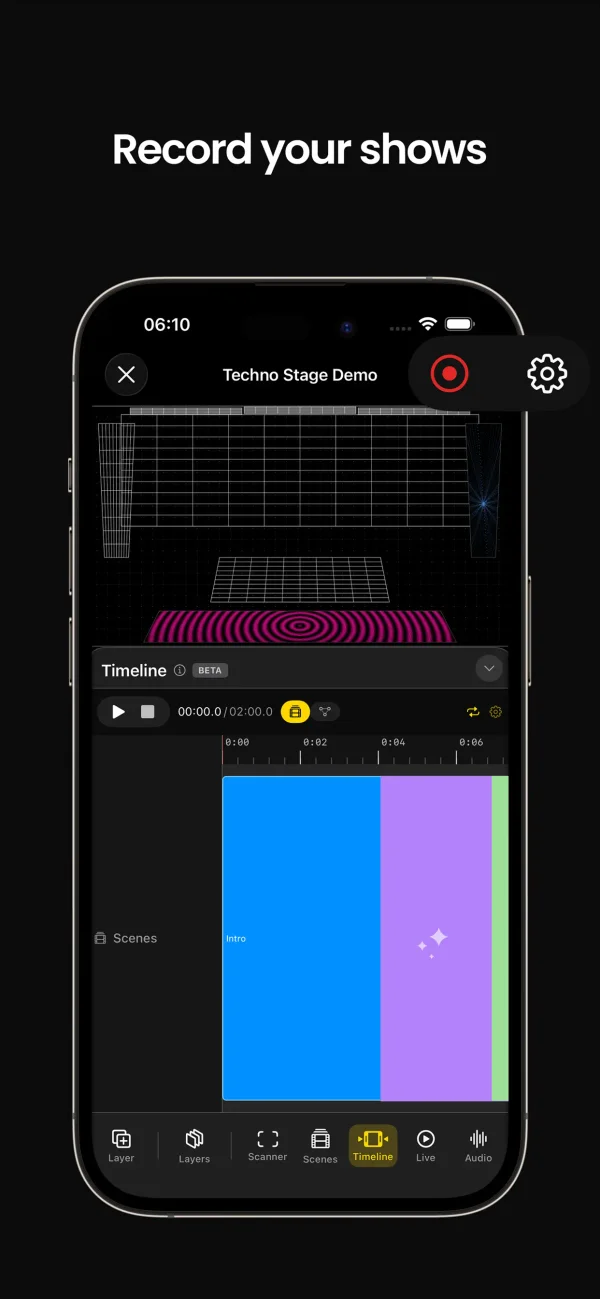
Multi-Surface: Map multiple independent objects or panels simultaneously.
Live Preview: See your changes instantly on the projector.
BUILT-IN EFFECTS ENGINE
Fragment Effect: Shatter, wave, and explode your visuals in real-time.
Transform Effects: Automate scale, rotation, and position animations.
Opacity & Blending: Create professional transitions and layered looks without video editing.
Real-Time Rendering: All effects are calculated live—no waiting for renders.
CREATIVE VISUALIZERS
Library: Access real-time generative effects like Kaleidoscope, Strobe, and Noise.
Customizable Parameters: Adjust speed, density, and styles on the fly.
Video Import: Load your own content and enhance it with app effects.
CONNECTIVITY & CONTROL
Universal Support: Works with HDMI, USB-C, Lightning, and AirPlay projectors.
Extended Display: Projects only your canvas content while keeping editor controls hidden.
Offline Capable: No internet needed for performance.
Project Management: Save, duplicate, and organize your mapping setups.
PERFECT FOR
Artists & VJs: Create pro-level stage visuals without a laptop or After Effects.
Event Organizers: Transform weddings, venues, and exhibits with immersive light.
Home Decor: Design ambient environments or holiday displays effortlessly.
Store Displays: Create eye-catching digital signage on any surface.
Visomapper brings the power of professional desktop mapping software to a modern, mobile interface. It replaces complicated video production workflows with real-time effects and a touch-first design.
Terms of Use: https://www.apple.com/legal/internet-services/itunes/dev/stdeula
Privacy Policy: https://visomapper.com/privacy
Có gì mới
Phiên bản 1.4.2 · 01/09/2026
Bug fixes and performance improvements.
Quyền riêng tư của ứng dụng
Những gì Merek Barrett khai báo trên App Store về cách ứng dụng này xử lý dữ liệu.
-
Dữ liệu không liên kết với bạn
Có thể được thu thập nhưng không liên kết với danh tính của bạn.
- Mã định danh
- Dữ liệu sử dụng
Phương thức đảm bảo quyền riêng tư có thể khác nhau, chẳng hạn như tuỳ theo các tính năng bạn sử dụng hoặc độ tuổi của bạn.
Thông tin
- Người bán
- Merek Barrett
- Danh mục
- Ảnh & Video
- Phiên bản
- 1.4.2
- Cập nhật
- 01/09/2026
- Phát hành
- 21/01/2026
- Kích thước
- 137,3 MB
- Yêu cầu
- iOS 18.0 trở lên
- Độ tuổi
- 4+
- Giá
- Miễn phí
- Mua hàng trong ứng dụng
- Có
- Ngôn ngữ
- Tiếng Anh
- Bản quyền
- © 2026 Visomapper
Có thể bạn cũng thích
-
 ILW LightMapperẢnh & Video
-
 HappyMapperẢnh & Video
-
 One Big Projector: MappingVJ, decor & wall shows
-
 Máy chiếu 3D Mapping: GlowCastTrang trí Noel, show ánh sáng
-
 Gaussian SplatKingẢnh & Video
-
 NDI Monitor ProẢnh & Video
-
 STL Buddy Fast 3D Scanner AppScan Anything into a 3D model
-
 SimulonẢnh & Video
-
 USB Camera to NDIẢnh & Video
-
 Modelar - 3D LiDAR ScannerẢnh & Video