
VTimer: Custom Interval Timer
Adjustable repeat alerts
Được thiết kế cho iPhone
Miễn phí · Mua hàng trong ứng dụng
- Độ tuổi4+
- Danh mụcTiện Ích
- Nhà phát triểnYeongsang Kim
- Ngôn ngữTiếng Anh+ 4 ngôn ngữ khác
- Kích thước39,7 MB
Liên kết đến trang App Store chính thức
Download.org không lưu trữ tệp nào của VTimer: Custom Interval Timer. Nút này mở trang ứng dụng trên App Store, nơi Yeongsang Kim phát hành ứng dụng. Trang được kiểm tra lần cuối: 16/11/2026.
Ảnh chụp màn hình

Giới thiệu
Nhà phát triển chưa cung cấp nội dung này bằng ngôn ngữ của bạn.
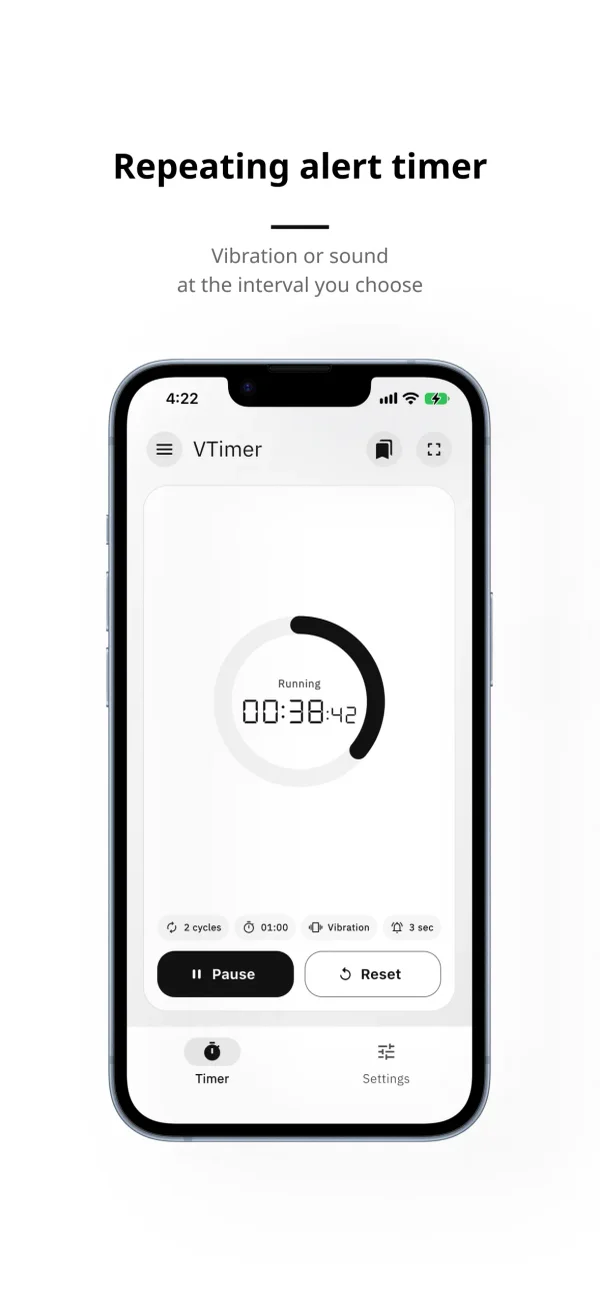
VTimer is a customizable interval timer that repeats vibration or sound alerts at intervals you set.
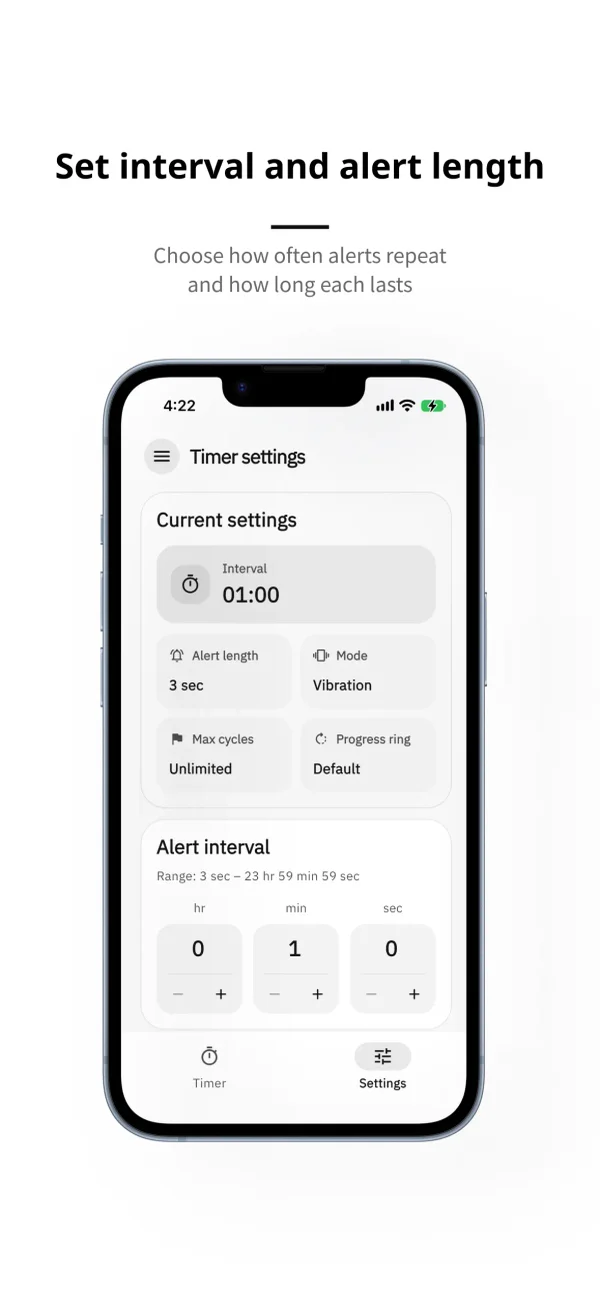
You can adjust the alert interval and alert length separately, making it easy to fit the timer to workouts, stretching, breathing exercises, study sessions, timed problem-solving, and other repeating routines.
Choose vibration or sound for repeating alerts.
In sound mode, select an audio file or a video file with playable audio from your device and preview it before using it as your alert sound.
On the timer screen, you can check the remaining time, current status, and completed cycle count at a glance.
Simple start, pause, and reset controls keep the experience focused and easy to use.
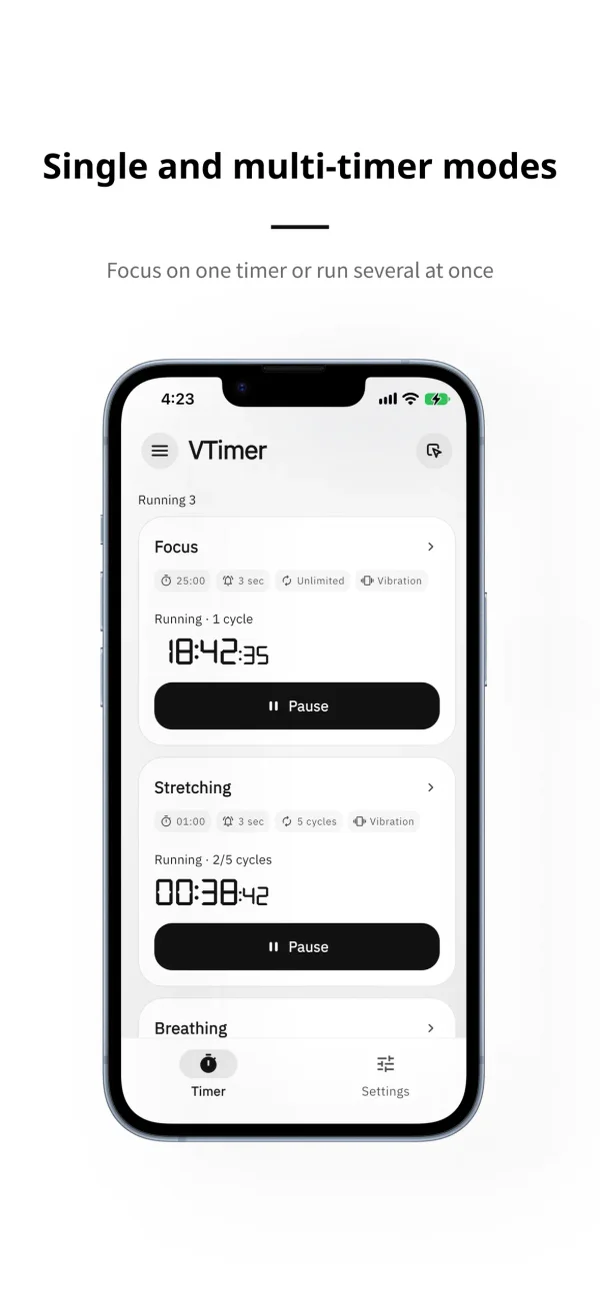
Focus on one repeating alert with the single timer, or use several with multi-timers.
Save multi-timers with different settings and run up to 10 at once.
Full-screen mode hides unnecessary elements and shows the timer in large digits.
It is available for the single timer and each individual multi-timer.
Check your Lock Screen notifications for the remaining time of up to 3 running timers with the nearest upcoming alerts.
Key benefits
- Set the alert interval and alert length separately
- Choose repeating vibration or sound alerts
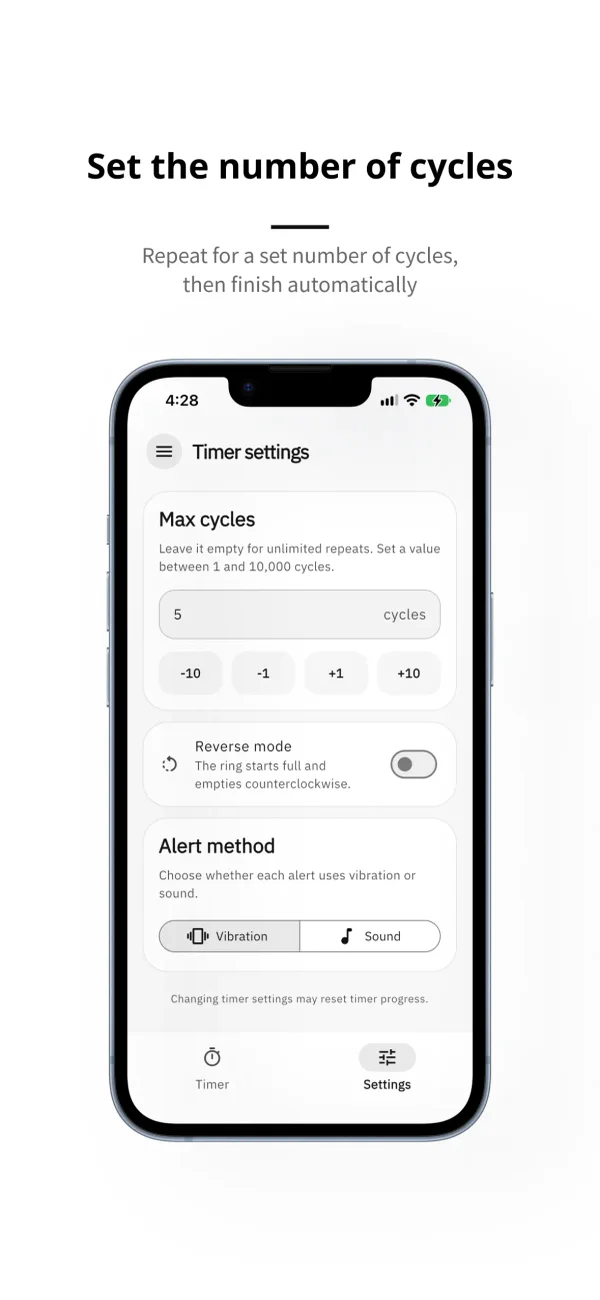
- Set a maximum cycle count
- Select and preview your own alert sound
- Run up to 10 repeating timers at once with multi-timers
- View the timer in large digits in full-screen mode
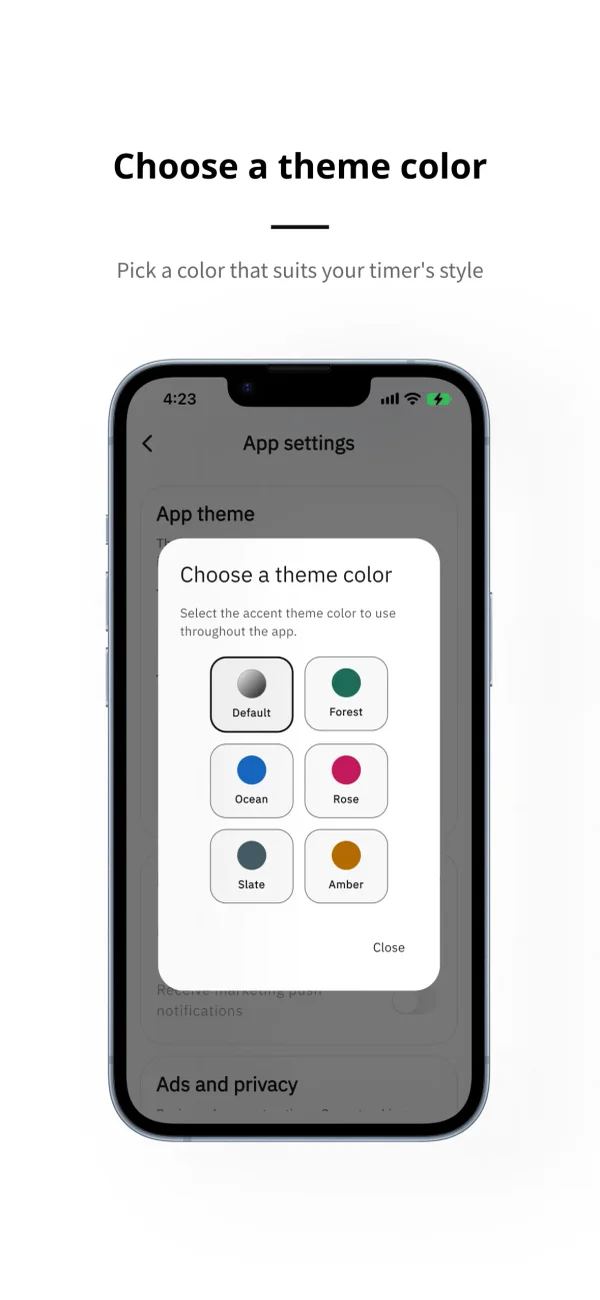
- Personalize the timer look with theme and color options
- See remaining time for up to 3 timers on your Lock Screen
- Back up and restore timer settings and selected alert sounds
Features
1. Repeating alert settings
- Set the alert interval in hours, minutes, and seconds
- Set how long each alert lasts and how many times it repeats
- Choose vibration or sound alerts
- Select, preview, or remove your own alert sound
2. Timer controls and management
- Choose the Single timer or Multi-timer mode
- Save multi-timers with individual names and settings
- Run up to 10 multi-timers at once
- Start, pause, and reset timers
- Start or pause selected multi-timers together
- Find running timers at the top of the list, organized by status
- Add, edit, duplicate, delete, and reorder multi-timers
3. Time display and appearance
- Choose the progress ring mode: Default (fills clockwise) or Reverse (empties counterclockwise)
- Use full-screen mode for a large timer you can read at a glance
4. Lock Screen timer display
- See remaining time for up to 3 running timers with the nearest upcoming alerts
- Tap the notification to open the app and pause or resume timers
5. App settings and support
- Change the app language: Korean, English, Spanish, French, or German
- Choose an app theme and color
- Back up and restore timer settings
- Customer support
Backup details
- Back up single and multi-timer settings and selected alert sounds to a file
- Restoring replaces your current timer settings and selected alert sounds
- Receive a notice when sounds exceed backup size limits and are excluded
- Timers with excluded sounds use vibration alerts when restored
- App theme and language settings and timer progress are not included
Notes
- To see timer names and remaining time while locked, allow VTimer notifications on the Lock Screen and set Show Previews to Always.
- Audio and video files must be 32 MiB or smaller.
- On iPhone, vibration can feel different between foreground use and background or lock-screen alerts.
- iOS may delay progress updates or display the notification again.
- Background alerts follow iOS system notification behavior and device settings.
If you want an interval timer that repeats exactly the way you prefer,
VTimer gives you flexible control without unnecessary complexity.
Terms of Use (EULA): https://www.apple.com/legal/internet-services/itunes/dev/stdeula/
Privacy Policy: https://steadyseller.com/home/en/privacy-policy
Có gì mới
Phiên bản 2.5.0 · 01/11/2026
- Added support for Spanish, French, and German.
- You can now turn cycle count notifications on or off in app settings.
- Improved overall usability.
Quyền riêng tư của ứng dụng
Những gì Yeongsang Kim khai báo trên App Store về cách ứng dụng này xử lý dữ liệu.
-
Dữ liệu được sử dụng để theo dõi bạn
Có thể được sử dụng để theo dõi bạn trên các ứng dụng và trang web do công ty khác sở hữu.
- Mã định danh
- Dữ liệu sử dụng
-
Dữ liệu không liên kết với bạn
Có thể được thu thập nhưng không liên kết với danh tính của bạn.
- Mã định danh
- Dữ liệu sử dụng
- Chẩn đoán
Phương thức đảm bảo quyền riêng tư có thể khác nhau, chẳng hạn như tuỳ theo các tính năng bạn sử dụng hoặc độ tuổi của bạn.
Thông tin
- Người bán
- Yeongsang Kim
- Danh mục
- Tiện Ích
- Phiên bản
- 2.5.0
- Cập nhật
- 01/11/2026
- Phát hành
- 23/03/2026
- Kích thước
- 39,7 MB
- Yêu cầu
- iOS 16.1 trở lên
- Độ tuổi
- 4+
- Giá
- Miễn phí
- Mua hàng trong ứng dụng
- Có
- Ngôn ngữ
- Tiếng Anh, Tiếng Pháp, Tiếng Đức, Tiếng Hàn, Tiếng Tây Ban Nha
- Bản quyền
- © 2026 SteadySeller.com
Có thể bạn cũng thích
-
 Haptic Pulse TimerTiện Ích
-
 Haptic Interval TimerTiện Ích
-
 IntVtimerTiện Ích
-
 Custom Visual TimerTiện Ích
-
 Interval Chime: Repeat TimerTiện Ích
-
 Hẹn Giờ Định KỳNhắc nhở lặp lại
-
 Better Timer: Multi & RepeatStudy Focus & Habit Timer
-
 Vibration Timer - Vibrator AppTiện Ích
-
 Adhoro: Your Flexible TimerTiện Ích
-
 Multi Timer - SLOXTiện Ích