- Độ tuổi4+
- Danh mụcGiáo Dục
- Nhà phát triển7th Sense Project
- Ngôn ngữTiếng Anh
- Kích thước2,5 MB
Liên kết đến trang App Store chính thức
Download.org không lưu trữ tệp nào của Web Locker. Nút này mở trang ứng dụng trên App Store, nơi 7th Sense Project phát hành ứng dụng. Trang được kiểm tra lần cuối: 20/11/2026.
Ảnh chụp màn hình
Giới thiệu
Nhà phát triển chưa cung cấp nội dung này bằng ngôn ngữ của bạn.
Web Locker turns an iPad into a focused, single-purpose browser. Choose one website, or a short list of approved sites, and students can only use those sites. It is built for online exams, oral assessments, classroom activities and kiosk displays.
LOCK TO YOUR SITES
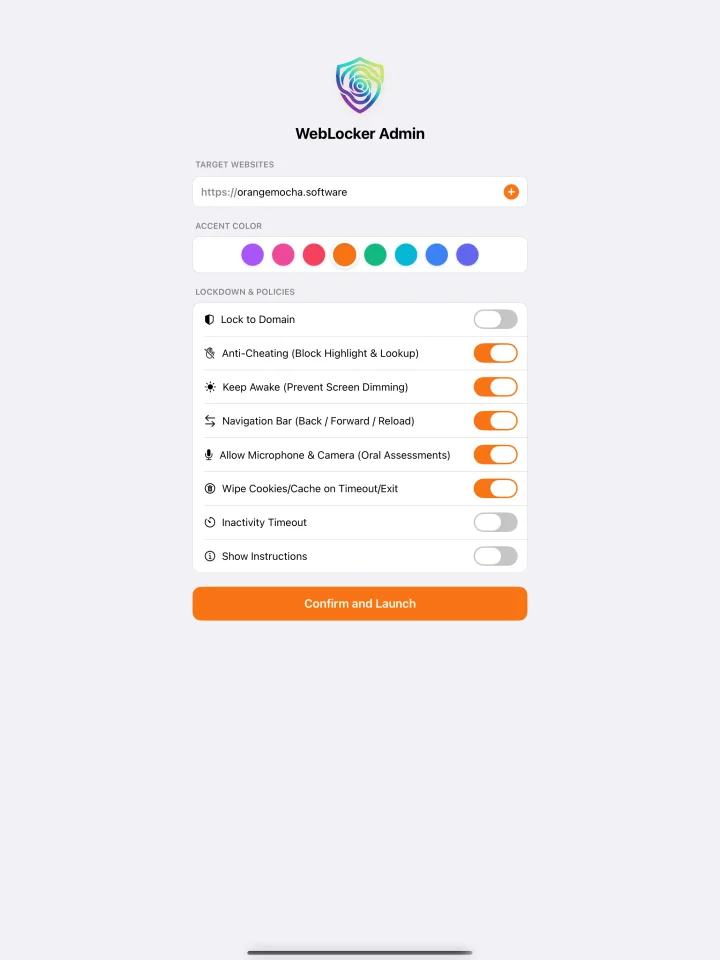
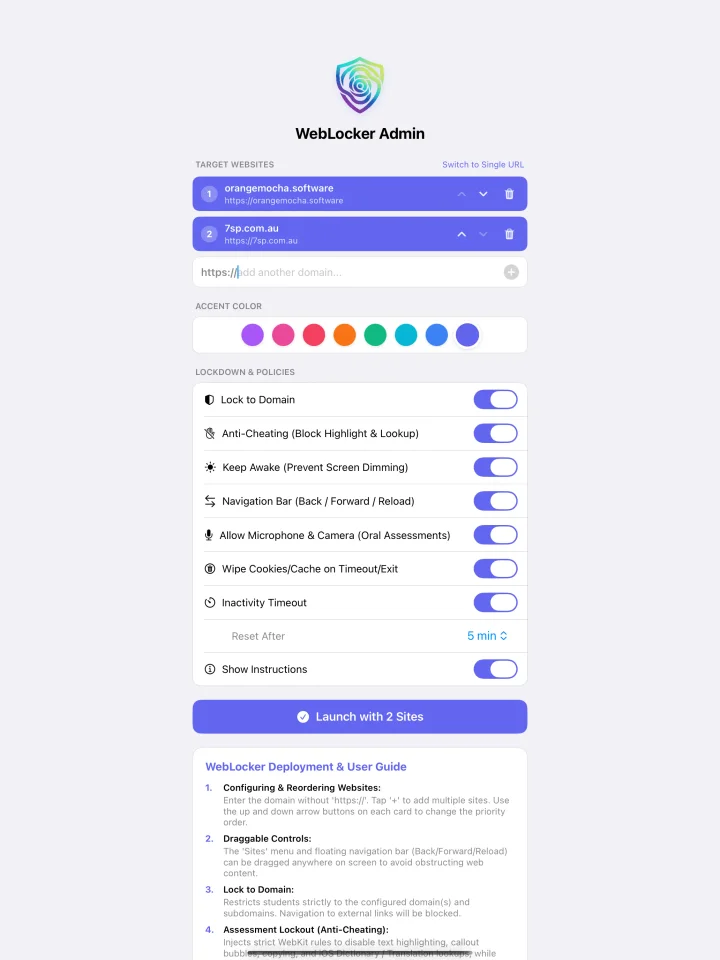
• Lock to a single website, or build a list of approved sites and reorder them to set the start page.
• Lock to Domain blocks navigation outside the approved domains and their subdomains, and shows a notice when a link is blocked.
• Links that try to open a new window or pop-up stay inside Web Locker.
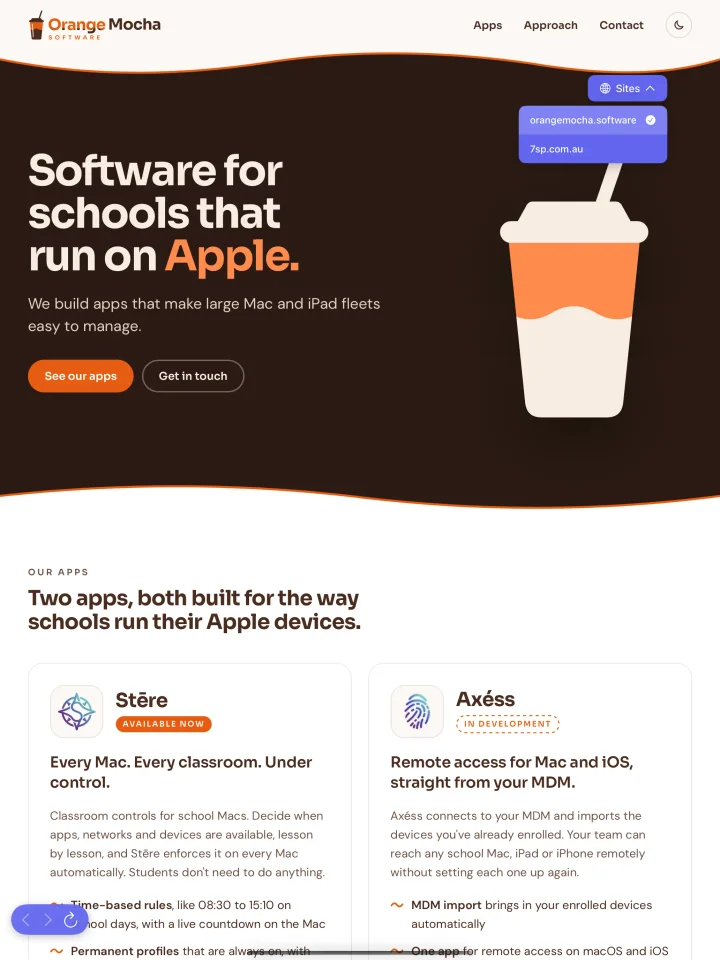
• With more than one approved site, a "Sites" menu lets students switch between them. The button can be dragged anywhere on screen so it never covers content.
EXAM AND ASSESSMENT TOOLS
• Anti-cheating mode turns off text highlighting and the press-and-hold menu on web pages, so Copy and Look Up aren't available. Answer boxes and form fields still work normally.
• Allow or block microphone and camera access for websites, for oral assessments, language tasks and recordings.
• Keep Awake stops the screen from dimming or locking during long tasks.
• Show Back, Forward and Reload buttons, or hide them for a cleaner kiosk.
INACTIVITY RESET
• After 5 to 120 minutes without a touch, Web Locker returns to the start page.
• Optionally clear cookies, cache and logins on reset, so the next person starts fresh.
SET UP ON THE IPAD OR THROUGH MDM
• No MDM needed: install from the App Store, choose your sites and settings on the setup screen, and tap Launch. Settings are saved for next time.
• Or set everything remotely with Managed App Configuration: website or approved site list, Lock to Domain, anti-cheating, Keep Awake, navigation buttons, microphone and camera, inactivity timeout, session clearing and accent colour.
MAKE IT YOURS
• Pick from eight high-visibility accent colours for buttons, menus and the toolbar.
FULL WEB SUPPORT
• Inline and picture-in-picture video, full-screen web content, and website alerts, confirmations and prompts.
KEEPING STUDENTS IN THE APP
Web Locker controls what happens inside the app. To stop users leaving the app, turn on Guided Access (built into iPadOS) or use a Single App Mode profile from your MDM. The built-in guide on the setup screen explains how.
Requires an iPad with iPadOS 18 or later. Web Locker itself does not collect or track any data.
Có gì mới
Phiên bản 2.5 · 13/11/2026
Web Locker 2.5 is a big update for exams, assessments and kiosks.
NEW
• Multiple approved websites: lock to a list of sites instead of just one, reorder them, and switch between them from a "Sites" menu you can drag anywhere on screen.
• Anti-cheating mode: turns off text highlighting and the press-and-hold menu, so Copy and Look Up aren't available. Form fields still work.
• Microphone and camera support for oral assessments and recording tasks, with an on/off switch.
• Keep Awake: stops the screen dimming or locking during long tasks.
• Back, Forward and Reload buttons, which you can show or hide.
• Clear cookies, cache and logins when the inactivity timer resets, so the next student starts fresh.
• Longer inactivity timeouts: now 5 to 120 minutes (previously up to 15).
• Eight high-visibility accent colours.
• Every new option can be set through MDM Managed App Configuration.
IMPROVED
• Lock to Domain is more precise: it now allows only the exact site and its subdomains.
• The blocked-link notice now names the site that was blocked.
• Links that open a new window or pop-up now open inside Web Locker instead of being blocked.
• Website alerts, confirmations and text prompts now display.
• Inline, picture-in-picture and full-screen video are now supported.
• The MDM summary now shows the approved sites, Lock to Domain and anti-cheating status.
• Redesigned setup screen with a built-in deployment guide.
Web Locker now requires iPadOS 18 or later.
Quyền riêng tư của ứng dụng
Những gì 7th Sense Project khai báo trên App Store về cách ứng dụng này xử lý dữ liệu.
-
Dữ liệu không được thu thập
Nhà phát triển không thu thập bất kỳ dữ liệu nào từ ứng dụng này.
Phương thức đảm bảo quyền riêng tư có thể khác nhau, chẳng hạn như tuỳ theo các tính năng bạn sử dụng hoặc độ tuổi của bạn.
Thông tin
- Người bán
- Dextera Pty Ltd
- Danh mục
- Giáo Dục
- Phiên bản
- 2.5
- Cập nhật
- 13/11/2026
- Phát hành
- 09/03/2025
- Kích thước
- 2,5 MB
- Yêu cầu
- iOS 18.0 trở lên
- Độ tuổi
- 4+
- Giá
- Miễn phí
- Ngôn ngữ
- Tiếng Anh
- Bản quyền
- © 2026 7th Sense Project