Weight Widgets - Tracker & Log
Weight graph from Apple Health
Được thiết kế cho iPhone
Miễn phí · Mua hàng trong ứng dụng
- Độ tuổi4+
- Danh mụcSức Khỏe & Thể Dục
- Nhà phát triểnSuguru Yamada
- Ngôn ngữTiếng Anh+ 7 ngôn ngữ khác
- Kích thước12,4 MB
Liên kết đến trang App Store chính thức
Download.org không lưu trữ tệp nào của Weight Widgets - Tracker & Log. Nút này mở trang ứng dụng trên App Store, nơi Suguru Yamada phát hành ứng dụng. Trang được kiểm tra lần cuối: 23/11/2026.
Ảnh chụp màn hình
Giới thiệu
Nhà phát triển chưa cung cấp nội dung này bằng ngôn ngữ của bạn.
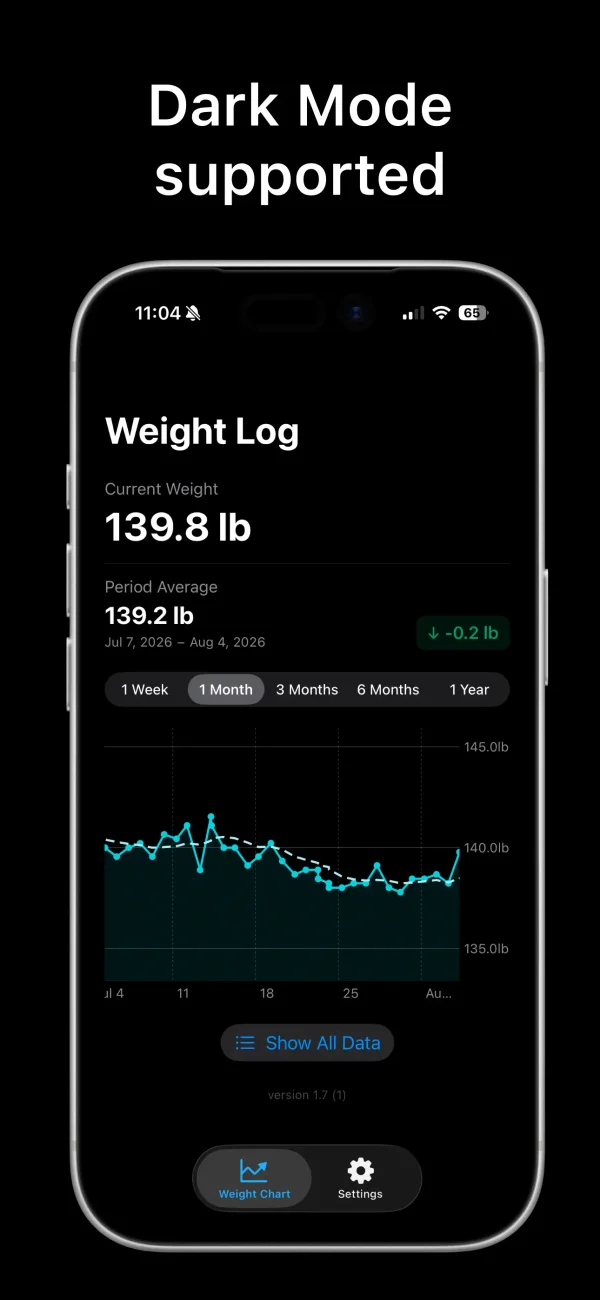
Weight, body fat, steps — see your Health data in one clean chart.
The app reads what is already recorded in the Health app and draws it as a smooth, interactive chart. With Home Screen and Lock Screen widgets and an Apple Watch app, your progress is always a glance away — no need to open the app.
WHAT YOU CAN TRACK
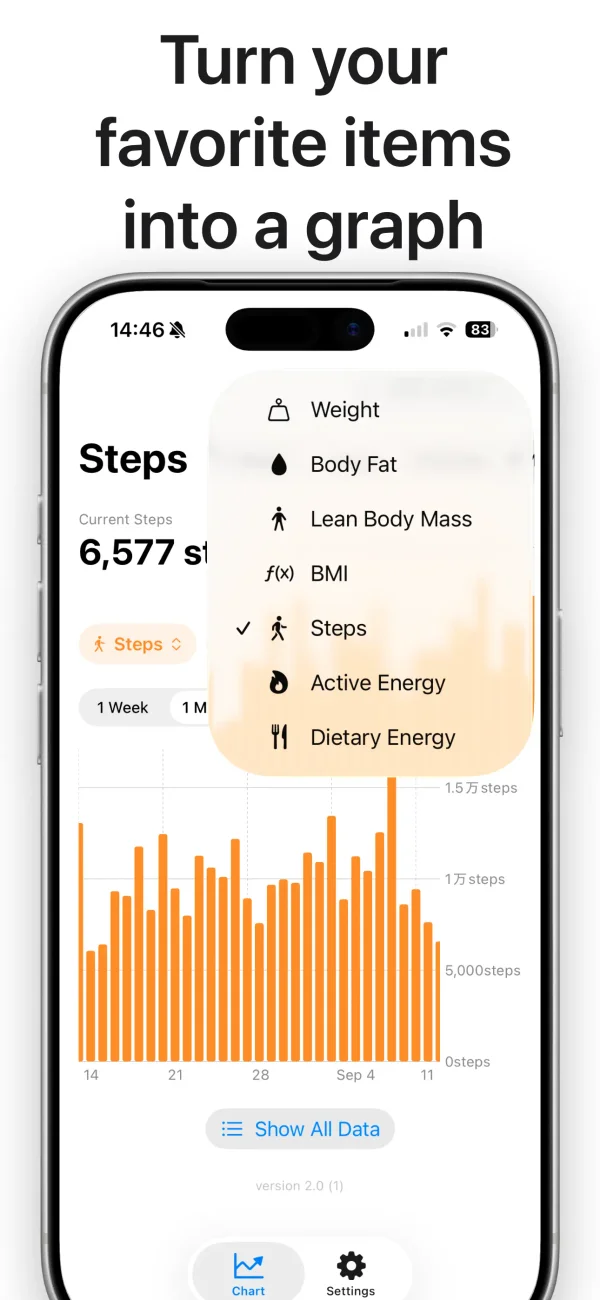
Eight metrics: weight, body fat percentage, lean body mass, BMI, waist circumference, steps, active energy and dietary energy. Show only the ones you care about — the app asks Health for permission to read just those.
FEATURES
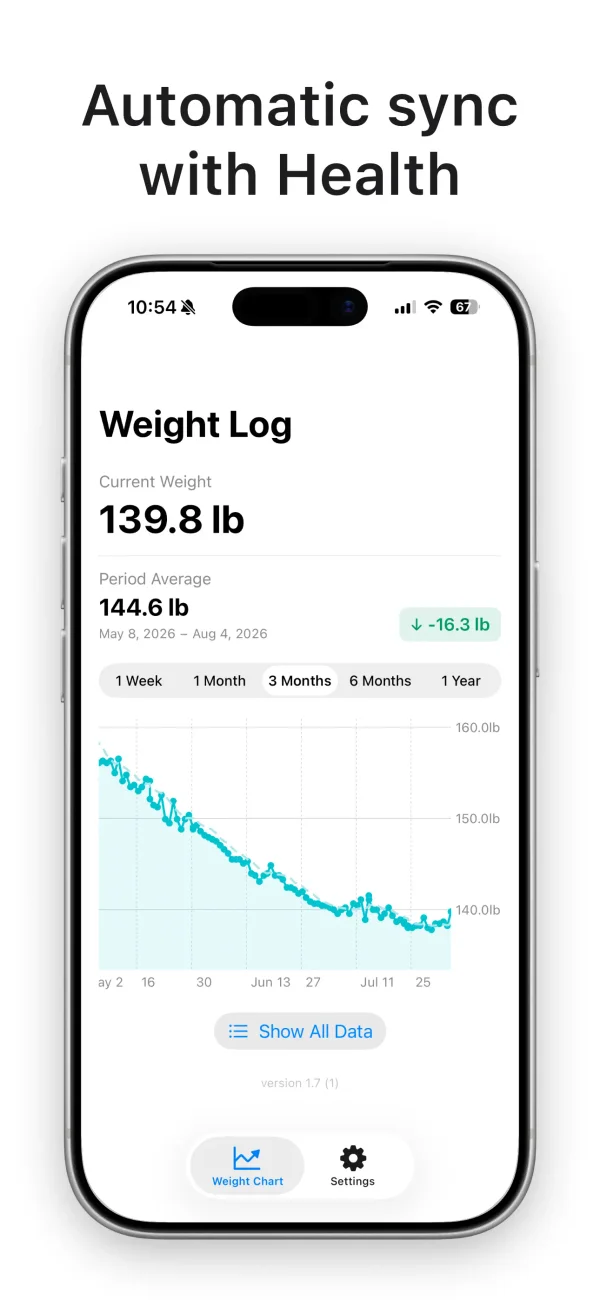
- Automatic Health sync
Your data flows in from the Health app. No manual entry: any scale, tracker or food app that writes to Apple Health works right away.
- An interactive trend chart
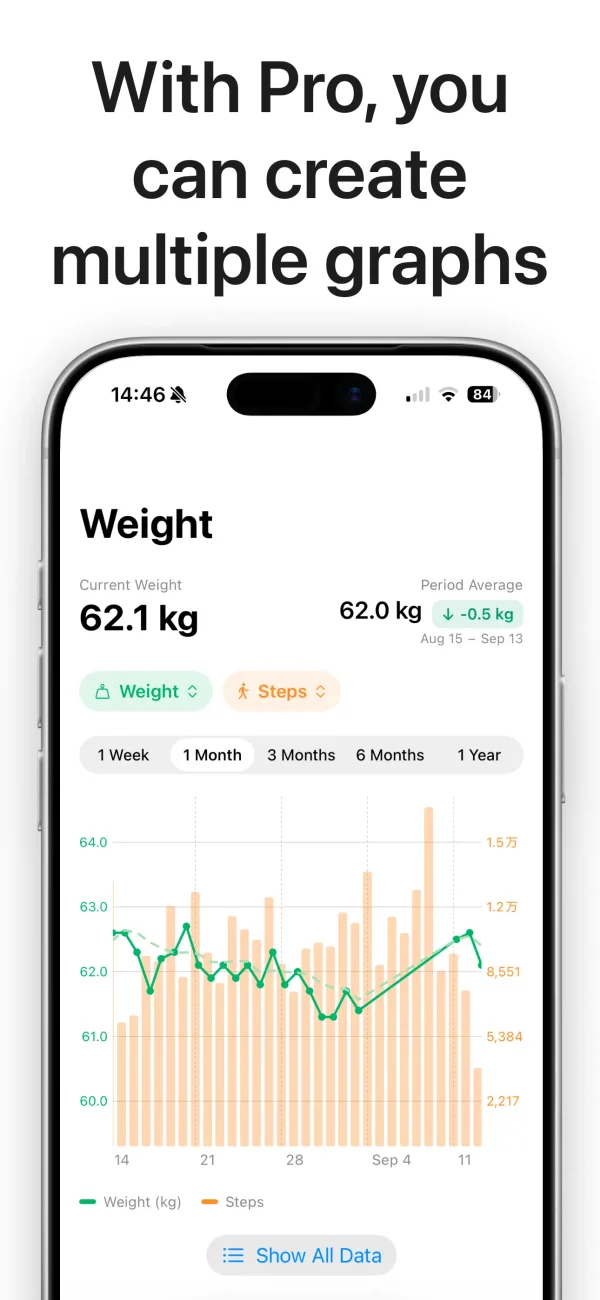
View 1 week, 1 month, 3 months, 6 months or 1 year. Scroll sideways to explore your full history. Metrics that accumulate through the day, like steps and calories, are shown as daily totals in a bar chart.
- 7-day moving average
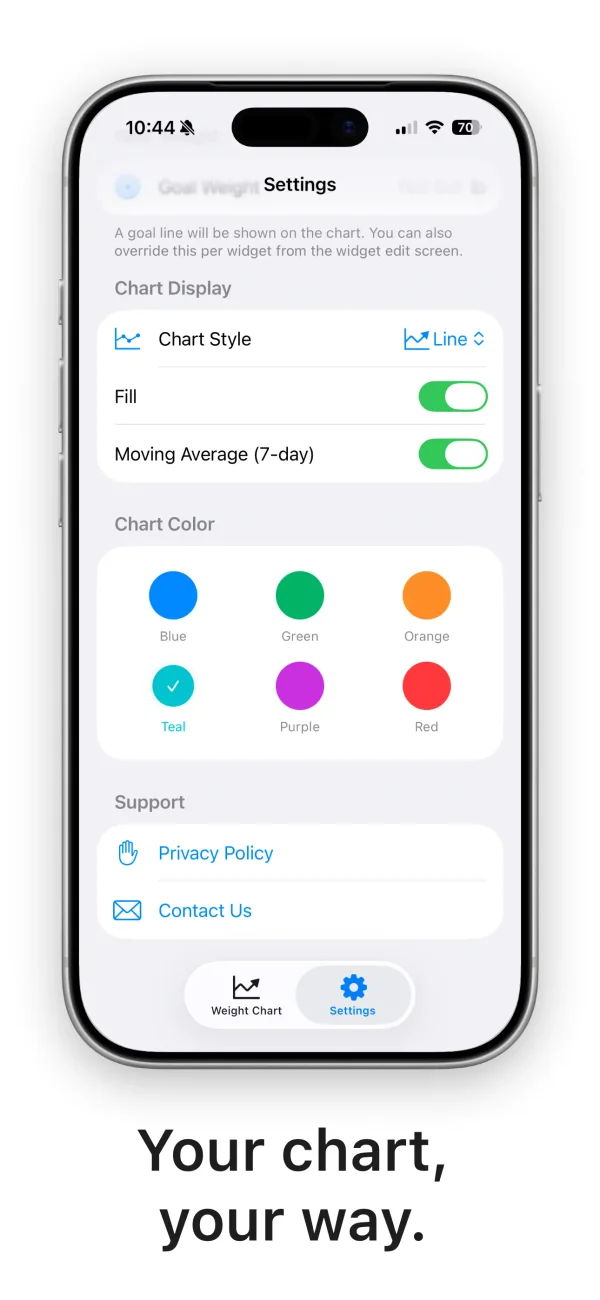
Cut through daily fluctuations and see your true trend. The moving average line can be toggled on or off at any time.
- Period stats that follow your scroll
As you move through the chart, the average and the total change for the visible window update in real time.
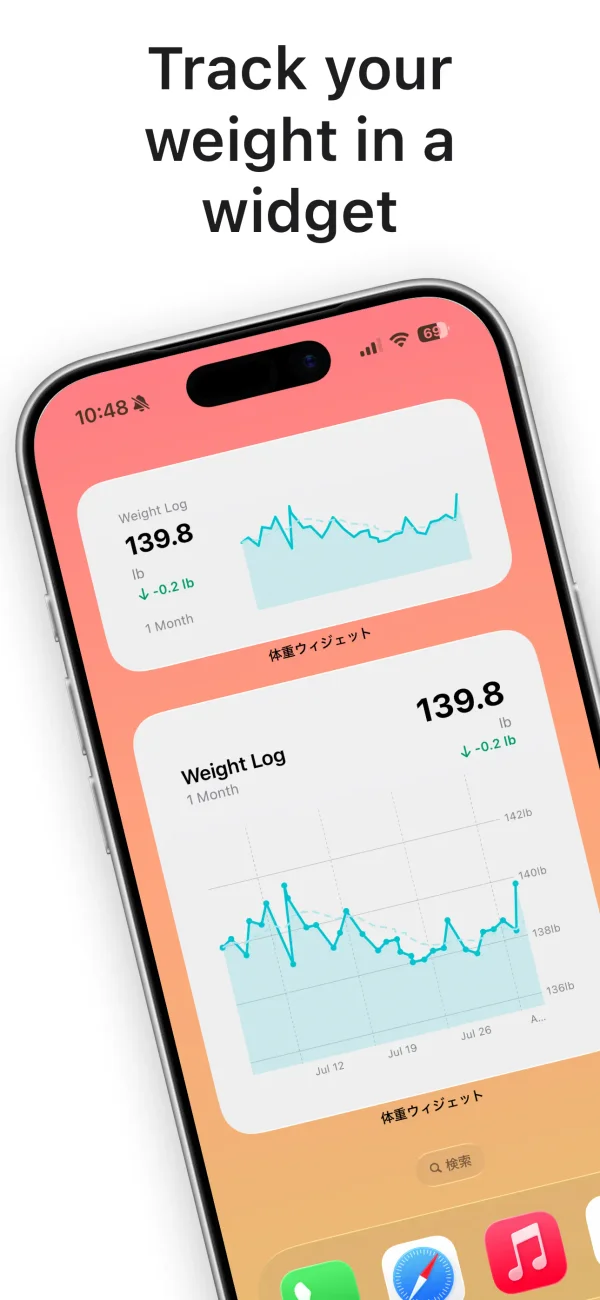
- Home Screen and Lock Screen widgets
Three Home Screen sizes (small, medium, large) plus rectangular, circular and inline Lock Screen widgets. Each widget can be set to its own metric and time period. Lock Screen widgets can also show units if you like.
- Apple Watch app
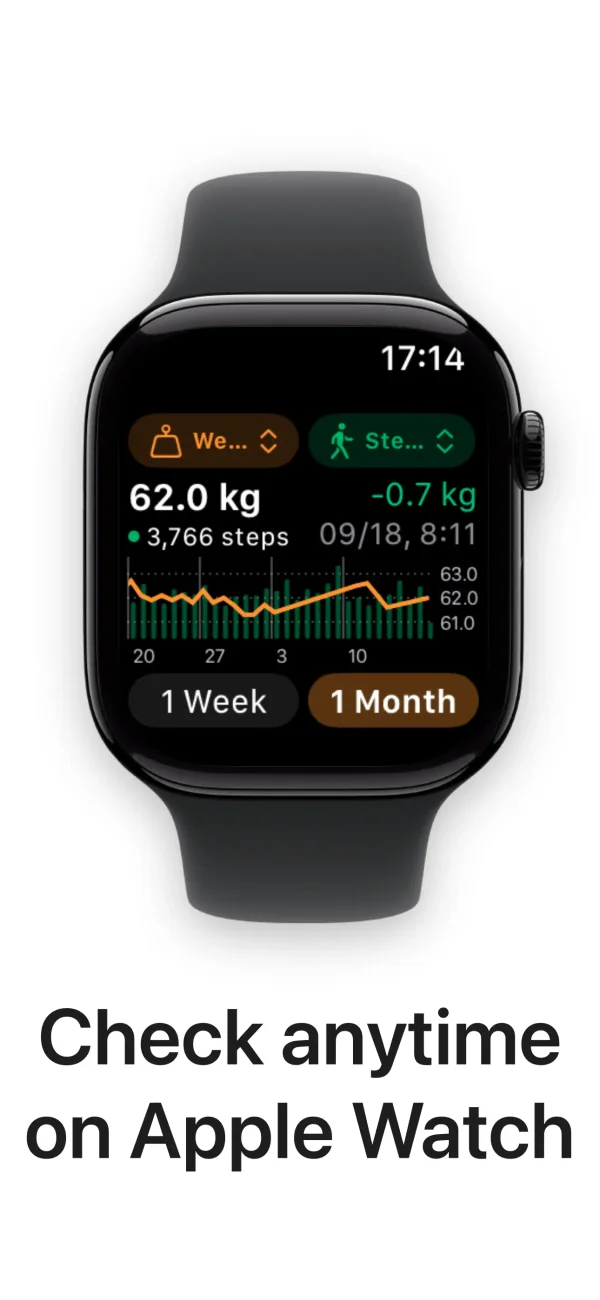
See charts for the past week or month and your latest value right on your wrist, and switch metrics on the watch. Complications and the Smart Stack are supported too, with the metric of your choice for each widget.
- Themes
Pick from 30+ themes, in light and dark variants, to recolour the whole app, your widgets and Apple Watch at once. Prefer no theme? Choose from 20 chart colours instead.
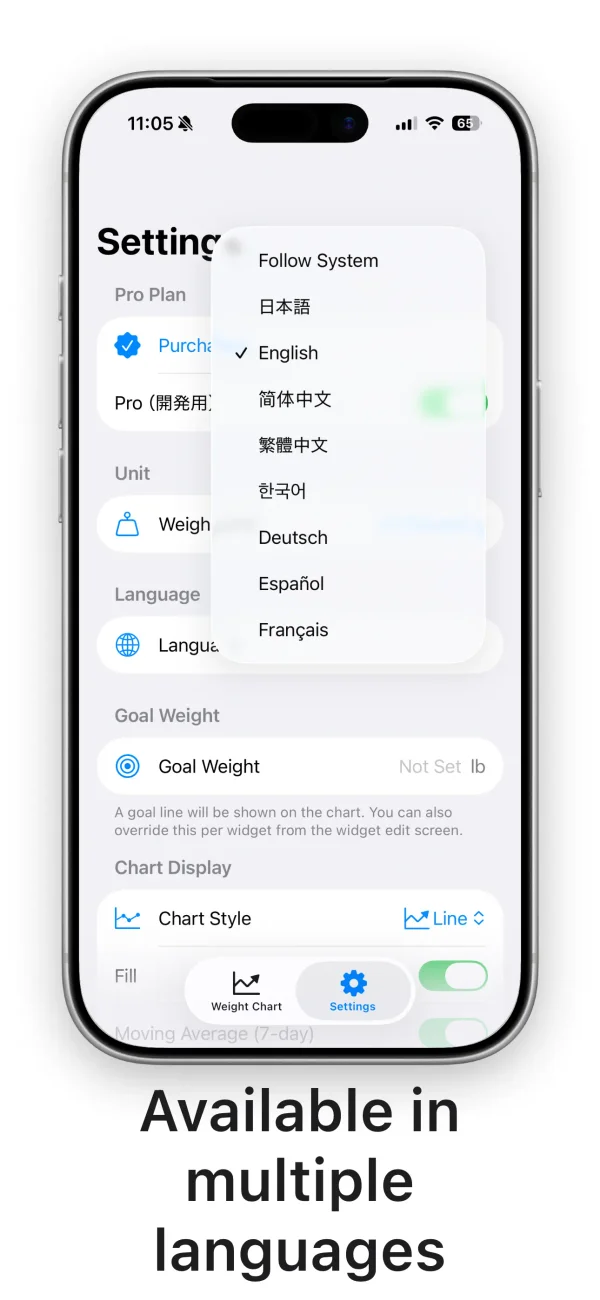
- Available in 8 languages
English, Japanese, Simplified Chinese, Traditional Chinese, Korean, German, Spanish and French. Follows your system language, or set one inside the app.
ABOUT PRO
- Dual-axis chart
Overlay two metrics on one chart — weight against steps, for example — in the app, in your widgets and on Apple Watch.
- All themes
Use all 30+ themes, not just the 4 free ones.
- No ads
Pro comes as a monthly plan (auto-renewing), a yearly plan (auto-renewing), or a one-time purchase that never expires. Prices are shown on the purchase screen in the app.
Subscriptions renew automatically unless auto-renew is turned off at least 24 hours before the end of the current period. Payment is charged to your Apple Account at confirmation of purchase, and renewals are charged within 24 hours before the period ends. You can cancel at any time in Settings > Apple Account > Subscriptions.
Terms of Use: https://aucfan-suguru-yamada.github.io/weight-widget/terms
Privacy Policy: https://aucfan-suguru-yamada.github.io/weight-widget/privacy-policy
PRIVACY
The app reads only the metrics you choose to display, and never writes to the Health app. Your Health data stays on your iPhone and Apple Watch and is never sent to any server. No account is required.
To improve the app, we use Google Analytics for Firebase to understand how it is used (for example, which screens and features are opened). This never includes your Health data.
The free version may use an advertising identifier (IDFA) to show relevant ads. Health data is never used for advertising.
Make tracking your body simple enough to actually keep up with.
Có gì mới
Phiên bản 2.8 · 18/11/2026
Added the stone & pound unit.
- Weight can now be shown in stones and pounds (st lb), such as "11 st 6.2 lb". Choose the unit in Settings. Works in widgets and on Apple Watch too
Quyền riêng tư của ứng dụng
Những gì Suguru Yamada khai báo trên App Store về cách ứng dụng này xử lý dữ liệu.
-
Dữ liệu được sử dụng để theo dõi bạn
Có thể được sử dụng để theo dõi bạn trên các ứng dụng và trang web do công ty khác sở hữu.
- Mã định danh
- Dữ liệu sử dụng
-
Dữ liệu không liên kết với bạn
Có thể được thu thập nhưng không liên kết với danh tính của bạn.
- Mã định danh
- Dữ liệu sử dụng
Phương thức đảm bảo quyền riêng tư có thể khác nhau, chẳng hạn như tuỳ theo các tính năng bạn sử dụng hoặc độ tuổi của bạn.
Thông tin
- Người bán
- Suguru Yamada
- Danh mục
- Sức Khỏe & Thể Dục
- Phiên bản
- 2.8
- Cập nhật
- 18/11/2026
- Phát hành
- 01/04/2026
- Kích thước
- 12,4 MB
- Yêu cầu
- iOS 18.6 trở lên
- Độ tuổi
- 4+
- Giá
- Miễn phí
- Mua hàng trong ứng dụng
- Có
- Ngôn ngữ
- Tiếng Anh, Tiếng Pháp, Tiếng Đức, Tiếng Nhật, Tiếng Hàn, Tiếng Trung Giản thể, Tiếng Tây Ban Nha, Tiếng Trung Phồn thể
- Bản quyền
- © 2026 Suguru Yamada
Có thể bạn cũng thích
-
 Widgethy: Health WidgetsSức Khỏe & Thể Dục
-
 MyWeight²Sức Khỏe & Thể Dục
-
 Weight Tracker - Simple LogSức Khỏe & Thể Dục
-
 WeightFit: Theo dõi cân nặngNhật ký cân nặng, Tính BMI
-
 Monitor Your WeightSức Khỏe & Thể Dục
-
 HealthView: Apple Health AppSức Khỏe & Thể Dục
-
 Weigh In: Weight TrackerSức Khỏe & Thể Dục
-
 Happy ScaleSức Khỏe & Thể Dục
-
 Activity Tracker・FitnessViewSức Khỏe & Thể Dục