WLAN Scan & Switch
Netzwerkgeräte & Ports prüfen
Được thiết kế cho iPhone, Mac
Miễn phí
- Độ tuổi4+
- Danh mụcTiện Ích
- Nhà phát triểnCHRISTIAN PETER TANNER
- Ngôn ngữTiếng Đức+ 4 ngôn ngữ khác
- Kích thước8,7 MB
Liên kết đến trang App Store chính thức
Download.org không lưu trữ tệp nào của WLAN Scan & Switch. Nút này mở trang ứng dụng trên App Store, nơi CHRISTIAN PETER TANNER phát hành ứng dụng. Trang được kiểm tra lần cuối: 12/11/2026.
Ảnh chụp màn hình
Giới thiệu
Nhà phát triển chưa cung cấp nội dung này bằng ngôn ngữ của bạn.
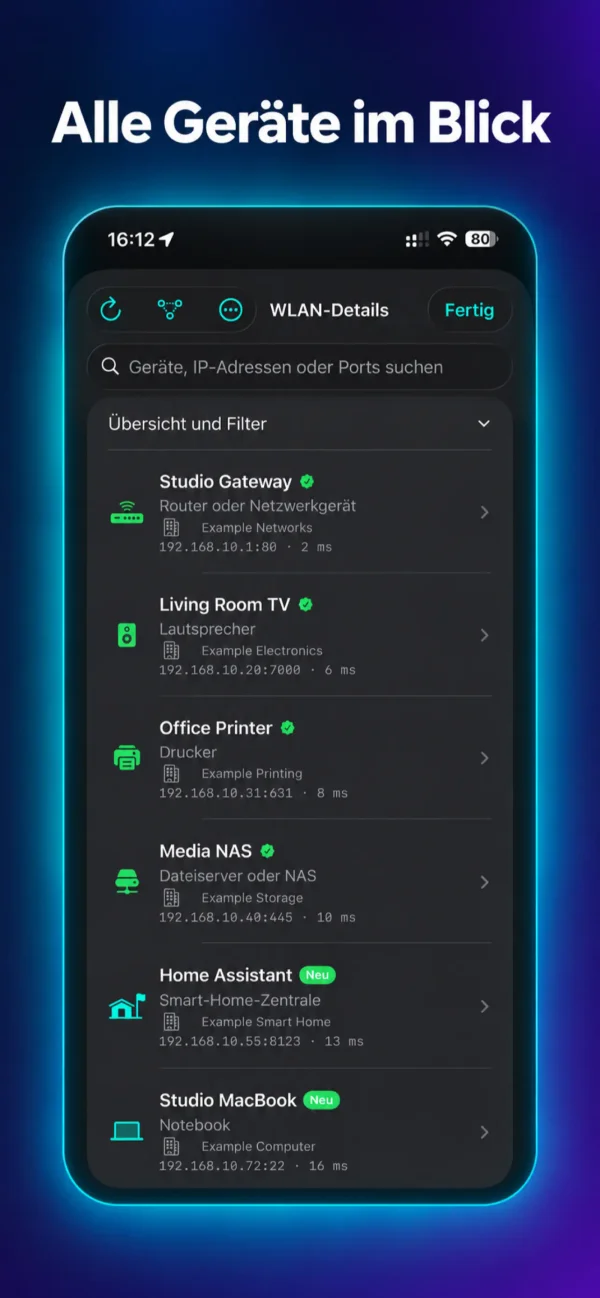
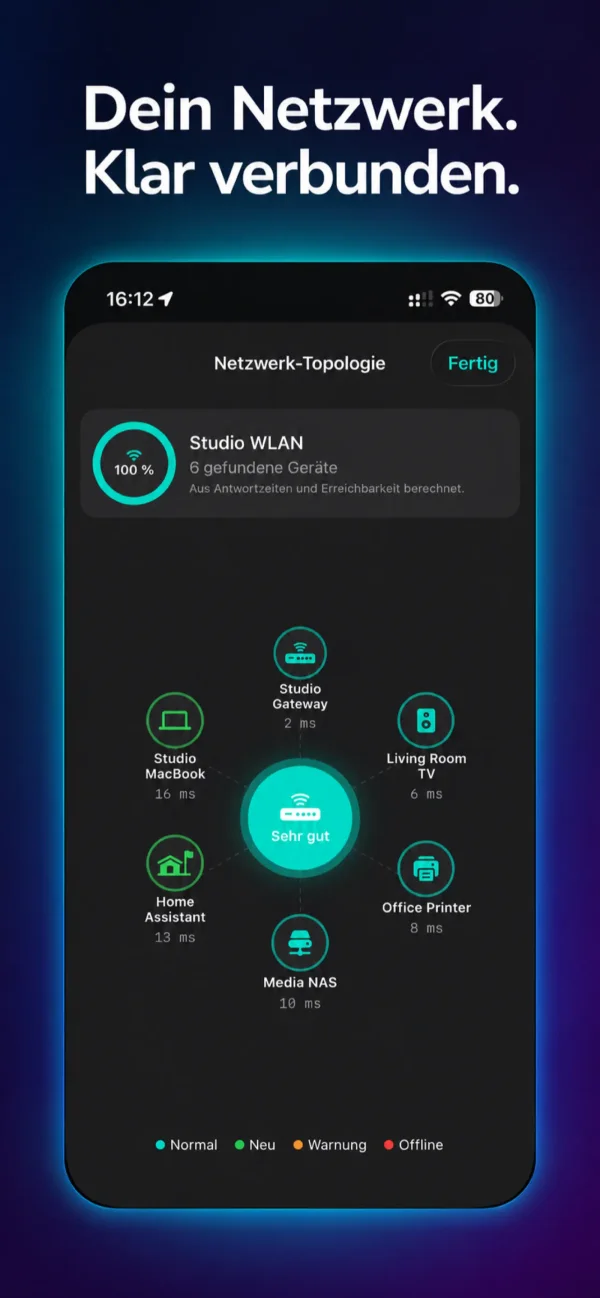
Netzwerk Scan & Tools bringt Übersicht in dein lokales Netzwerk. Entdecke erreichbare Geräte, prüfe offene Ports und nutze praktische Werkzeuge zur Netzwerkdiagnose – direkt auf deinem iPhone oder iPad.
GERÄTE IM NETZWERK ENTDECKEN
Scanne dein verbundenes Netzwerk und zeige erreichbare Geräte mit IP-Adresse, erkannten Namen und verfügbaren Herstellerinformationen an. Suche und Filter helfen dir, einzelne Geräte schnell zu finden.
OFFENE PORTS PRÜFEN
Wähle zwischen verschiedenen Scanarten mit unterschiedlichem Prüfumfang. Der Scan läuft in zwei Phasen: Zuerst werden Geräte gesucht, anschliessend ihre Ports geprüft. Einzelne Geräte kannst du direkt in der Detailansicht erneut scannen.
GERÄTE PERSÖNLICH ORGANISIEREN
Vergib eigene Gerätenamen, ergänze Notizen und wähle passende Symbole. Markiere bereits geprüfte Geräte, damit du in grösseren Netzwerken den Überblick behältst.
NETZWERK-WERKZEUGE NUTZEN
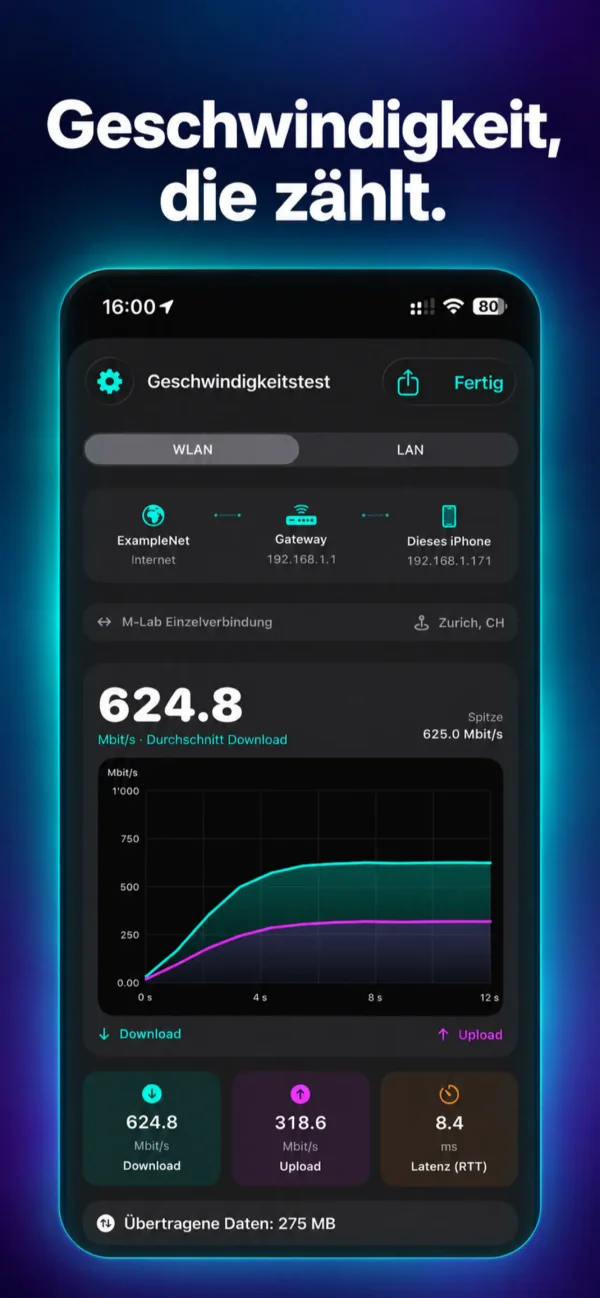
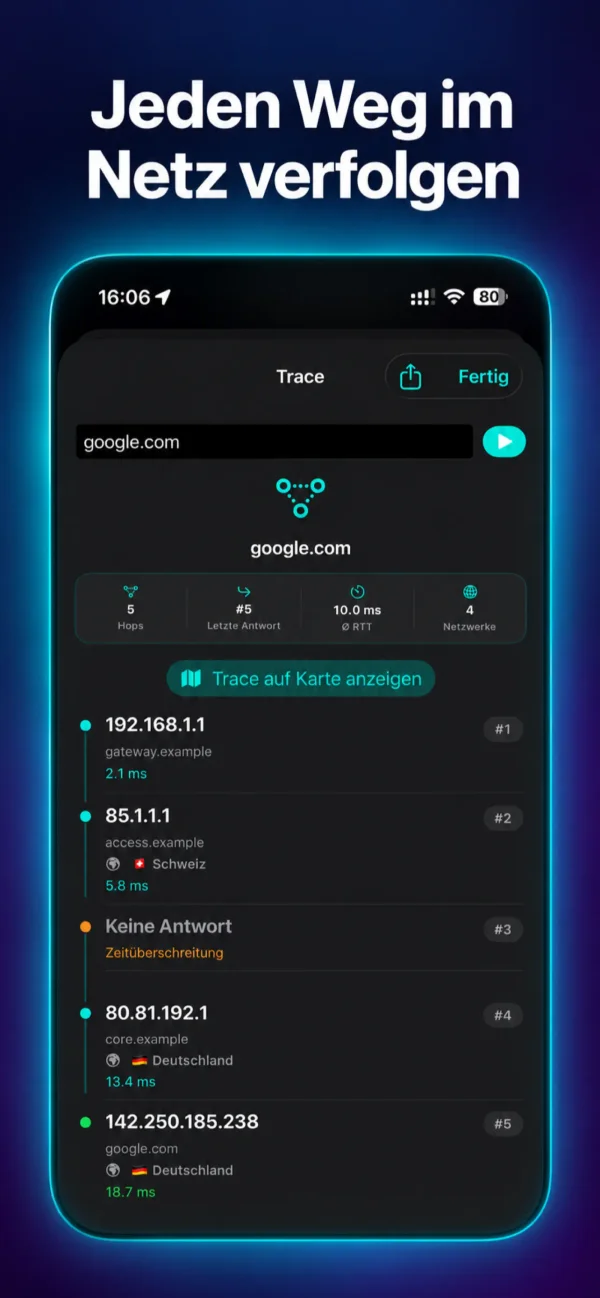
Prüfe die Erreichbarkeit mit Ping, untersuche den Netzwerkpfad mit Trace und sende Wake-on-LAN-Pakete an unterstützte Geräte.
SCAN-VERLAUF ANSEHEN
Greife auf gespeicherte Scans zurück und sieh dir frühere Gerätestände an. Zuletzt bekannte Angaben helfen dir, auch vorübergehend nicht erreichbare Geräte einzuordnen.
MIT DER MAC-APP ZUSAMMENARBEITEN
Übernimm Geräteinformationen aus der macOS-App über AirTransfer. So lassen sich beispielsweise MAC-Adressen, eigene Namen, Notizen und gewählte Symbole auf dem iPhone weiterverwenden. Die Übernahme bestätigst du selbst.
HILFE DIREKT IN DER APP
Die integrierte Offline-Hilfe erklärt die wichtigsten Funktionen und Abläufe. App und Hilfe sind in Deutsch, Englisch, Französisch, Italienisch und Rätoromanisch verfügbar.
HINWEISE
Für lokale Netzwerkscans benötigt die App Zugriff auf das lokale Netzwerk. Die Standortfreigabe wird zur Erkennung des verbundenen WLAN-Namens benötigt.
Die verfügbaren Geräteinformationen hängen vom Netzwerk, den Antworten der Geräte und den Einschränkungen von iOS ab. MAC-Adressen können unter iOS nicht zuverlässig direkt ermittelt werden und lassen sich aus der Mac-App übernehmen. Ein offener Port weist auf einen erreichbaren Dienst hin und ist allein kein Nachweis einer Sicherheitslücke.
Für AirTransfer müssen Mac und iPhone im selben lokalen Netzwerk verbunden sein.
Có gì mới
Phiên bản 2.2 · 21/09/2026
What’s new in version 2.2:
• Integrated offline help in German, English, French, Italian and Romansh, available in Settings under “User guide”.
• Optimized two-phase network scanning: devices are discovered first, followed by port checks.
• Improved progress reporting and remaining-time estimates, with an animation during port checks.
• Improved port detection and more consistent results when rescanning devices.
• Individual devices can be rescanned from their detail screen.
• Improved transfer of device information from the macOS app and more reliable matching of imported records to devices.
Review instructions:
Connect the iPhone to a Wi-Fi network and allow local network access. Please also grant the requested location permission to enable Wi-Fi name detection.
Open a Wi-Fi scan and start scanning. Device discovery is followed by port checks. Select a discovered device to view its details and use the rescan button. Results depend on the devices and services reachable on the test network.
To test the optional device information transfer, connect the Mac and iPhone to the same local network. On the iPhone, open the desired scan, tap the three-dot menu and select the option to receive data from the Mac app. Keep the receiving screen open, initiate the transfer on the Mac, then tap “Import” on the iPhone to apply the received information.
Quyền riêng tư của ứng dụng
Những gì CHRISTIAN PETER TANNER khai báo trên App Store về cách ứng dụng này xử lý dữ liệu.
-
Dữ liệu liên kết với bạn
Có thể được thu thập và liên kết với danh tính của bạn.
- Chẩn đoán
- Dữ liệu khác
Phương thức đảm bảo quyền riêng tư có thể khác nhau, chẳng hạn như tuỳ theo các tính năng bạn sử dụng hoặc độ tuổi của bạn.
Thông tin
- Người bán
- CHRISTIAN PETER TANNER
- Danh mục
- Tiện Ích
- Phiên bản
- 2.2
- Cập nhật
- 21/09/2026
- Phát hành
- 06/09/2026
- Kích thước
- 8,7 MB
- Yêu cầu
- iOS 17.0 trở lên
- Độ tuổi
- 4+
- Giá
- Miễn phí
- Ngôn ngữ
- Tiếng Đức, Tiếng Anh, Tiếng Pháp, Tiếng Ý, Rhaeto-Romance
- Bản quyền
- © 2026 Christian Tanner
Có thể bạn cũng thích
-
 PROPbase - ÜbergabeprotokollTiện Ích
-
 GPSauge Telematik-SUITETiện Ích
-
 RUNPOCAMTiện Ích
-
 PROPbase - GeräteTiện Ích
-
 METZ CONNECT WLANTiện Ích
-
 Night Owl – Baby Night LightTiện Ích
-
 Máy Quét Wi-Fi & Thiết BịQuét mạng, Trợ lý Hồng ngoại
-
 Inateck OTATiện Ích
-
 Energy MeterTiện Ích
-
 Gebäude-Energie-Spar-CheckTiện Ích