ZoneFoundry for Sonos
Multi-room Sonos, by voice
Được thiết kế cho iPhone, iPad
Miễn phí
- Độ tuổi4+
- Danh mụcNhạc
- Nhà phát triểnYONGKUN SHI
- Ngôn ngữTiếng Anh+ 2 ngôn ngữ khác
- Kích thước37,4 MB
Liên kết đến trang App Store chính thức
Download.org không lưu trữ tệp nào của ZoneFoundry for Sonos. Nút này mở trang ứng dụng trên App Store, nơi YONGKUN SHI phát hành ứng dụng. Trang được kiểm tra lần cuối: 26/11/2026.
Ảnh chụp màn hình

Giới thiệu
Nhà phát triển chưa cung cấp nội dung này bằng ngôn ngữ của bạn.
ZoneFoundry is a multi-room audio assistant for Sonos owners. See your rooms, search music and control playback on iPhone, iPhone Duo and iPad, or make a request in English, Cantonese or Mandarin.
LAYOUTS FOR IPHONE DUO AND IPAD
Pages adapt to screen size and orientation, keeping Search, Rooms and the player available as you unfold or rotate your device.
ROOMS AND PLAYBACK IN ONE PLACE
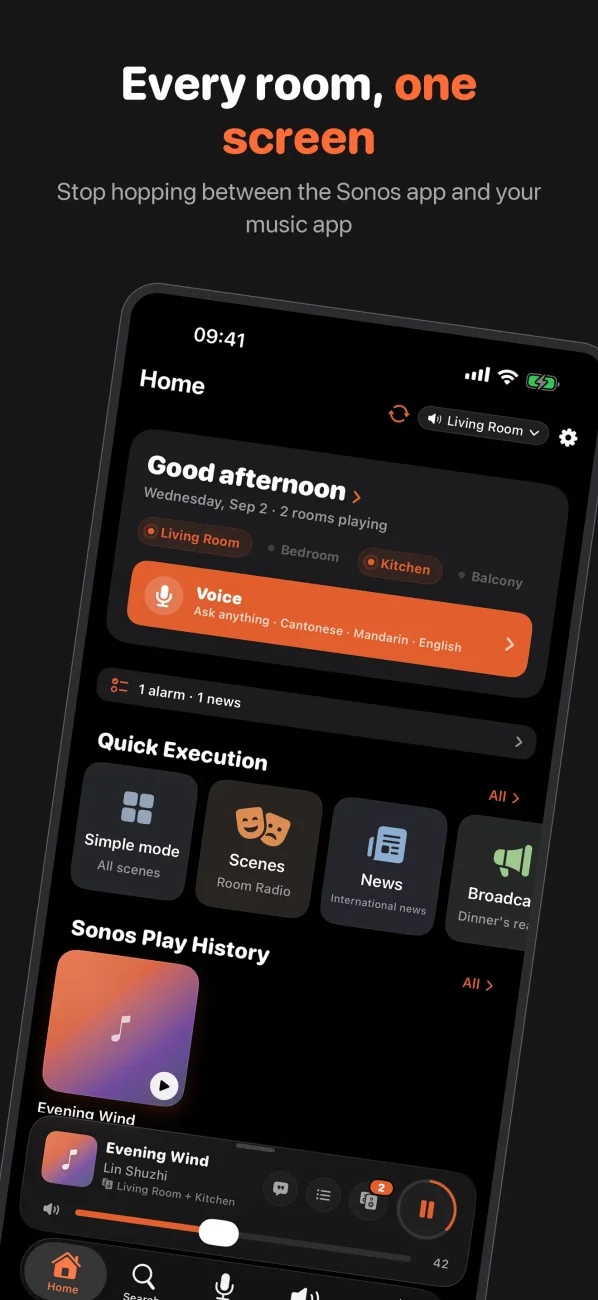
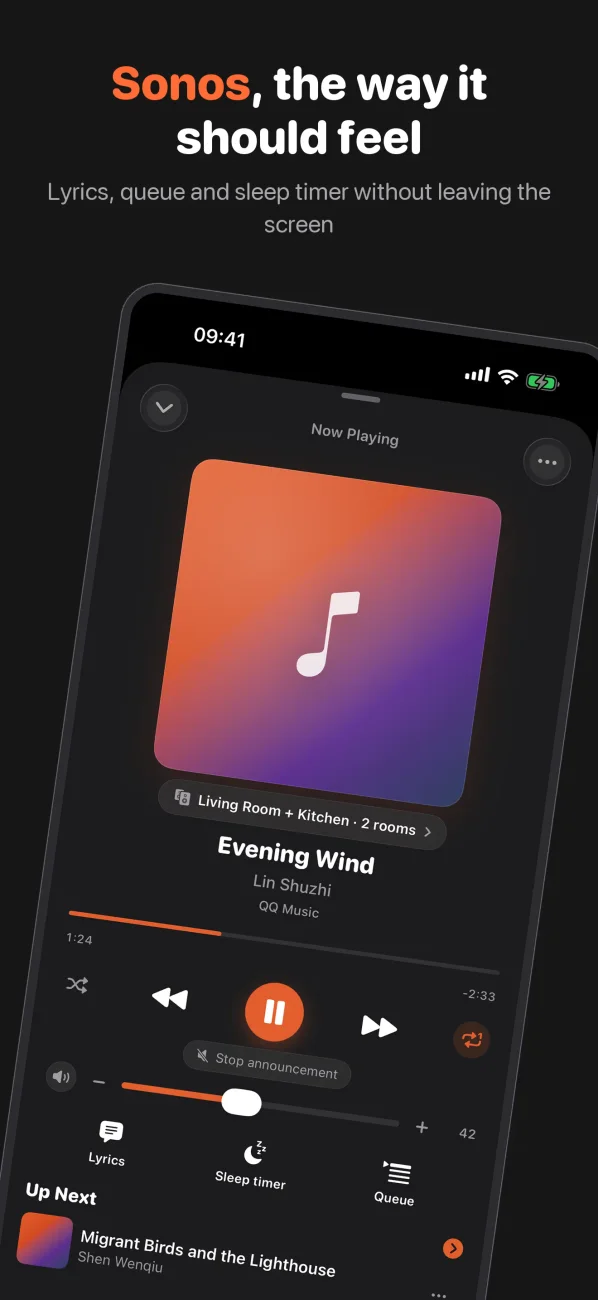
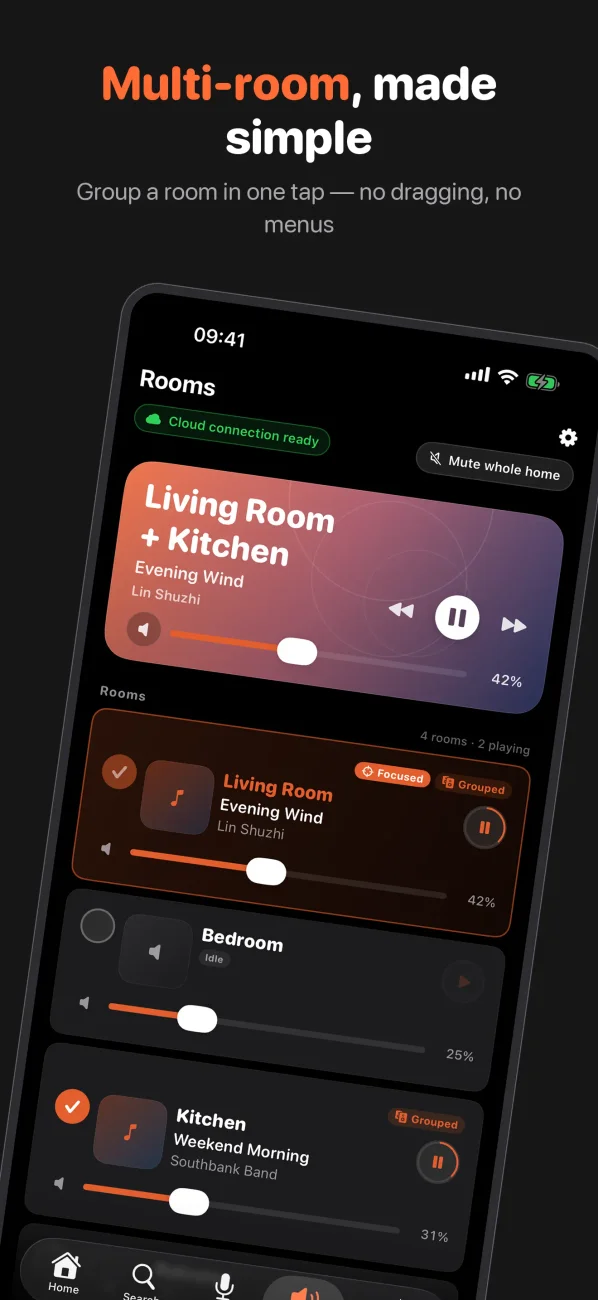
See what is playing in each room. Adjust volume, pause, skip tracks or group rooms. The player brings your queue, lyrics and sleep timer together, with fewer trips between screens.
SEARCH YOUR CONNECTED MUSIC SERVICES
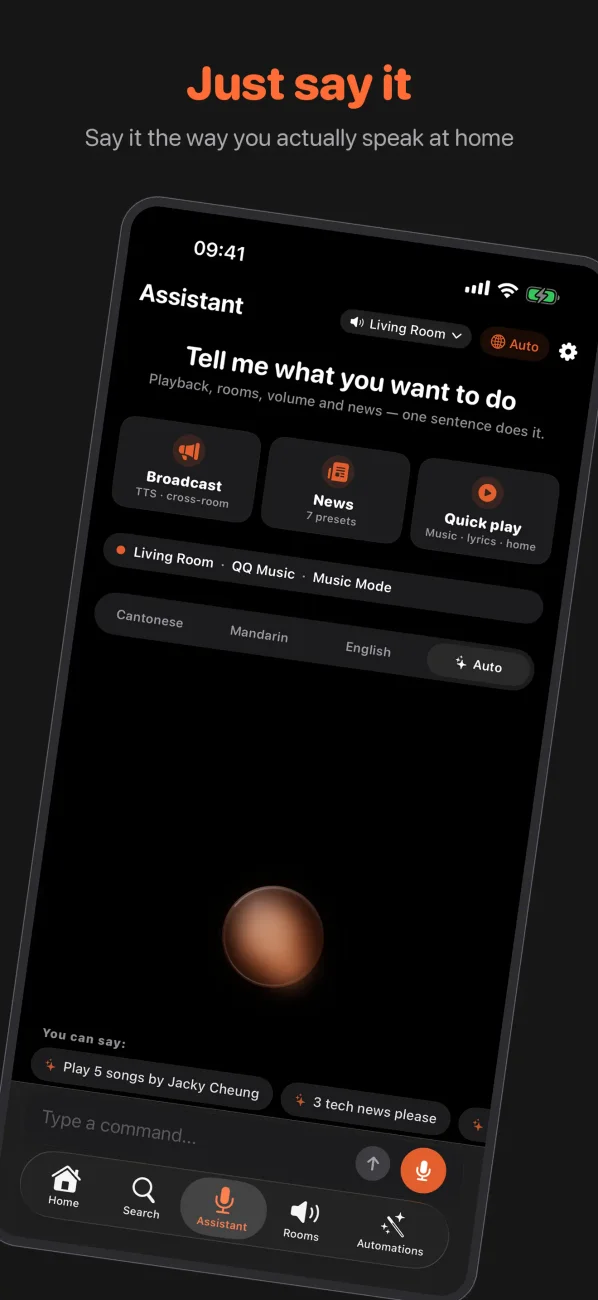
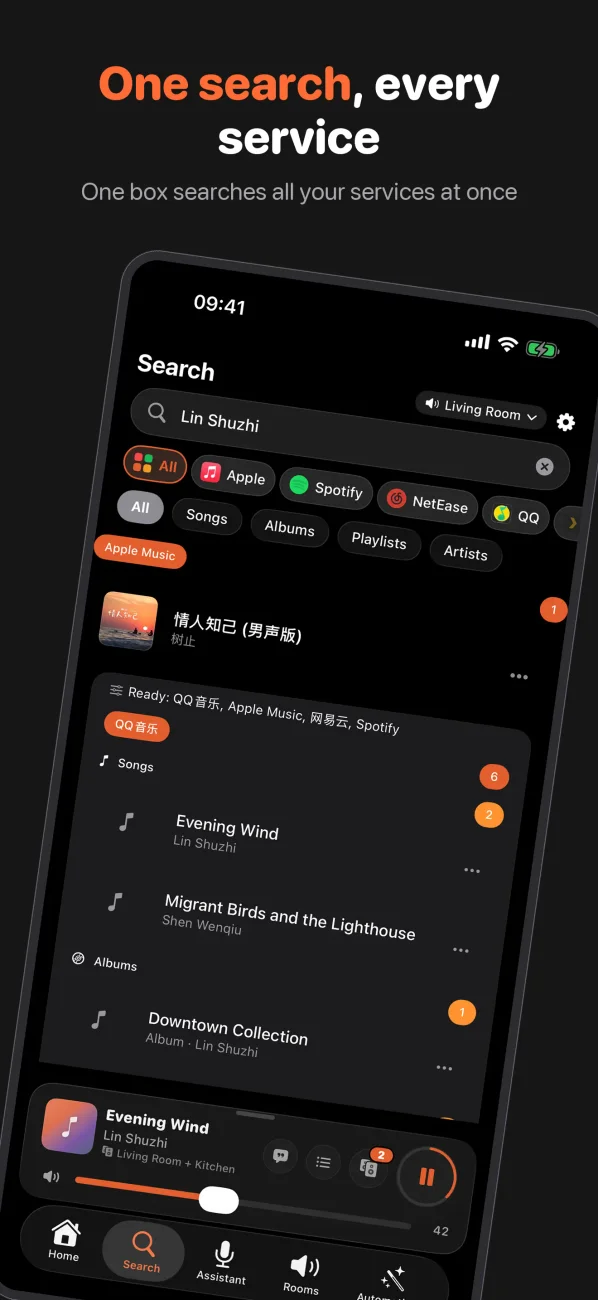
Find songs, artists, albums and playlists from one search entry point. Supports Apple Music, Spotify, QQ Music, NetEase Cloud Music and Plex. Available services and content depend on your region, subscriptions and authorizations.
SPEAK OR TYPE
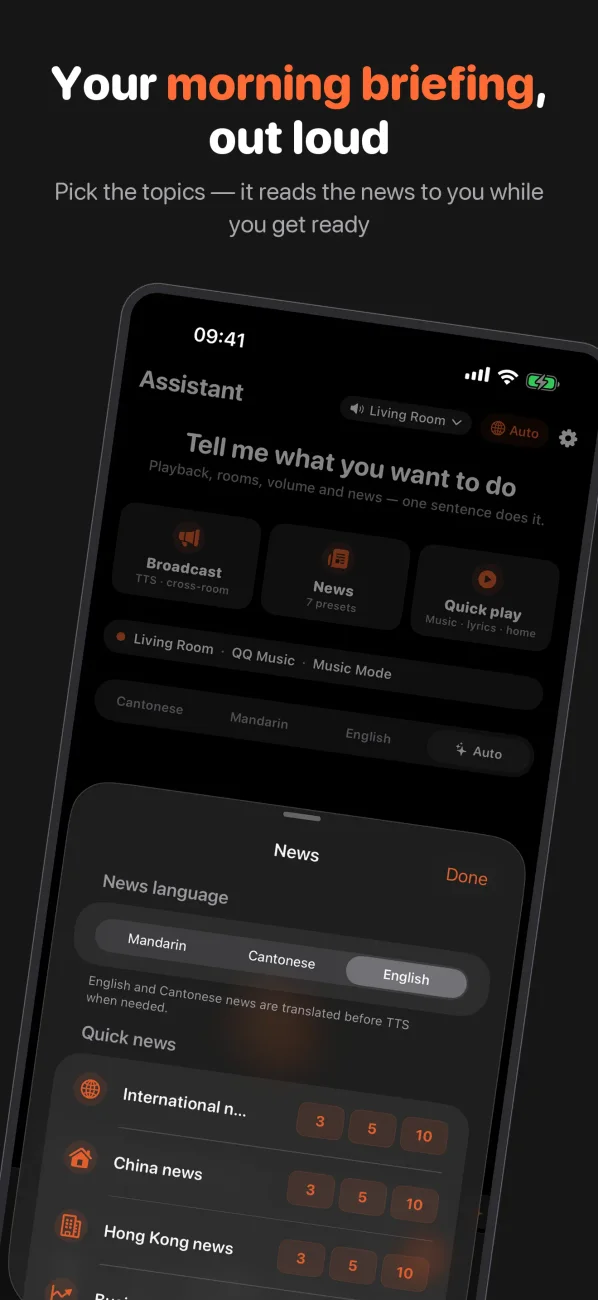
Try "Play five Fleetwood Mac songs in the living room" or "Turn the kitchen down." The assistant supports English, Cantonese and Mandarin, with text input too. Cloud voice and AI features require an internet connection and the relevant authorizations.
BROADCASTS, SCENES AND TIMERS
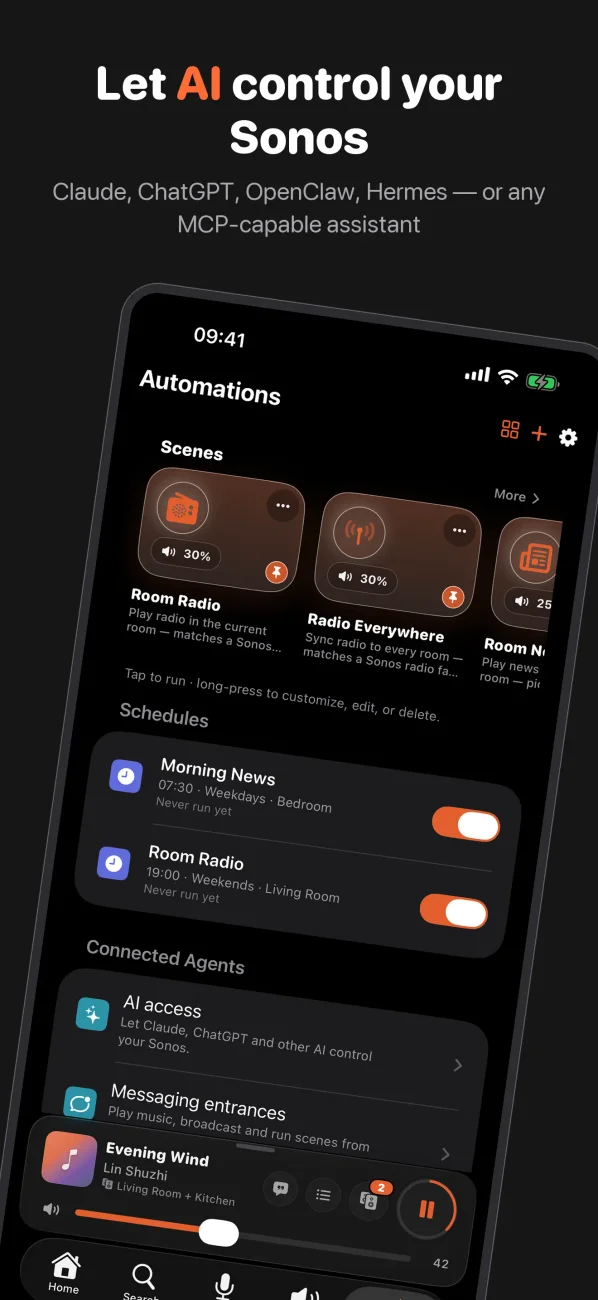
Send "Dinner's ready" to a selected room, save familiar playback settings as scenes, or schedule news briefings and sleep timers. Your own Sonos speakers handle announcements and playback.
CHAT AND AI ASSISTANTS
Link a supported chat channel, including WeChat or Telegram, to send control requests from a conversation. You can also connect an MCP-capable AI assistant and authorize it in ZoneFoundry Settings > AI access. Remote control requires a linked account and an available cloud connection.
WIDGETS, SIRI AND SHORTCUTS
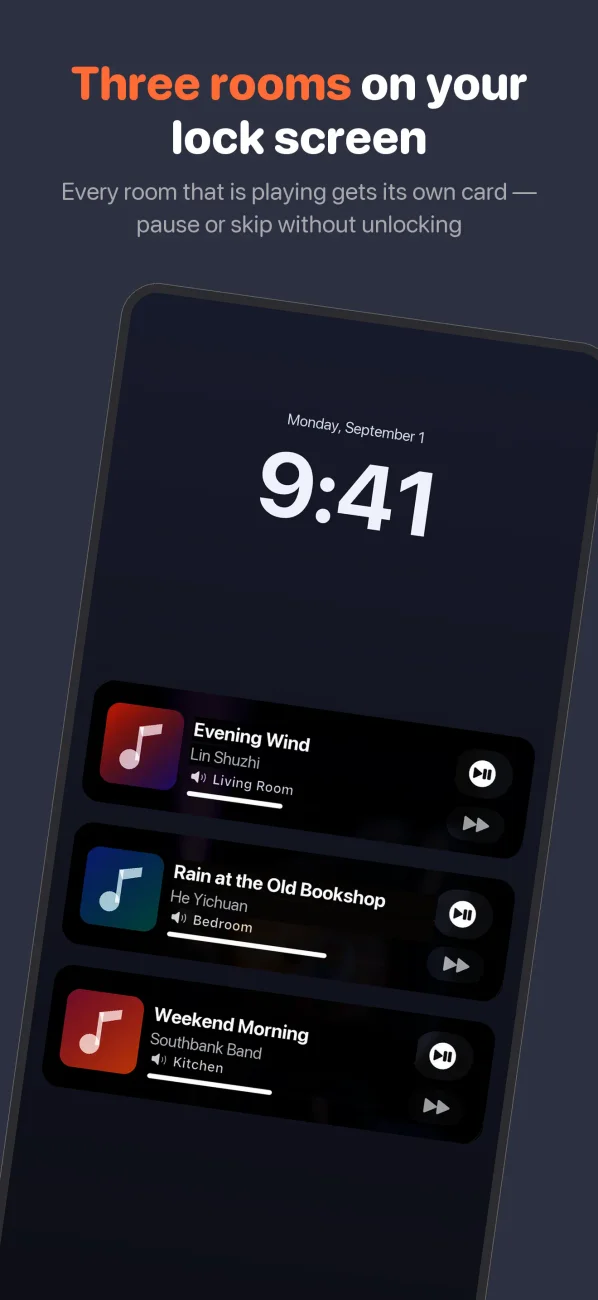
Reach common controls through widgets, Live Activities, Control Centre and Shortcuts. Feature availability depends on your device and OS version.
OPTIONAL HOME AUTOMATION
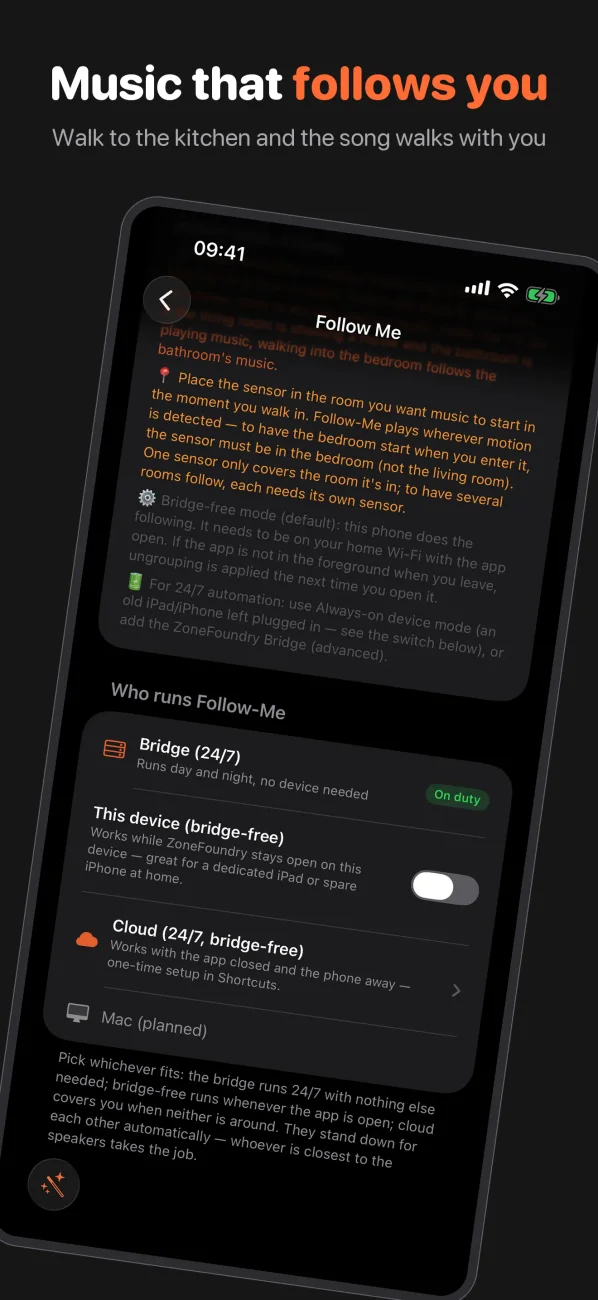
Configure Follow-Me with a compatible HomeKit sensor. Install the optional ZoneFoundry Bridge if you need its Apple Home integration. Ordinary app control does not require a bridge.
WHAT YOU NEED
At least one compatible Sonos speaker. Local control requires your device and speakers on the same network. Cloud control, music services and AI features require the appropriate accounts, network access and authorizations. Music subscriptions are not included. You can explore the built-in sample home without speakers.
ZoneFoundry is an independent third-party app, not affiliated with, sponsored by or endorsed by Sonos, Inc.
Help or suggestions: support@zonefoundry.dev
Có gì mới
Phiên bản 1.1.5 · 26/11/2026
When a speaker returns a terminal "not found" error, you now get a reconnect option instead of having to retry blindly.
Widget and Lock Screen controls refresh their own sign-in, so they keep working without opening the app first.
Typing Pinyin no longer sends a search for every letter before you pick characters, using less data and battery.
Quyền riêng tư của ứng dụng
Những gì YONGKUN SHI khai báo trên App Store về cách ứng dụng này xử lý dữ liệu.
-
Dữ liệu liên kết với bạn
Có thể được thu thập và liên kết với danh tính của bạn.
- Vị trí
- Thông tin liên hệ
- Nội dung của người dùng
- Mã định danh
- Dữ liệu sử dụng
- Chẩn đoán
- Dữ liệu khác
Phương thức đảm bảo quyền riêng tư có thể khác nhau, chẳng hạn như tuỳ theo các tính năng bạn sử dụng hoặc độ tuổi của bạn.
Thông tin
- Người bán
- YONGKUN SHI
- Danh mục
- Nhạc
- Phiên bản
- 1.1.5
- Cập nhật
- 26/11/2026
- Phát hành
- 30/08/2026
- Kích thước
- 37,4 MB
- Yêu cầu
- iOS 18.0 trở lên
- Độ tuổi
- 4+
- Giá
- Miễn phí
- Ngôn ngữ
- Tiếng Anh, Tiếng Trung Giản thể, Tiếng Trung Phồn thể
- Bản quyền
- © 2026 Yongkun Shi