
4k Video Downloader for Windows
Saves video, audio and pictures from streaming sites to your PC
You are on macOS — this is the Windows version. See the macOS version
Screenshots
Description
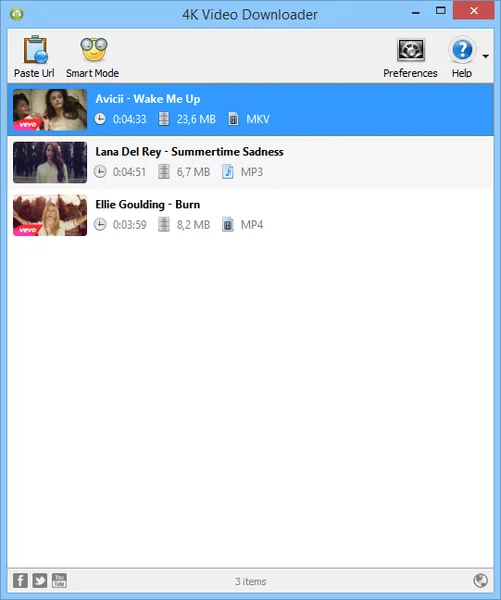
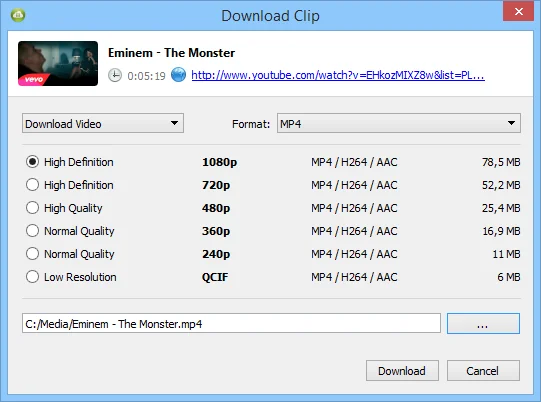
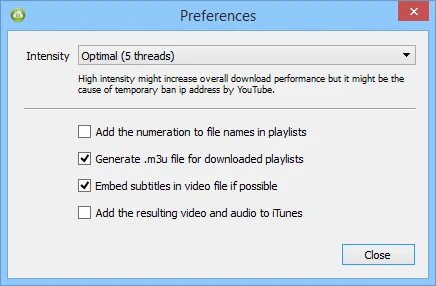
Paste a link from YouTube, Vimeo, Dailymotion, Facebook, Flickr, MetaCafe, SoundCloud, Tumblr, Twitch, VEVO or Vine, and 4K Video Downloader saves the video or audio to your computer. The free version handles several files at once, capped at 24 videos or audio pieces per download. Format choices include MP4 and MP3, and resolution goes up to 4K. Before conversion starts, the program asks for medium, quality, format and subtitle language; subtitles come in English, Deutsch, Nederlands and many others. Playlists work the same way as single links: paste the playlist URL and it parses the whole set.
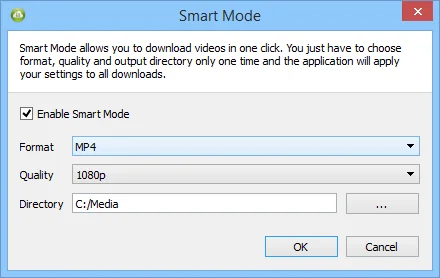
Streaming sessions from Twitch and YouTube Gaming are parsed too. Smart Mode converts YouTube videos into downloads automatically, and an in-app proxy lets you download high-resolution content blocked in a given region. 3D files are enabled by clicking the 3D icon in the format options, and 360-degree videos respond to the mouse, showing panoramic views when you hover over them. Finished files move straight into iTunes or onto an iPad, Android handset, Galaxy Edge, HD TV or other device. Instagram pictures and pictures from your own devices can be built into slideshows with music and effects. Each record in the download list has an Option button for playing the file, showing it in a folder, copying or opening the link, and removing one file or all of them.
The software runs on Windows, macOS and Ubuntu and receives consistent updates. Downloads for personal, non-commercial use are generally legal; sharing or commercial use is not, and circumventing YouTube's terms of service is illegal.
Download files
No downloads on this page: this app is distributed by its publisher.
System requirements
Available on:
Additional information
Developer
Price
Platform
Report a problem
Nothing here yet.