
Batch AI Photo Sharpener 2.0 for Windows
Sharpens and denoises JPG and PNG photos in bulk, entirely offline
Screenshots
Description
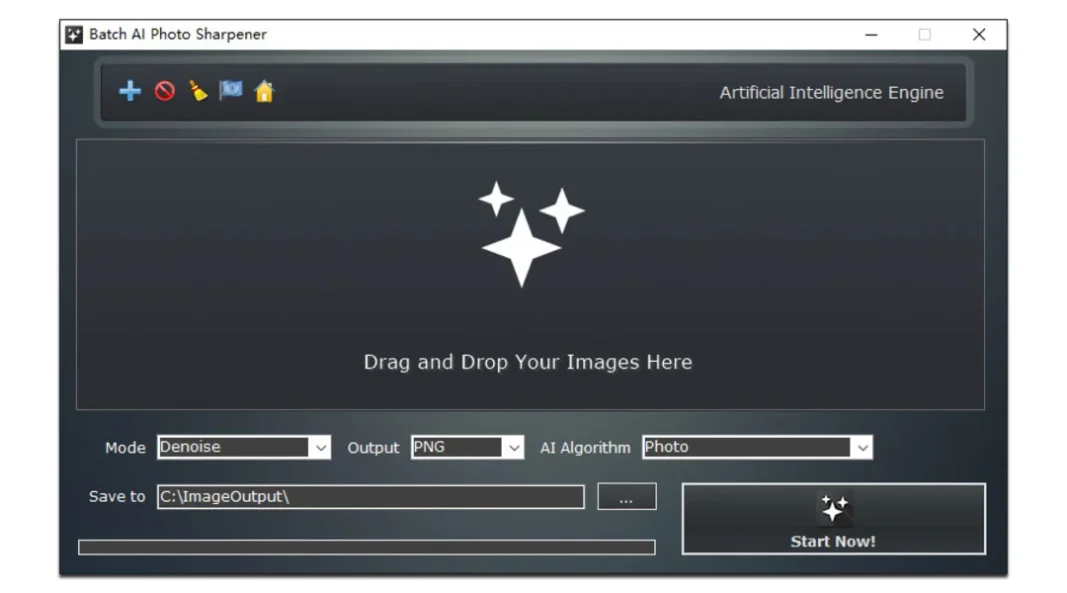
Batch AI Photo Sharpener takes low quality JPG and PNG images and turns them into higher quality ones. It denoises and unblurs them, and sharpens the unclear ones, working through a whole folder at a time rather than one photo per run. It is a Windows desktop program.
The work is done by AI deep learning algorithms, and there are two built into the program: Photo and Graphic. On top of that it has three modes, Denoise, Clear and Sharp, and you can change both the algorithms and the modes in the options to suit different needs. Sharpening comes out smooth, without overexposure. Everything runs on the local computer and uses the graphics card, so a batch of images is processed on the machine itself. That also means the program is fully offline: it does not upload or transfer data over the Internet, which matters if the photos are not ones you want leaving the computer.
PNG and JPG are the formats it handles. The version is 2.0.
Download files
422da4afe462acc12ec3ada35f633dfdd31d07d81acb96315798be52064801d5
Signed by Xi'an Expand Network Technology Co, Ltd. · valid until Feb 21, 2024System requirements
Available on:
Additional information
Developer
Latest release
Size
Category
File type
SHA-256
422da4afe462acc12ec3ada35f633dfdd31d07d81acb96315798be52064801d5