
Bijoy Bayanno 1.0 for Windows
Types Bangla directly with a fixed key-mapped layout for Windows
Screenshots
Description
Bijoy Bayanno is for typing Bangla characters straight from a keyboard, and it is a free utility for Windows. The program arrived in 2009 from Mustafa Jabbar and still runs on current Windows releases, Windows 10 and 11 among them. It works offline, with no cloud syncing and no online verification once setup is done.
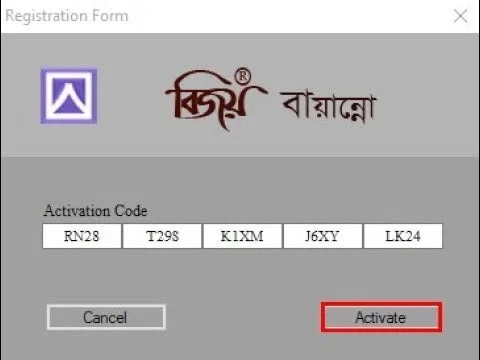
After unzipping the file and launching the EXE, you pick an operating system and enter an activation key from a text document that comes with the package. Microsoft .NET Framework 3.5 has to be present; if it isn't, you're prompted to get it first. You can switch quickly between Bangla and English, and compatibility can be set to Non-Unicode or ANSI. Bundled fonts for Bangla are Unicode-compatible.
The layout is a fixed key map learned by memorization, not transliteration like phonetic keyboards such as Avro Keyboard. It is not open-source, and it isn't easily configurable with coding. PDF typing sheets for it exist online but are not bundled. The program lacks some advanced features of similar tools.
Download files
e1e09c67d6e96e2962c18c76095ddeb39191d2a0bcee23e8cc356c688baf5050
System requirements
Available on:
Minimum OS:
Windows Windows 10 or later
Additional information
Developer
Latest release
Size
File type
SHA-256
e1e09c67d6e96e2962c18c76095ddeb39191d2a0bcee23e8cc356c688baf5050
Languages
Price
Report a problem
Nothing here yet.