
SHA-256 listed
Uploads photos from your Windows desktop to a Facebook profile
You are on macOS — this is the Windows version. See the macOS version
All ages
Age rating
Screenshots
Description
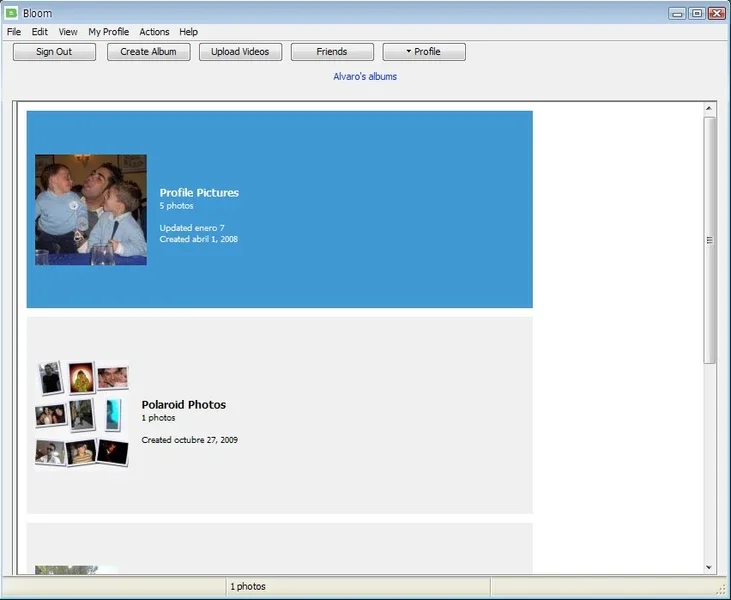
Bloom is a free Windows application that uploads photos to a Facebook profile from the desktop. You start by logging in to Facebook from inside the program's interface.
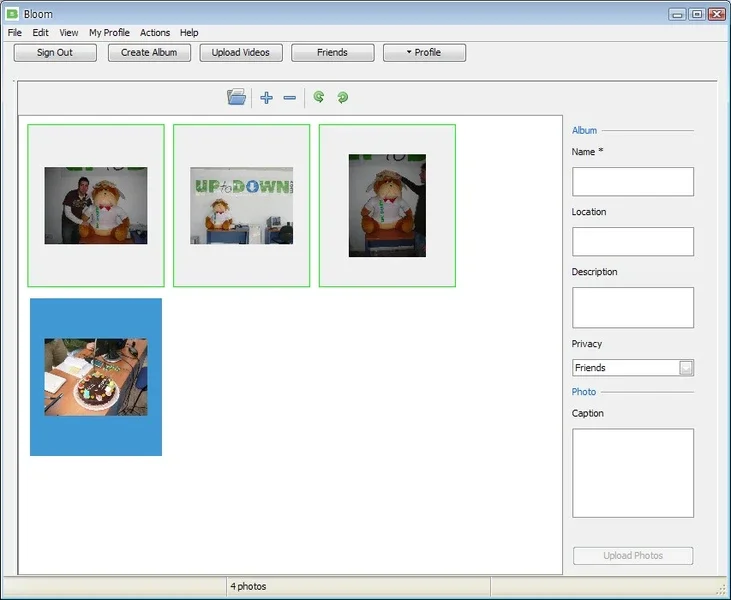
- Photos go up with an upload button or by drag-and-drop.
- You pick the album to upload to, or create a new one.
- Album name, description and place can be edited from the interface.
- Double-clicking a loaded photo lets you edit its information.
Permission is granted in two places: in Bloom itself and in the browser. Once you have granted it and start the upload, the photos appear on the profile instantaneously.
Layout and editing
Albums are chosen before the upload, and a new one can be made at that point. Each photo's details are reached by double-clicking it once it is loaded.
Download files
File3.8.0MSI
Version3.8.0
ReleasedMay 10, 2024
Size102.2 MB
SHA-256
Get
a1c94d109bc8c76e22e46a15167596bb59be83fccd737d7f51cd5a20c50a6a50
No digital signatureFilebloom-3.7.1-64-bit.msiMSI · 64-bit
Version3.7.13.7.1 (64-bit)
ReleasedNov 14, 2022
Size85.8 MB
SHA-256
Get
d67683405f8f237859d6f00e0b5832699cfeb175fd115f4da6fa2ba3d32f2966
Filebloom-3.4.4-64-bit.msiMSI · 64-bit
Version3.4.43.4.4 (64-bit)
ReleasedSep 21, 2015
Size65.9 MB
SHA-256
Get
0e49785aeeeeddc12931da93186e74fb9cfda121f475931294f24ad583a43459
Filebloom-2.9.1.msiMSI
Version2.9.1
ReleasedJul 17, 2012
Size4.9 MB
SHA-256
Get
2e1dfd5903d6b81749b2b7519ff5fbb77fb1b67719983a319224ddc45242b289
Filebloom-2.7.1.msiMSI
Version2.7.1
ReleasedJan 29, 2010
Size4.9 MB
SHA-256
Get
95f57894e29486395635f415298a30cda8e30d6a5d71162d387e92be42a4234d
System requirements
Available on:
Minimum OS:
Windows XP or later
Additional information
Developer
Latest release
3.8.0 · May 10, 2024
Size
102.2 MB
File type
MSI
SHA-256
a1c94d109bc8c76e22e46a15167596bb59be83fccd737d7f51cd5a20c50a6a50
Digital signature
No digital signature