
ClickFont 3.0.0.0 for Windows
SHA-256 listed
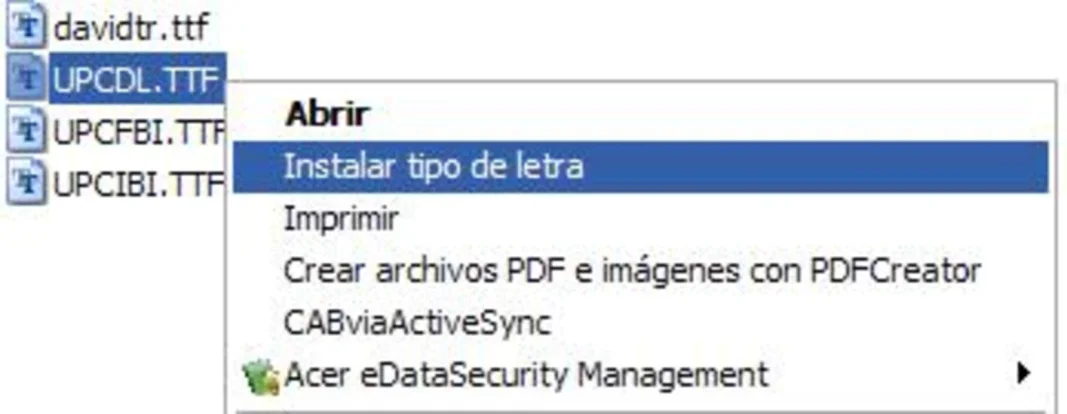
Right-click a font file to install it in Windows
All ages
Age rating
Screenshots
Description
ClickFont adds an option to the right-click menu. Right-click a font file from any folder and choose the 'install font' option. That is the whole workflow.
Normally, installing a font in Windows means copying it into the Fonts folder inside the Windows folder and then installing it. Doing that often, and uninstalling again afterwards, gets annoying. ClickFont skips the copying step.
It is a small application for Windows, and it is free.
Download files
File3.0.0.0EXE
Version3.0.0.0
ReleasedJan 25, 2013
Size144.7 KB
SHA-256
Get
f7000577f864c87af4e9c07fb06b0d48d26da1cc3d960c5c78024ac342f75936
No digital signatureSystem requirements
Available on:
Additional information
Developer
Latest release
3.0.0.0 · Jan 25, 2013
Size
144.7 KB
File type
EXE
SHA-256
f7000577f864c87af4e9c07fb06b0d48d26da1cc3d960c5c78024ac342f75936
Digital signature
No digital signature