Clip Plus 5.14 for Windows
SHA-256 listed
Keeps a clickable history of everything that passes through the clipboard
All ages
Age rating
Screenshots
Description
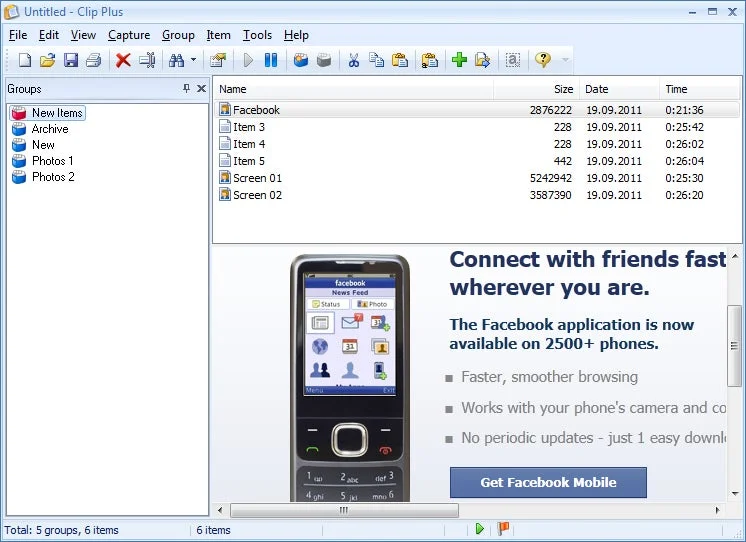
Clip Plus keeps a running record of what passes through the Windows clipboard, so text and images you copied earlier can be pulled back with a single click. The icon opens an interface that shows the captured items and holds the settings.
- Items can be saved one at a time or in blocks of more than two.
- Captures can be taken at set time intervals, according to your preferences.
- Saved text and images stay available for later use.
The program runs in the background and does not interrupt or disturb your work while it captures.
Download files
Fileclbplus.exeEXE
Version5.14
ReleasedMay 24, 2023
Size7.5 MB
SHA-256
Get
f83a73e3a046e1f9cc05fd8347eed090e43a04ce347bce8bf538650ea35e8cd3
Signed by Denis Zolotov · valid until Dec 31, 2019File6.11EXE
Version6.11
ReleasedNov 19, 2020
Size7.3 MB
SHA-256
Get
291a693dd57bfe88954d6a201f7e024f8b166aaf2080bbd80468cf320f82dfac
Signed by Denis Zolotov · valid until Aug 9, 2023Fileclip-plus-4.68.exeEXE
Version4.68
ReleasedUnknown
Size6.6 MB
SHA-256
Get
31c9e2bbc7fdf1501f1357227c9a30224201e29aed1e9c03321ea7b1aa1732f4
Signed by Crystal Office Systems · valid until Feb 7, 2014System requirements
Available on:
Additional information
Developer
Latest release
5.14 · May 24, 2023
Size
7.5 MB
Category
File type
EXE
SHA-256
f83a73e3a046e1f9cc05fd8347eed090e43a04ce347bce8bf538650ea35e8cd3
Digital signature
Signed by Denis Zolotov · valid until Dec 31, 2019





