
DiffImg 2.0.2 for Windows
Highlights pixel differences between two images side by side
Screenshots
Description
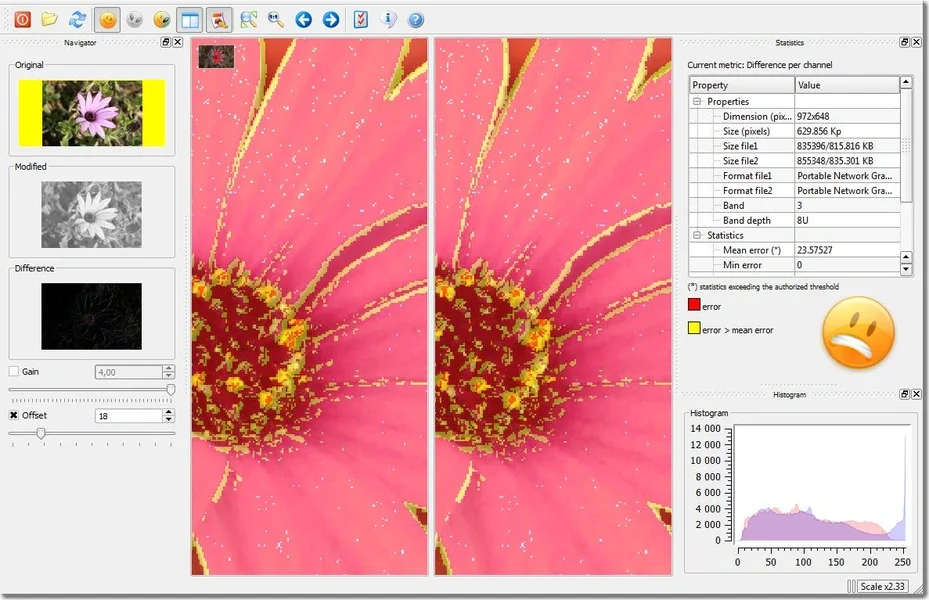
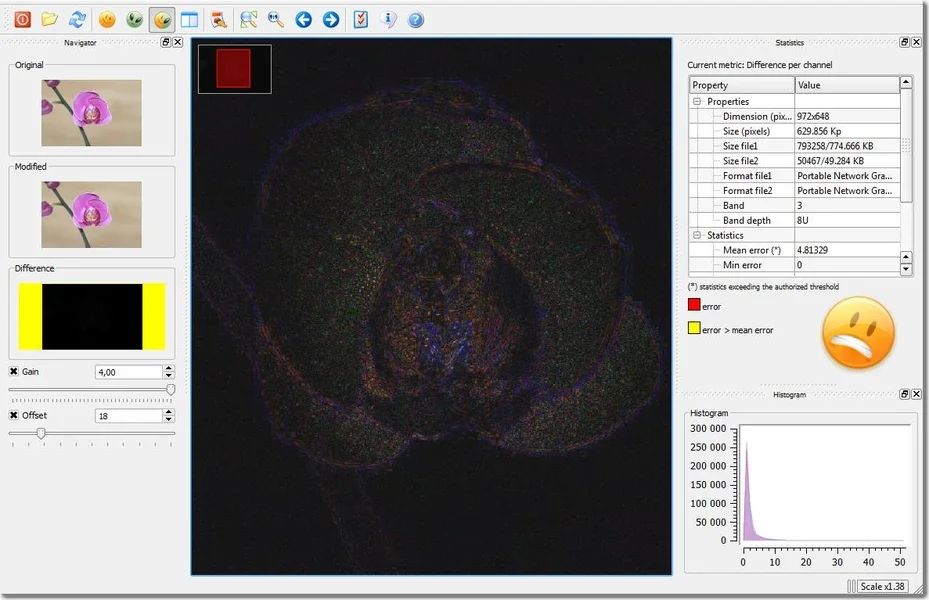
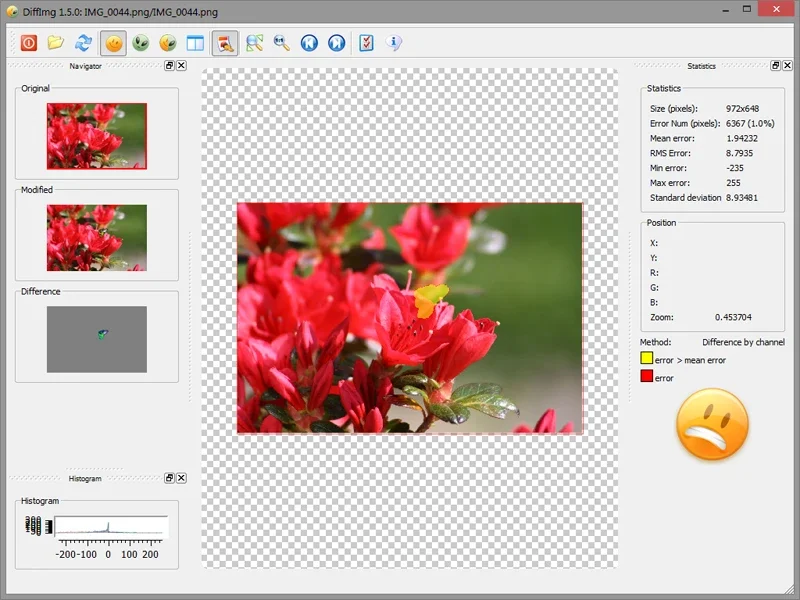
DiffImg compares two images side by side. Pick two files and they appear in the main window, so you can look at them together before and after the comparison.
Differences are highlighted in the image you chose as the main one, which keeps the result on a single picture instead of splitting your attention. Small differences that would be easy to miss are marked as well, so a few changed pixels do not slip past you. A dialog box lets you set the similarity level between the images, and in the same place you set the percentage of pixel difference to detect. The dialog box has other settings too. Between the similarity level and the pixel percentage, you can decide how strict the comparison should be, then run it again and watch the highlighted areas change.
It runs on Windows and is free under GPL 2.0.
Download files
107efdbfe3459b23ee51882bd060f6c8a7fac35e7732f7597a8a3e23f73adce7
No digital signature53842bf3451546a8544db7dfbc7326fb78401652688b0886c55a6c7c0fb1d122
System requirements
Available on:
Additional information
Developer
Latest release
Size
Category
File type
SHA-256
107efdbfe3459b23ee51882bd060f6c8a7fac35e7732f7597a8a3e23f73adce7