
Easy Image Modifier 4.8 for Windows
SHA-256 listed
Batch-edits images by drag and drop, with resize, rotate and rename
All ages
Age rating
Screenshots
Description
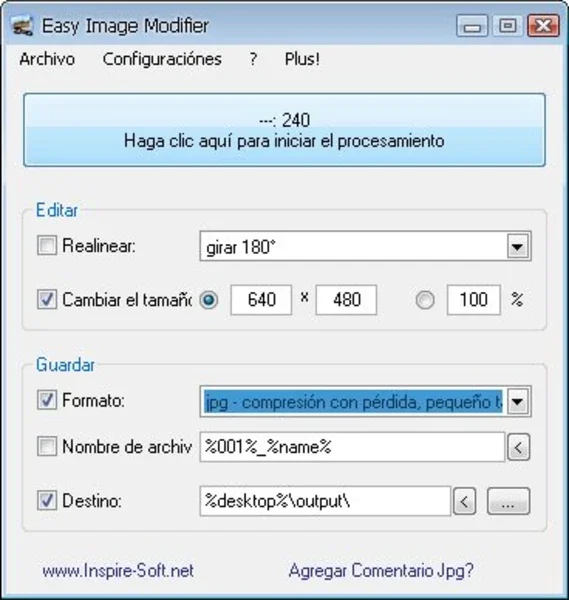
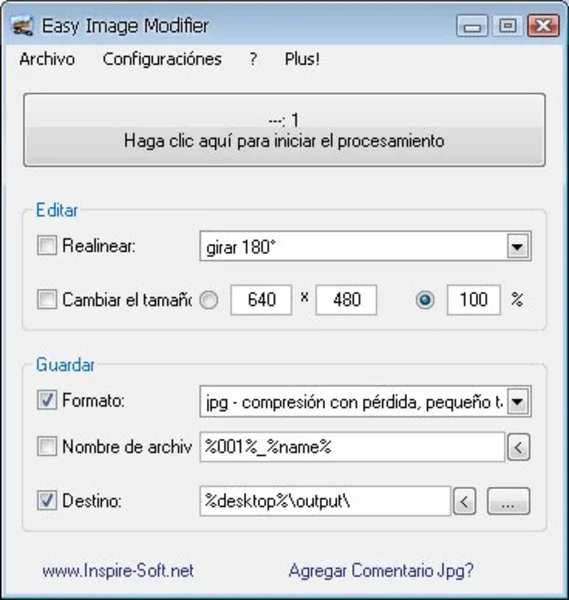
Drop the files you want to change onto Easy Image Modifier, pick the modifications, then press OK. Processing takes a few seconds. Several modifications can be applied at once, so resizing, rotating and converting happen in one pass.
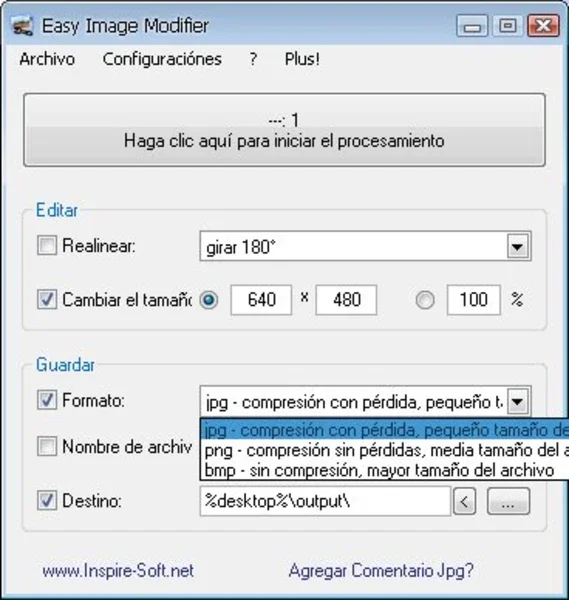
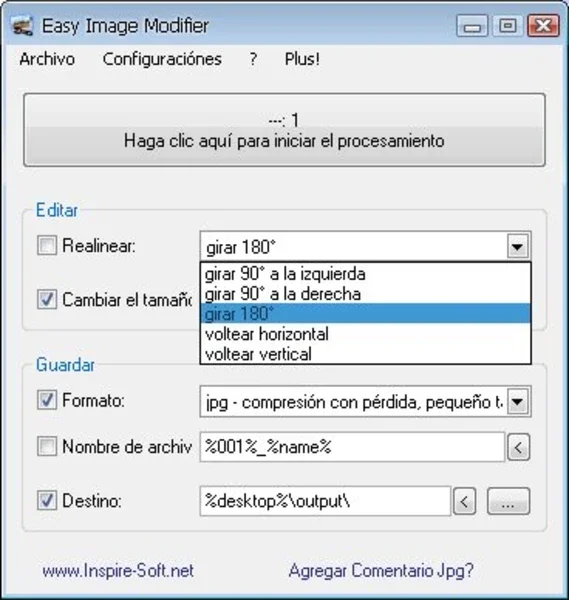
Images can all be resized to one single size, or reduced by a percentage. Rotation is available too. The format can be changed to JPG, BMP or PNG.
All files can be renamed following a pattern.
Download files
File4.8ZIP
Version4.8
ReleasedNov 26, 2013
Size635.6 KB
SHA-256
Get
772037d09e5cab22546f50c11835c66a6acd7d086554c3b6b56f94281c628b9d
Fileeasy-image-modifier-4.72.zipZIP
Version4.72
ReleasedMar 15, 2013
Size626.6 KB
SHA-256
Get
52614763f9700d5d42d36d0214d7e928bcfa277ecb77558f06c06ee628ac08ca
Fileeasy-image-modifier-4.71.zipZIP
Version4.71
ReleasedJan 9, 2013
Size624.5 KB
SHA-256
Get
408c2193bd57a36fd0f1e0f9648a9e06692b2151f62c9138ef975cb3b2d13427
Fileeasy-image-modifier-4.61.zipZIP
Version4.61
ReleasedJun 11, 2012
Size488.0 KB
SHA-256
Get
a6e8c1d3cbb3b6d7f3be5812318b68a5d2724fdce42d57ee719583818b6c3783
Fileeasy-image-modifier-4.6.zipZIP
Version4.6
ReleasedJun 8, 2012
Size478.4 KB
SHA-256
Get
dfed67ad7ce4726faf62fac0c08c23aba1519ade2062391e6e9d7f55e84c5d6a
System requirements
Available on:
Minimum OS:
Windows Windows 7 or later
Additional information
Developer
Latest release
4.8 · Nov 26, 2013
Size
635.6 KB
Category
File type
ZIP
SHA-256
772037d09e5cab22546f50c11835c66a6acd7d086554c3b6b56f94281c628b9d