
Exstora 2.9 for Windows
Saves short notes and schedules events from one window
Screenshots
Description
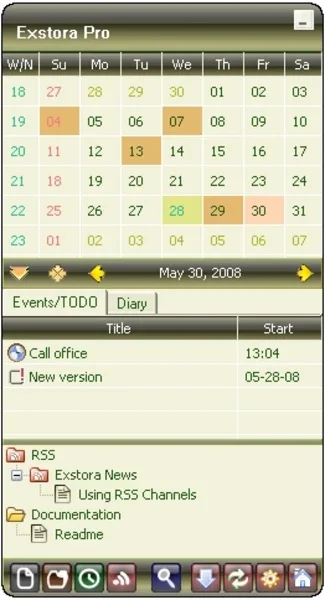
Exstora saves short notes and schedules events. It is a lite program, and the notes and events work right after you install it.
The main window has three sections: Calendar, Events (Planner) and Notes manager. In the Notes manager, double-clicking empty space adds a new note. Notes are organized by category, and each saved note stays where you put it so you can find it again. Point the mouse cursor at a note and a quick preview appears. In the Personal Organizer window, double-clicking adds a new event. To move a scheduled event to another date, drag it and drop it onto that date on the calendar.
That is the whole program: three sections in one window, a preview on hover, and drag-and-drop rescheduling.
Download files
9b449ec7886ccda55c01e65855d9b1ca509dbdcca07ba3de3c34b4b1b7a4ff8b
No digital signature797a4a3eeb430a51d0b6cf0213856fce347bbfb2c7f40121491819e3ba82e443
No digital signaturea3725dc8490a9872bd29066279d0326cc2de874d87051fdd00f2a9293eff58a2
5cc3ad7cf14dc8b9ac53ccfccbf83b16af9a6535899ba9690f45c21965791297
No digital signatureSystem requirements
Available on:
Minimum OS:
Windows Windows 2000 or later
Additional information
Developer
Latest release
Size
Category
File type
SHA-256
9b449ec7886ccda55c01e65855d9b1ca509dbdcca07ba3de3c34b4b1b7a4ff8b