
FastStone Image Viewer 8.5.0.0 for Windows
Views, organizes and edits photos on Windows
Screenshots
Description
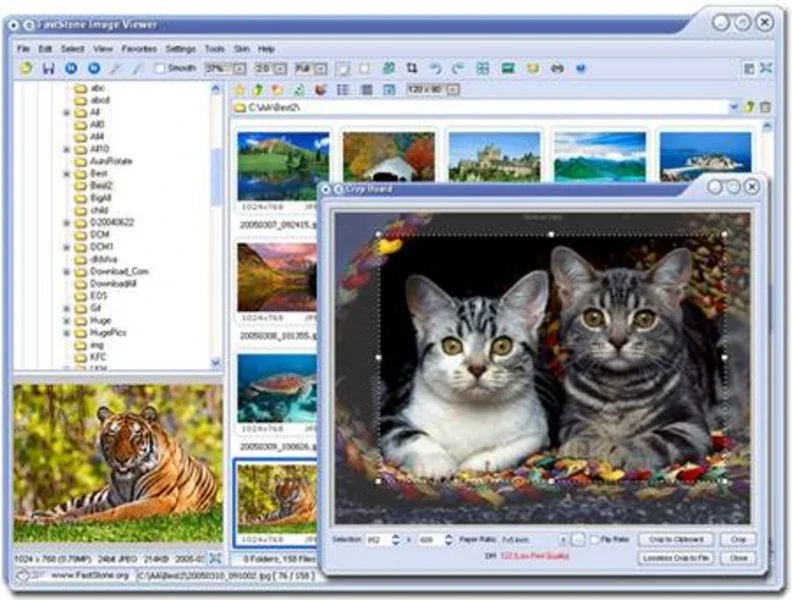
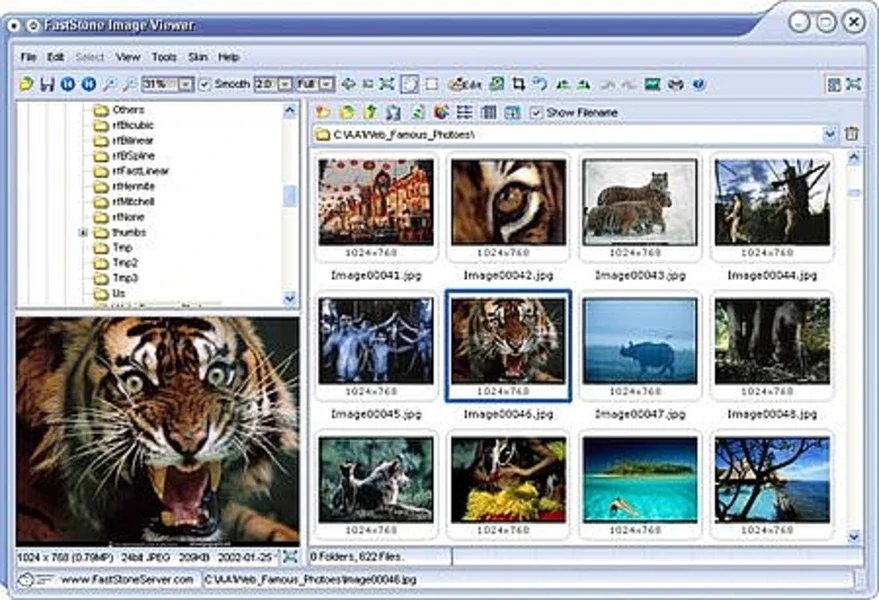
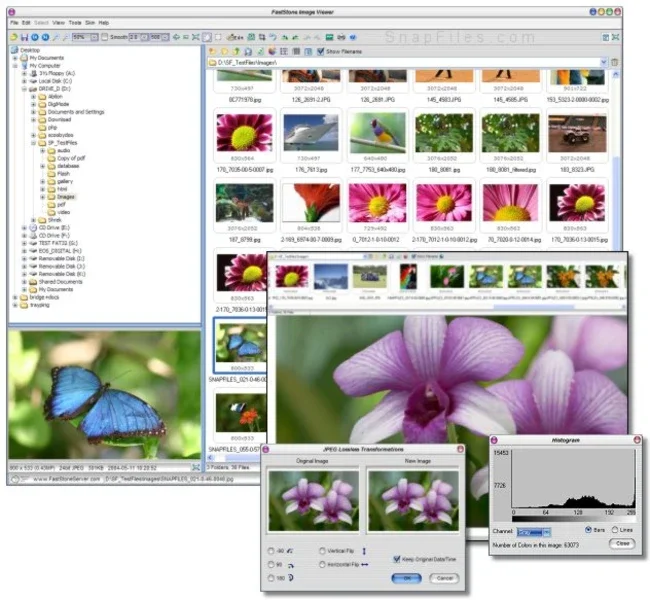
FastStone Image Viewer opens photos and edits them, all in one window on Windows. A file browser shows thumbnails of your images next to a preview window for the selected file, and single pictures open in full-screen mode.
Inside that full-screen view, the four screen corners hold the tools, and you get to them by hovering the mouse there. Top-screen buttons are there too, though what they do isn't immediately obvious. Right-clicking brings up basic navigation and editing options. The drop-down menus are ordered sensibly and their logic is easy to follow. Zoom and magnification let you look closer at a shot, and up to four images can sit side by side for comparison. EXIF data, including camera settings and scene information, is viewable. Skins can be swapped, among them MacX, Windows XP and Windows Classic, and touch interface input is supported.
Standard tools cover resizing and cropping, brightness and darkness adjustment, sharpness and blur, grayscale, and red-eye removal. You can add a border, put a watermark on a photo, or apply sketch and oil painting effects. A frame can be placed so it works as a mask, softening harsh edges. More advanced tools adjust levels, curves and lighting, and there is a bump map option for 3D texturing. The Draw Board menu is where text, lines and shapes go on an image.
Batch conversion handles PDF, JPG, PNG and TIFF files. Slideshows run with different background effects, and screen captures can be taken. Images can be tagged with a location. The interface looks outdated and is too busy, and the program cannot match the features of the leading image-editing suites. It runs as a viewer and an editor. A portable version is on the developer's website.
Download files
42b369323ab1e45e0c4f508276b174580a0b29b0a35b6793f13946c144f95f38
Signed by FastStone Corporation · valid until Feb 12, 2027fd0a3f1db1be783684e1b0ffebd74a1447179a9c39349dbb00ba536ca4730adb
Signed by FastStone Corporation · valid until Feb 12, 20275978cb9401efde53b494b799fe82fadf71b86f4603dec7ee0bf6647ac0e45bc3
eac3d39fd452b3be3abe30077b26a6543f1769aae7f99aa3c13190a232c354e1
f4f804b3b645f3510ba29d57ee3e26fd7a032022f54c39eceaee42b4f4072113
System requirements
Available on:
Minimum OS:
Windows XP or later
Additional information
Developer
Latest release
Size
Category
File type
SHA-256
42b369323ab1e45e0c4f508276b174580a0b29b0a35b6793f13946c144f95f38