
Screenshots
Description
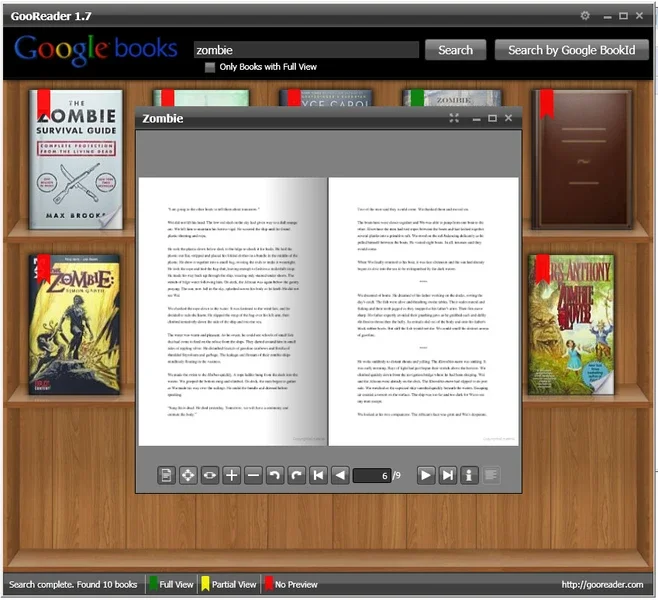
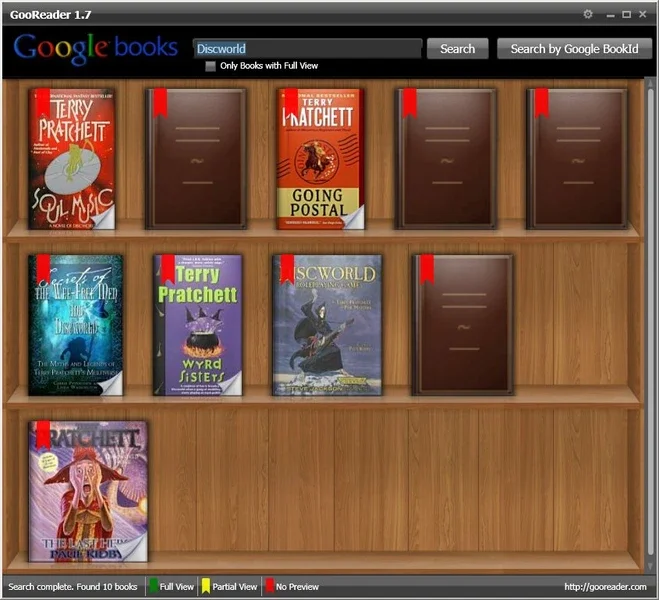
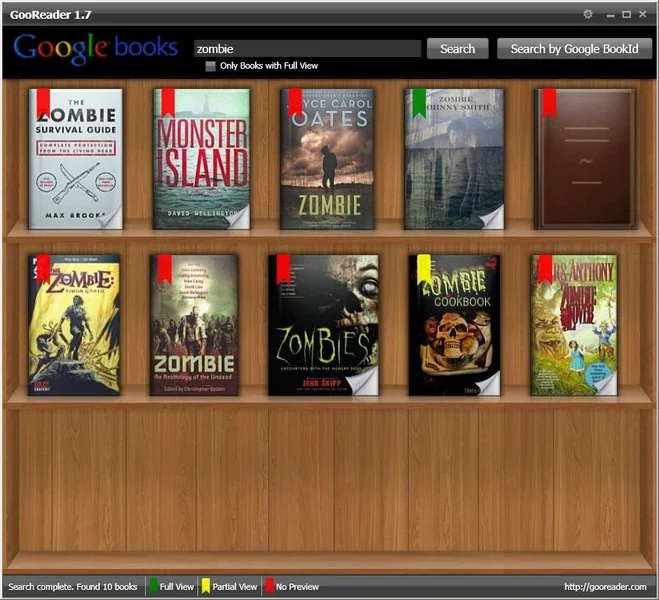
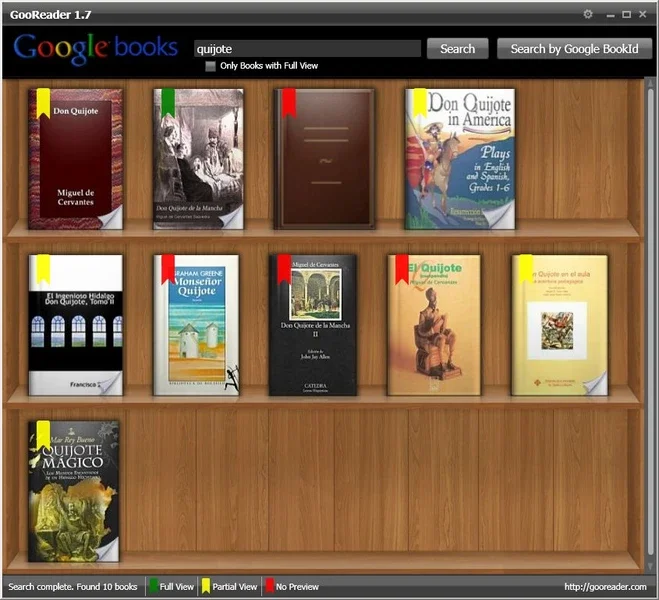
GooReader searches Google Books' catalog, which holds millions of books, straight from a search bar in the main window. Type a title, hit 'search', and the results come back. If you already know the ISBN of a book, enter it and you go directly to that book.
- A green tag means the book can be read in full; Don Quixote is given as an example.
- A yellow tag means a preview of a few pages is included.
- A red tag means the book cannot be read.
Reading happens on the computer screen, and found books are marked with one of those three tags.
Download files
Filegooreader4.zipZIP
Version4.0
ReleasedOct 21, 2025
Size6.6 MB
SHA-256
Get
cccec3f56d0fa4ef3377660c112f9aa48d66f9fc2016b59274b31f2bd19246dd
File4.0ZIP
Version4.0
ReleasedApr 2, 2012
Size6.6 MB
SHA-256
Get
d047c1e72a4ff5dfb8540b893418911be5cc715b2dde554ef5c978d73b5c2153
Filegooreader-3.0.zipZIP
Version3.0
ReleasedMar 29, 2011
Size5.0 MB
SHA-256
Get
8d03b7a48839bb0b853b0b46e409e6810f7b74d7efb7e689e450e7c1be92252e
Filegooreader-2.0.zipZIP
Version2.0
ReleasedDec 1, 2010
Size1.1 MB
SHA-256
Get
3e85cbf477d47f4b4e85b85351d0ed08b747662ae0d51e3489d5cc0a2299c7ad
Filegooreader-2.0.zipZIP
Version2.0
ReleasedUnknown
Size4.6 MB
SHA-256
Get
10812af73e73dfab1c06a02f647f894f8e3d2a5c2fad5b53ce9b24c4a8d01fc9
System requirements
Available on:
Minimum OS:
Windows Windows Vista or later
Additional information
Developer
Latest release
4.0 · Oct 21, 2025
Size
6.6 MB
File type
ZIP
SHA-256
cccec3f56d0fa4ef3377660c112f9aa48d66f9fc2016b59274b31f2bd19246dd