
Screenshots
Description
HJSplit splits a large file into parts and puts them back together again. The download is an executable of about 300 kb, and there is no installer: it runs straight off a portable device on any laptop or desktop, and doesn't leave unnecessary entries in the Windows registry.
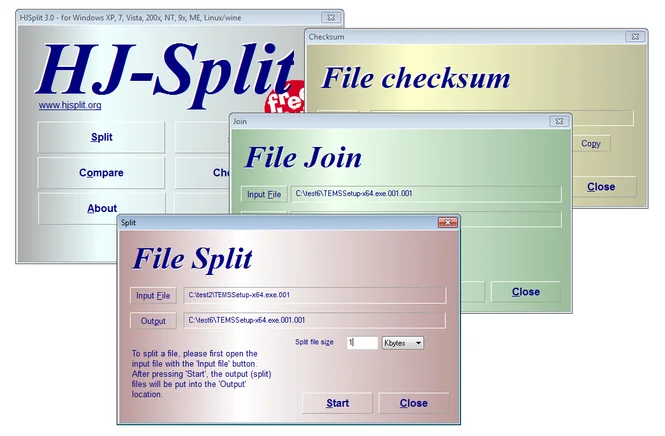
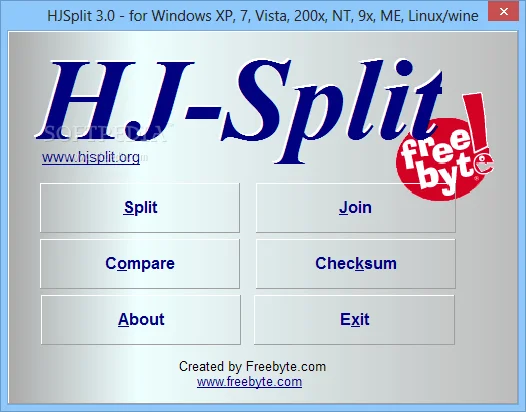
On screen there are six buttons: About, Exit, Split, Compare, Checksum and Join. Split and Join each open a simple dialog box for choosing source and destination files, and the split size goes in a field before you press Start. A green progress bar tracks the job, though it can be sticky and may stay on the desktop after the work finishes. Parts are sorted and saved to the destination folder automatically, and when rejoining, the program finds the .001 file by itself to work out the sequence. Files as large as 100 GB are handled, and multi-gigabyte ones go through in a few minutes. A 10 GB file can be broken up for burning to DVDs or CDs, uploading to a service like Dropbox, or copying to flash drives, which makes the program a reasonable alternative to a compression tool. It is freeware, made by Freebyte, and 3.0 does the rejoining.
Other buttons do smaller jobs. Compare checks the size of two files, and the Checksum generator works by browsing to a file and clicking Start, with a Copy button to put the result on the clipboard. The About section links to an online Help file and web links. Interchange between systems works in both directions: what one operating system split, another can join. Every release talks to every other release, so parts can be passed between machines running different versions. The interface is outdated.
Download files
4f184654df72a63066367378faac9b71b364705a69aa0002dcf4dc63d5b7c705
System requirements
Available on:
Minimum OS:
Windows Windows 2003 or later
Additional information
Developer
Latest release
Size
File type
SHA-256
4f184654df72a63066367378faac9b71b364705a69aa0002dcf4dc63d5b7c705
Languages
Price
Report a problem
Nothing here yet.