
Inventory Tracking Barcode Maker Tool 1.0 for Windows
Builds inventory labels and barcodes from a spreadsheet of records
Screenshots
Description
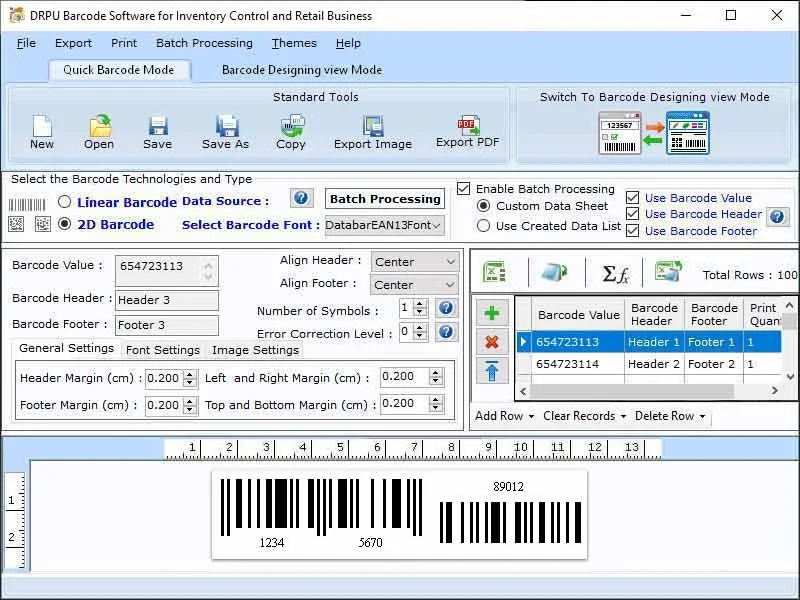
Inventory Tracking Barcode Maker Tool turns inventory records into barcode labels. It runs on Windows. Start it and you choose whether to make a linear or a two-dimensional barcode.
Spreadsheet import and label creation
The program imports a spreadsheet holding all the inventory records. Each entry in that sheet gets its own barcode without further input. Click a button to produce as many labels as you need, for managing and recording any kind of inventory.
Barcode types and appearance
Both linear and two-dimensional formats are covered. Linear types include Codabar, Code 39 and Code 39 Full ASCII, Code 128 and its sets A, B and C, LOGMARS, UPCA, UPCE, EAN 8, EAN 13, UCC/EAN-128, Interleaved 2 of 5, Industrial 2 of 5, MSI Plessey and Telepen. Databar appears in its standard, Code 128, Limited, Expanded, Stacked, Truncated, Stacked Omni, UPCA, UPCE, EAN 8 and EAN 13 variants. Among the two-dimensional types are Aztec, PDF417, DataMatrix, MaxiCode and QR Code. The interface is laid out to be easy to use. Barcodes can be customized, with margins and the position of the numbers relative to the bars both adjustable.
Download files
8cc91366c48ff28e0cefb963fbd6d1667b375954f97a1518e08f39af150758fb
Signed by DRPU SOFTWARE PRIVATE LIMITED · valid until Dec 3, 2020System requirements
Available on:
Additional information
Developer
Latest release
Size
Category
File type
SHA-256
8cc91366c48ff28e0cefb963fbd6d1667b375954f97a1518e08f39af150758fb