
Loudtalks 1.10 for Windows
SHA-256 listed
Free Windows app that blends instant messaging with walkie-talkie-style voice
All ages
Age rating
Screenshots
Description
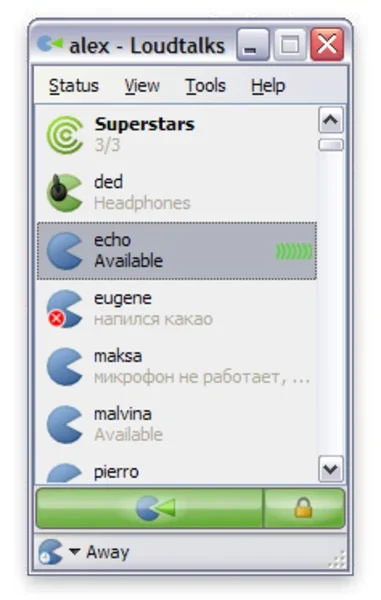
After you install and run Loudtalks on Windows, the usual instant messaging windows appear, but there is no chat window. Instead, the program combines instant messaging with the walkie-talkie approach. You press talk and speak your message, and the contact on the other side hears it. To talk to contacts, you connect to them as with a walkie-talkie. The talk button takes the place of a chat window, so pressing the buttons to speak can be somewhat difficult to get used to at first. The application is free.
Download files
File1.10EXE
Version1.10
ReleasedJan 1, 2012
Size1.5 MB
SHA-256
Get
651926874aaab3fd60633aedac472ff8fada2e1c327c8d4ace5e1bcd9c07668e
No digital signatureFileloudtalks-0.9.0.63.exeEXE
Version0.9.0.63
ReleasedDec 4, 2009
Size1.4 MB
SHA-256
Get
cbdb26a7570162c2786aee9eb23904adcfd79100324d990feec7a0e0ae50ced5
System requirements
Available on:
Additional information
Developer
Latest release
1.10 · Jan 1, 2012
Size
1.5 MB
Category
File type
EXE
SHA-256
651926874aaab3fd60633aedac472ff8fada2e1c327c8d4ace5e1bcd9c07668e
Digital signature
No digital signature