
Screenshots
Description
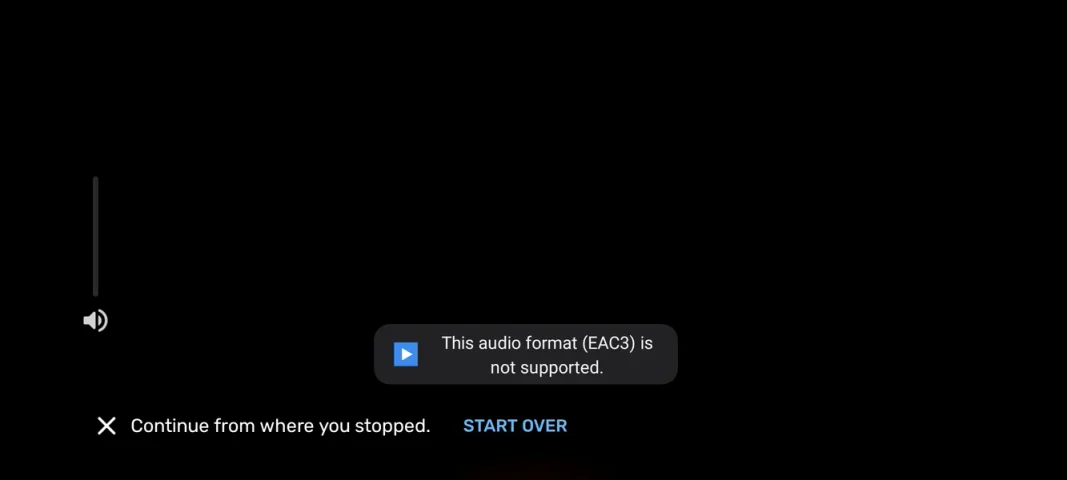
MX_FFmpeg supplies the audio codecs that MX Player can't ship itself. Licensing keeps the official ones out, so AC3 (Dolby), E-AC3, DTS and TrueHD all have to be added by hand. Once they are in place, the player handles audio in those formats and the media on the phone plays without trouble. EAC3 audio from media files is covered too. MX Player runs on Android and Android TV.
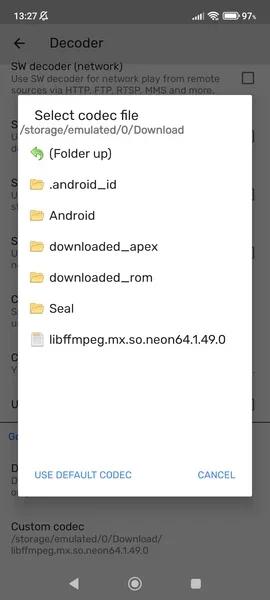
The download is a ZIP holding codecs for every Android architecture: ARM, ARM64, X86 and X64. Unpack it on the device. On a phone the one you will usually want is Neon64, the 64-bit ARM build.
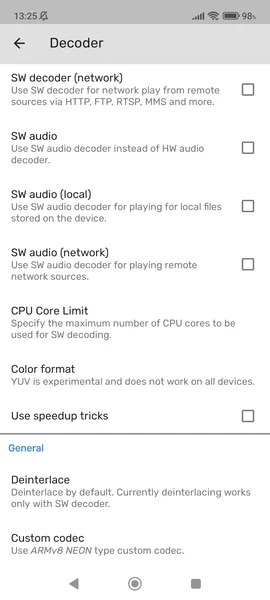
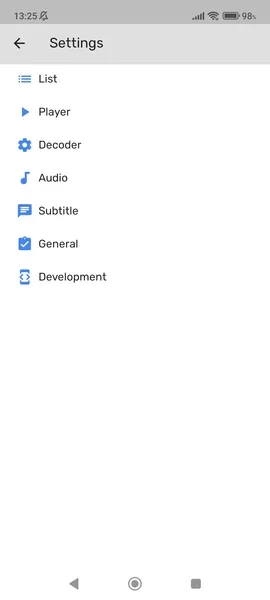
In MX Player, open settings and find the Decoder section. The Custom Codec option sits at the bottom of it. Choose the file you extracted, restart the app, and the codecs are active.
Download files
d41b69776b8ca8d16ef5e62f84f9f6e0e7e39ace1c9e976964528204acbc1632
ea59d787a70bb3f2645661d3c79ea87f999e00c40e3f6e8f608929a711877380
System requirements
Available on:
Additional information
Developer
Latest release
Size
File type
SHA-256
d41b69776b8ca8d16ef5e62f84f9f6e0e7e39ace1c9e976964528204acbc1632