Ninite for Windows
Build a custom installer for Windows programs from a web selector
You are on macOS — this is the Windows version.
Screenshots
Description
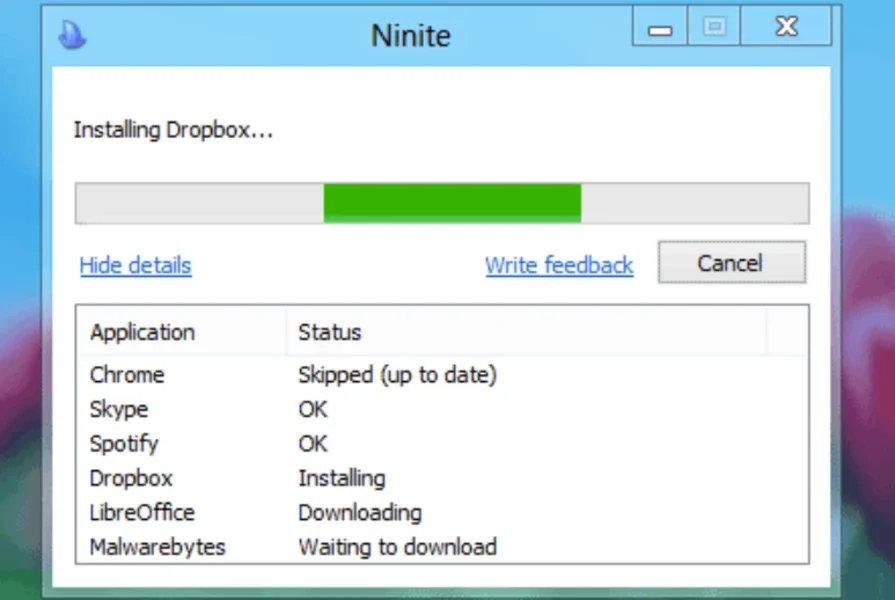
Pick the programs you want on the Ninite website and it builds a custom installer for you. The site has a simple selector for choosing among tools like Chrome, VLC, Zoom, LibreOffice and Spotify. The installer downloads and installs only those programs, and it does so in the background without stopping to ask for confirmation on each one. The whole process finishes in a few minutes, and every program you get is the most recent stable version.
Reinstalling from scratch
Ninite is also used to set up a Windows PC again from the beginning. You run the same custom installer on the machine, and it skips any versions or updates that are already installed. Ninite is free for individual users, and it runs on Windows. A paid Ninite Pro subscription installs and updates software on multiple computers at once.
Download files
28eacc7ff9a7510c843c6afc595de0ca6dfcd194c1939cfc2f50c092729378b3
System requirements
Available on: