
Password Safe 3.73.0 for Windows
Keeps passwords in separate encrypted safes you open only when needed
Screenshots
Description
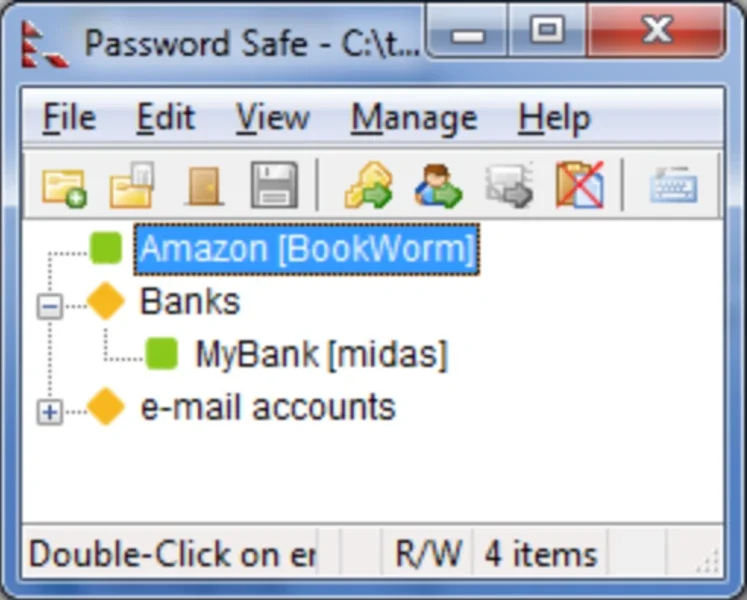
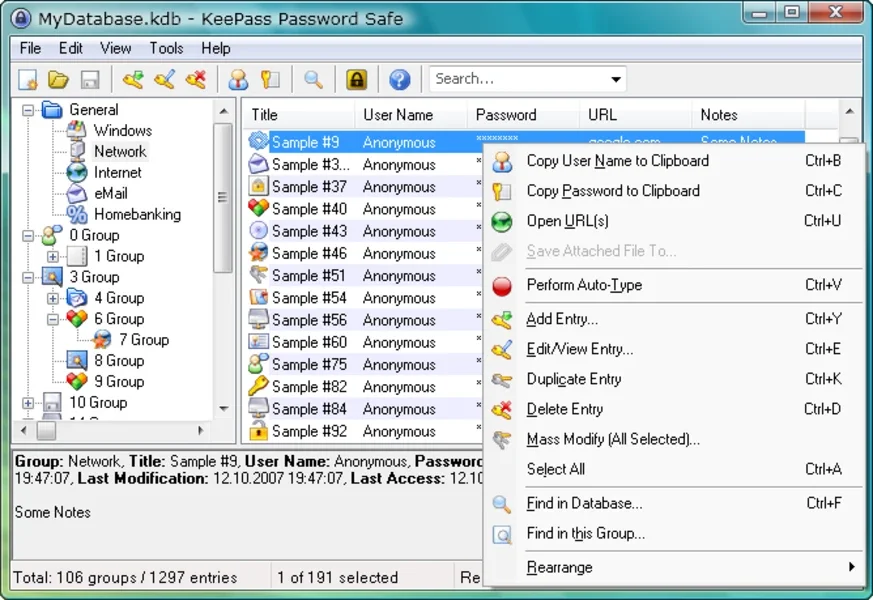
Password Safe keeps passwords in a virtual safe. You open the safe when you need something, copy the password and close it again. Separate safes let you keep different areas of your life apart.
The Options dialogs cover a lot: a virtual keyboard, import and export, hotkeys, password policy settings and security parameters. Preferences stored in the database show up in blue in those dialogs, so you can tell them apart from the rest. Filters can match rules based on password length. Shift plus left mouse button double-click is configurable; by default it copies the username to the clipboard. Each database takes a name and description through the Properties dialog.
The layout is clear, and the configuration options are many. It's free.
Download files
6bd98519f886be96292c2c75f309583112f301c0e75683f13eb567b06d94053b
Signed by Open Source Developer Ron Shapiro · valid until Mar 20, 20274dbb5d9d03944300aeb9670318d06a6da887516a058d34cdf3718cfc3046b42a
Signed by Open Source Developer Ron Shapiro · valid until Mar 20, 2027fd4eae90a9e1a21a38521aa05aa56741101cf9cea0a568c6a93d2f9bad4a6fa3
Signed by Open Source Developer Ron Shapiro · valid until Mar 20, 20277042ceaa520fa5f6a6d52d941401ac7632e7c7244a929677f9255235982dbd17
Signed by Open Source Developer Ron Shapiro · valid until Mar 20, 20277ab4d505ac7cef1d8e5c3cf6bce4664a0f24a9bfda1d0aef6855786861800cdd
Signed by Open Source Developer Ron Shapiro · valid until Mar 20, 2027System requirements
Available on:
Minimum OS:
Windows XP or later
Additional information
Developer
Latest release
Size
File type
SHA-256
6bd98519f886be96292c2c75f309583112f301c0e75683f13eb567b06d94053b