
PopChar 8.8 for Windows
SHA-256 listed
Click a character to insert it into the text field or browser you're using
You are on macOS — this is the Windows version. See the macOS version
All ages
Age rating
Screenshots
Description
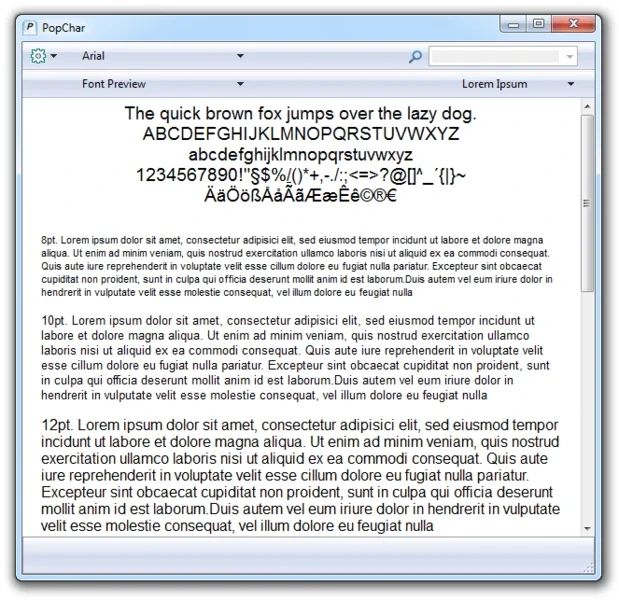
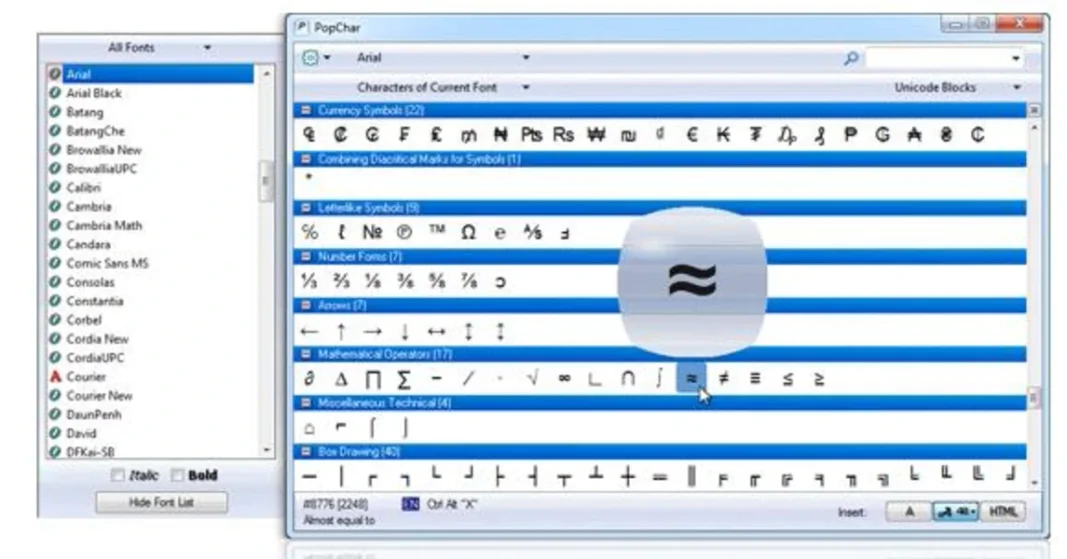
PopChar runs in the task bar as a small application. Click a character's icon and it goes into the text editor or web browser you're working in. Hundreds of symbols from alphabets around the world are included, and you can choose the size and font. A search function locates a letter or symbol. HTML is supported.
Inserting characters
Clicking inserts the character into the active text editor or web browser. PopChar runs in the task bar, so the character grid stays within reach while you type. You set the size and font, and the search function finds a letter or symbol by name.
Download files
File8.8EXE
Version8.8
ReleasedJun 5, 2023
Size5.3 MB
SHA-256
Get
2eff825bf71479ddeadd85ca0517017916519672c9006ad5e4a458e9b665283f
Signed by Ergonis Software GmbH · valid until Oct 30, 2024Filepopchar-9.3.exeEXE
Version9.3
ReleasedNov 19, 2021
Size5.3 MB
SHA-256
Get
1c610bb6150d62a18d650d09ef3360ebf17b0c31ba41e59b20f15a58912aa4b5
Filepopchar-9.0.exeEXE
Version9.0
ReleasedDec 3, 2020
Size4.3 MB
SHA-256
Get
9e825adfefed5b8dc89f2c0dd9f3927cea718c7d888d0ade67af9220719008ae
Filepopchar-7.3.exeEXE
Version7.3
ReleasedJul 20, 2016
Size4.1 MB
SHA-256
Get
2129cdf85b28b91838ab01ab76edb3b582bc2cd5de68194829a1120f75df2d8f
Filepopchar-7.2.exeEXE
Version7.2
ReleasedFeb 22, 2016
Size3.4 MB
SHA-256
Get
6bb842e660b7e7b44822a66aa96c182f390af9816c007f9058e445f36894545c
System requirements
Available on:
Minimum OS:
Windows XP or later
Additional information
Developer
Latest release
8.8 · Jun 5, 2023
Size
5.3 MB
Category
File type
EXE
SHA-256
2eff825bf71479ddeadd85ca0517017916519672c9006ad5e4a458e9b665283f
Digital signature
Signed by Ergonis Software GmbH · valid until Oct 30, 2024





