

Screenshots
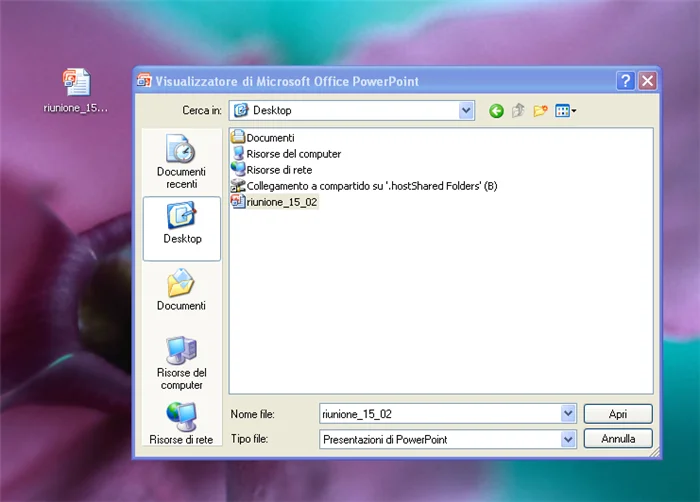
Description
PowerPoint Viewer 2010 lets you view PowerPoint presentations even when the machine has no recent copy of PowerPoint installed. You can also print and open the files. The viewer is read only: it cannot edit presentations.
Transitions, slides and videos play as they do in the most current edition of PowerPoint. The viewer also opens decks saved in a newer format than the Office package on the computer.
A few things stay out of reach. The viewer will not show Information Rights Management (IRM) presentations. Macros do not run, links to external sites are not followed, and embedded and linked objects cannot be viewed.
- RAM: 256 MB or more
- Graphics: DirectX 9.0c card with more than 64 MB of video memory
- Disk space: 270 MB
- Display: 1024 x 788 for optimum viewing
- System: Windows XP Service Pack 3 and later, including Vista SP1, SP2 and SP3, Windows 7, Windows 8.1 and Windows 10
Graphics and other product functionality depend on the user's system configuration. To install, click the download button on the Microsoft page and save the file to disk. Then double click PowerPointViewer.exe. After installation, the viewer opens from the Start menu under All Programs. On a registered machine, double clicking a presentation file launches the program. The viewer registers the .ppt, .pptm, .pot, .pptx, .ppsx, .pps and .ppsm extensions only if no version of PowerPoint is already installed. To edit a presentation, an open source edition of PowerPoint can open it with no drop in resolution or quality.
Download files
249473568eba7a1e4f95498acba594e0f42e6581add4dead70c1dfb908a09423
Signed by Microsoft Corporation · valid until Mar 7, 2011System requirements
Available on:
Additional information
Developer
Latest release
Size
File type
SHA-256
249473568eba7a1e4f95498acba594e0f42e6581add4dead70c1dfb908a09423
Digital signature
Price
Report a problem
Nothing here yet.