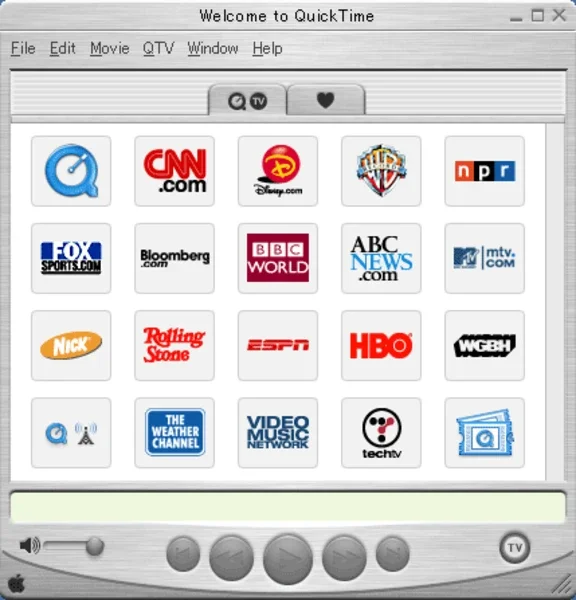

QuickTime 7.79.80.95 for Windows
Plays video and audio, records the screen, and edits clips
You are on macOS — this is the Windows version. See the macOS version
Screenshots
Description
QuickTime is a media player made by Apple for the Mac. On-screen controls handle play, pause, fast-forward and rewind, and you can change the playback speed. The window resizes, and video can be set to its original size or scaled to fit the screen. Keyboard shortcuts and gestures cover many tasks. Subtitles or captions show while a movie plays.
Full-screen view has three modes:
- Full screen shows the video at the screen's size.
- Panoramic view compresses the outer horizontal edges so the picture isn't cropped.
- Fill-screen mode scales and crops the movie to remove black bars.
Picture-in-picture puts the video in its own window. A file can also play on an AirPlay-enabled device.
For editing, a movie can be split into multiple clips that are then manipulated on their own. Clips can be trimmed, rearranged and rotated. When sharing a movie, the program creates a version optimized for the chosen sharing method. Movies can be made with the built-in camera on a Mac, or with an iPhone, iPad or iPod touch. The computer screen can be recorded and the recording saved to the Mac.
QuickTime does not export movies as MP4 videos.
Download files
56eff77b029b5f56c47d11fe58878627065dbeacbc3108d50d98a83420152c2b
Signed by Apple Inc. · valid until Aug 27, 20171549893f8a0f4f426de7b3d6240f206755ef3367c3346b8f297d80d703fb5dd1
75183df763e03c54a4cc7f73df6c681fd77fc2bf61b16616f0c8bf03117c7438
5c45164cc9577eed03b05e5076d17b61a4fa88124eba490e7eb45d65a4066fab
63d5f6bf4fd21dc0713561aeae4ecec01f2e6233bcd5ce911807cb844b06be24
System requirements
Available on:
Minimum OS:
Windows Windows 10 or later
Additional information
Developer
Latest release
Size
Category
File type
SHA-256
56eff77b029b5f56c47d11fe58878627065dbeacbc3108d50d98a83420152c2b