
Save Flash 4.1 for Windows
SHA-256 listed
Saves Flash games and animations from Internet Explorer to your PC
All ages
Age rating
Screenshots
Description
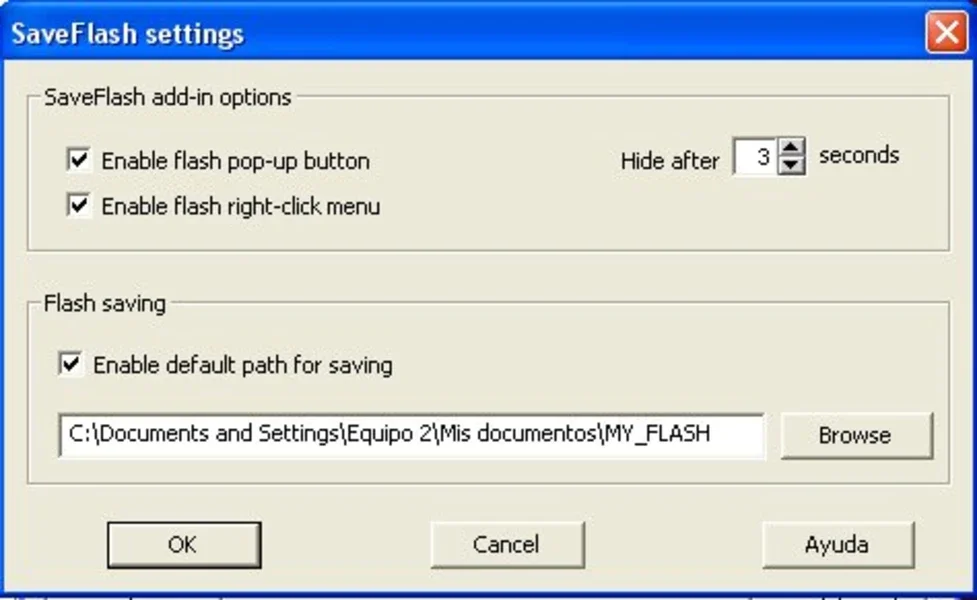
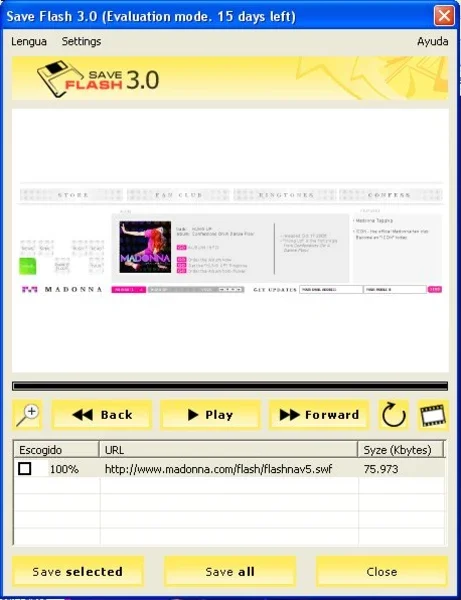
Save Flash installs as an added function in Microsoft Internet Explorer, so the Flash content you are watching can be stored on your PC for offline use. Run it from the task bar: click the Save Flash icon and a new window opens showing the animation.
- Download the content from the opened window to the hard disk.
- Right-click the mouse to reach Save Flash as well.
Games and animations are both supported.
Download files
Filesave-flash-4.1.exeEXE
Version4.1
ReleasedMar 5, 2009
Size587.9 KB
SHA-256
Get
0694921d5bf352f8b5746a38f8bd09c5cf496d8f1bdd4ed1aa21b4b64d1b19e4
No digital signatureFile4.1EXE
Version4.1
ReleasedSep 7, 2007
Size4.3 MB
SHA-256
Get
34011c3a0bf67cc2b324a61fbdcfcd01cfb9b9ffcbe635b9562f9a3da269b40c
No digital signatureSystem requirements
Available on:
Minimum OS:
Windows Windows 2000 or later
Additional information
Developer
Latest release
4.1 · Mar 5, 2009
Size
587.9 KB
File type
EXE
SHA-256
0694921d5bf352f8b5746a38f8bd09c5cf496d8f1bdd4ed1aa21b4b64d1b19e4
Digital signature
No digital signature