
Show Desktop 1.042 for Windows
Adds a taskbar button that shows the desktop on Windows XP
You are on macOS — this is the Windows version. See the macOS version
Screenshots
Description
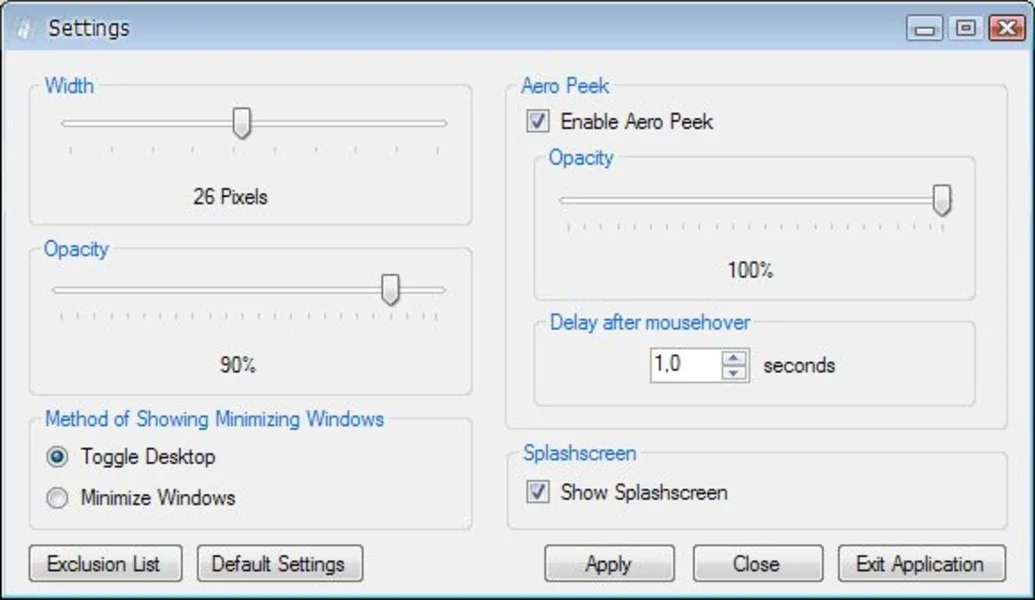
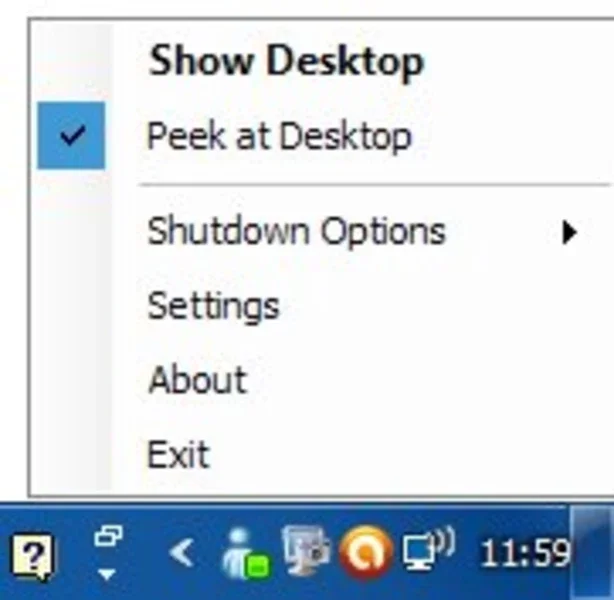
Show Desktop puts a small rectangular button at the bottom right of the screen, at the end of the taskbar. Click it and every open window minimizes. Hover the cursor over it and all windows turn transparent instead, so you can see the desktop without minimizing anything. The options let you set the opacity level used when windows become transparent, and how long the cursor must hover before that happens. You can change the button's size there too. It brings a Windows 7-like feature to Windows XP, and it is intended for users still on that system.
The button sits where you would expect it, past the clock area. Transparent windows stay in place and come back to full opacity once the cursor moves away.
Download files
36faa4c4596af03aafe4212201d90a2802d21f1ea2149b4b5274f5c0e580b4cf
System requirements
Available on:
Additional information
Developer
Latest release
Size
Category
File type
SHA-256
36faa4c4596af03aafe4212201d90a2802d21f1ea2149b4b5274f5c0e580b4cf