SmillaEnlarger 0.9.1 for Windows
SHA-256 listed
Open source
Enlarges photos without pixelation, no install needed
All ages
Age rating
Screenshots
Description
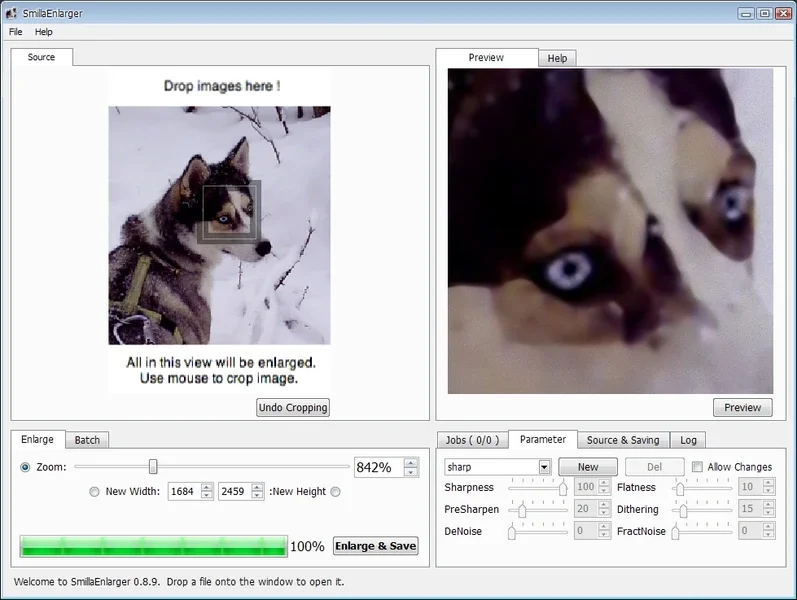
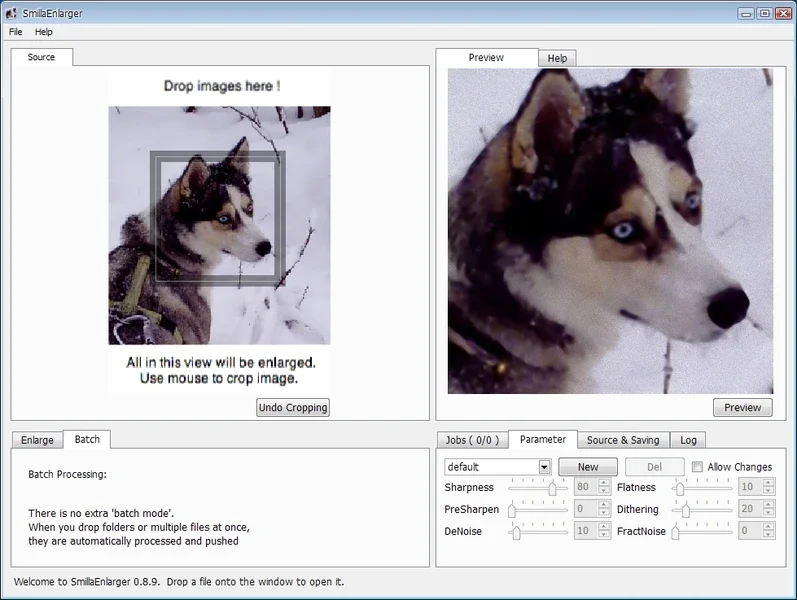
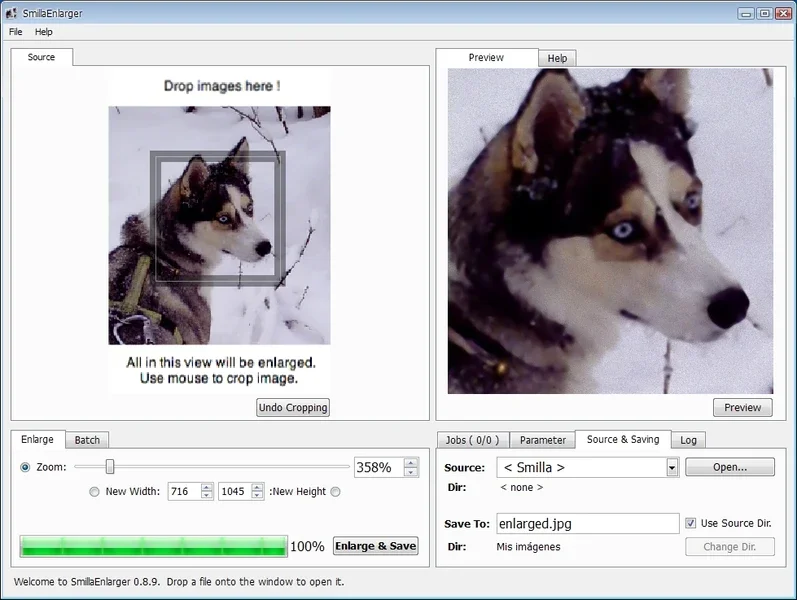
Open a picture, pick an enlargement, and SmillaEnlarger scales it up. Two clicks and you're done. The program is built for people who want bigger pictures without digging through the many options of something like Photoshop.
Normally, resizing a photo larger makes pixels show, but this program avoids quality loss. You get several resize options, so you can pick one that fits the picture. Beyond plain scaling, it can add noise or give a photo a hand-painted look. You can also build your own styles by combining settings like de-noiser or sharpener.
It runs on Windows without installation. Just start it and work.
Download files
FileSmillaEnlarger_V0.9.1.zipZIP
Version0.9.1
ReleasedOct 21, 2025
Size1.2 MB
SHA-256
Get
548781b851c5dc3317f0460be19b9be1501c958f10af94ec3c5798b18b6bb884
File0.9.0ZIP
Version0.9.0
ReleasedOct 19, 2010
Size6.6 MB
SHA-256
Get
4dc30ed6cfa0fb3de4f49a660dc9b3b505fddcb2f9feac4f9212230fc91feaa7
Filesmillaenlarger-0.8.zipZIP
Version0.8
ReleasedUnknown
Size8.0 MB
SHA-256
Get
972dc75dbc411615307baeba1427d2f74af8d7eba8f26910bf12d6181f396bbf
System requirements
Available on:
Minimum OS:
Windows Windows Vista or later
Additional information
Developer
Latest release
0.9.1 · Oct 21, 2025
Size
1.2 MB
Category
File type
ZIP
SHA-256
548781b851c5dc3317f0460be19b9be1501c958f10af94ec3c5798b18b6bb884