
SnipIT 1.0.1 for Windows
Highlights text in Internet Explorer and sends it straight to a new email
Screenshots
Description
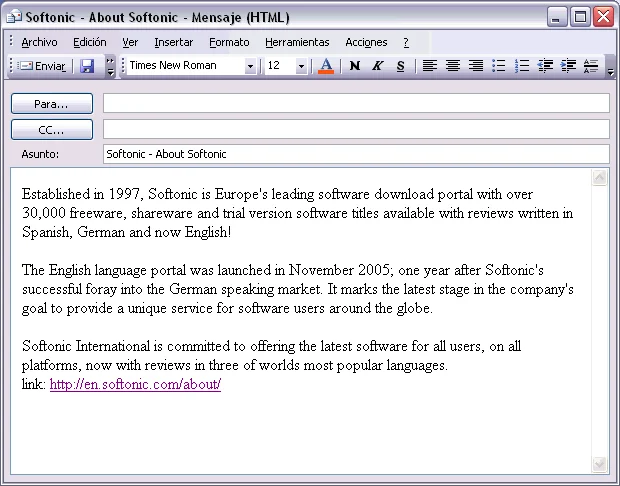
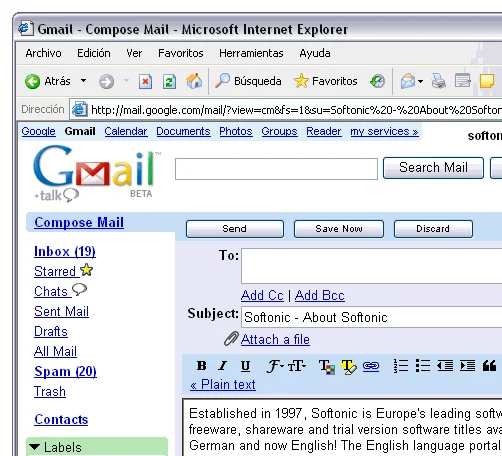
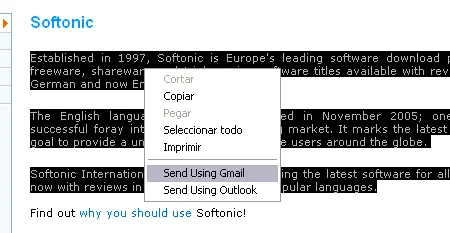
SnipIT is a browser add-on for Internet Explorer that cuts text from web pages and sends it by email. Highlight the text, right-click, pick the SnipIt option and choose to snip it. That opens your email client with a new message already holding the text.
Only text works. Images and other media files cannot be copied. Four mail services are recognised: Gmail, Microsoft Outlook, Hotmail and Yahoo Mail. No other addresses are accepted. MailTo comes pre-installed; any other provider asks you to choose it and enter a username and password if you are not signed in. The email does not go out on its own. You fill in who receives it and type a subject line yourself first.
- Pasted text keeps its plain form; the desktop version cannot change how it looks after pasting.
- No text size option exists.
There is no interface and no start menu entry after installation. It runs only on personal computers with Microsoft Windows, including older versions of the OS. It does its one job using little CPU and leaves other extensions alone. Browsing speed stays as it was unless your connection is the problem. Cookies are gathered from the sites the text came from and from your email, and are not sold to third parties. The built-in Snipping Tool is considered better than this app.
Download files
9f94a5dba816669adde7e9de9e2a0e3ec7f2cc88051a8bd657edd3e8eee83847
Signed by Microsoft Corporation · valid until Oct 4, 2007System requirements
Available on:
Additional information
Developer
Latest release
Size
File type
SHA-256
9f94a5dba816669adde7e9de9e2a0e3ec7f2cc88051a8bd657edd3e8eee83847
Digital signature
Languages
Price
Report a problem
Nothing here yet.