SoundTap 11.09 for Windows
Captures any audio playing through a Windows PC and saves it as wav or mp3
You are on macOS — this is the Windows version. See the macOS version
Screenshots
Description
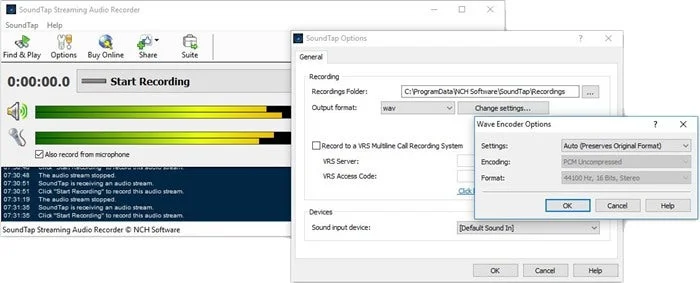
SoundTap records whatever audio is playing through a Windows computer. Once it is installed, switching it on sends every sound the PC plays into a recording. A virtual driver running in the kernel does the capture, and the result is described as perfect digital quality. Recordings are saved as wav or mp3 files.
What you can capture
Streaming radio and other internet audio go in, and so do VoIP calls, softphone audio and instant messaging conversations. It also works as a recorder for streaming audio conferences. Companies sometimes use it for legal reasons. Audio in proprietary formats can be converted to wav or mp3, though conversion needs a player for the file.
Download files
ce90420210a24351da59b6bedf94790792ba5f2555f5e31536cb21843e75e66d
c485505cf8d4165a1e7a59ba9a4cdcd21b6077bdf0e775df6dd0709ccd050886
Signed by NCH Software · valid until Aug 6, 2017ab556267eb70bc3fdf0c499d0c391274689dd88f8f15b8bda266d255fbac951e
Signed by NCH Software · valid until Aug 11, 20196667cdb0aeba6b7a976e23d80126a892e2224b5ee91aec4f3d3008fbb60c633f
Signed by NCH Software · valid until Aug 11, 2019ee6a2769034405a644cc58df7cefe3aa201d70518b7ac5e0cb0732e22bc7cff7
Signed by NCH Software · valid until Aug 11, 2019System requirements
Available on:
Minimum OS:
Windows Windows Vista or later
Additional information
Developer
Latest release
Size
File type
SHA-256
ce90420210a24351da59b6bedf94790792ba5f2555f5e31536cb21843e75e66d
Price
Platform
Report a problem
Nothing here yet.