
Termux for PC 0.118.0 for Windows
Linux command line and package collection on Windows
Screenshots
Description
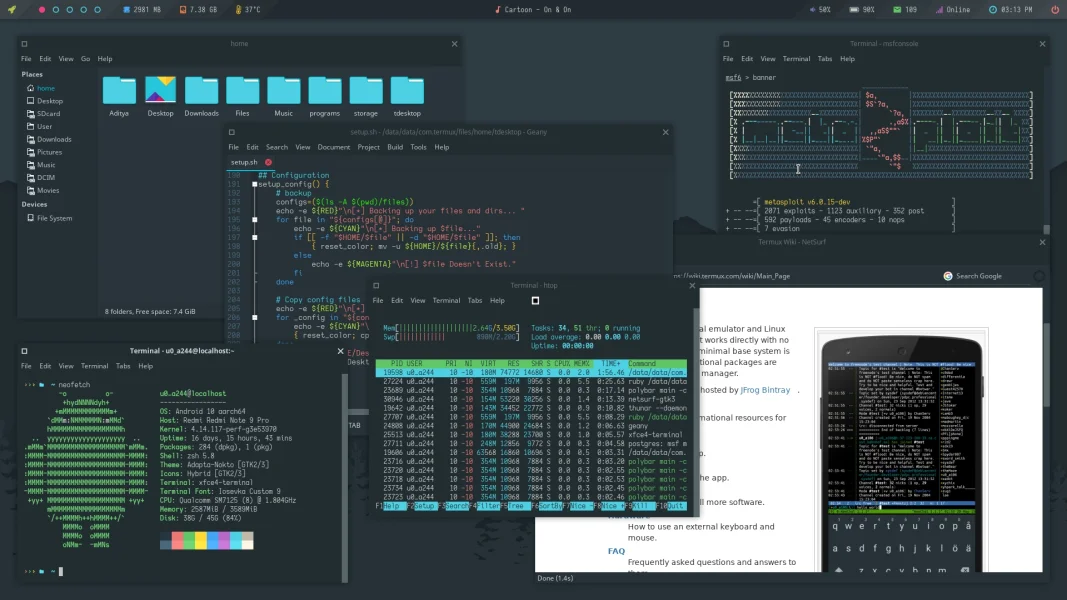
Termux for PC gives Windows desktops and laptops a Linux environment: a terminal emulator with Linux command lines, a minimal base system that installs itself, and a large collection of Linux packages. No rooting or setup is needed. It began on Android and now runs on Windows, where it can stand in for Cygwin, MobaXterm or Hyper. Bash, fish and ZSH are all available as shells.
Compilers such as GCC and clang build code in many languages, and Python 3.13 and Node.js v22 go in with simple commands. Packages beyond the base system come through APT. From the Python console you can set up pocket calculators. curl reaches API endpoints. For editing there is nano, Emacs or Vim, and Git and Subversion track projects. An SSH client built on OpenSSH handles remote servers, rsync stores backups of the contact list, and devices plugged into a USB port are recognized almost at once for debugging or file transfers.
The Termux-X11 Nightly plugin, v1.03.01, adds graphics: a Linux desktop that runs in a separate window, where web browsers and code editors work, with mouse and keyboard handled as in any other Windows program. Newer versions of the plugin use hardware acceleration to clear the lag earlier ones had. Notifications go to the Windows desktop, so you can follow progress without keeping the terminal focused, and recent updates manage background tasks so long scripts are not interrupted.
Download files
089ae8a55a8f583444d8f7ea30e5cb7e39bc920d8f70a1a8c960c07d55bee806
System requirements
Available on:
Additional information
Developer
Latest release
Size
File type
SHA-256
089ae8a55a8f583444d8f7ea30e5cb7e39bc920d8f70a1a8c960c07d55bee806
Price
Report a problem
Nothing here yet.