
TimeStamp 1.30 for Windows
SHA-256 listed
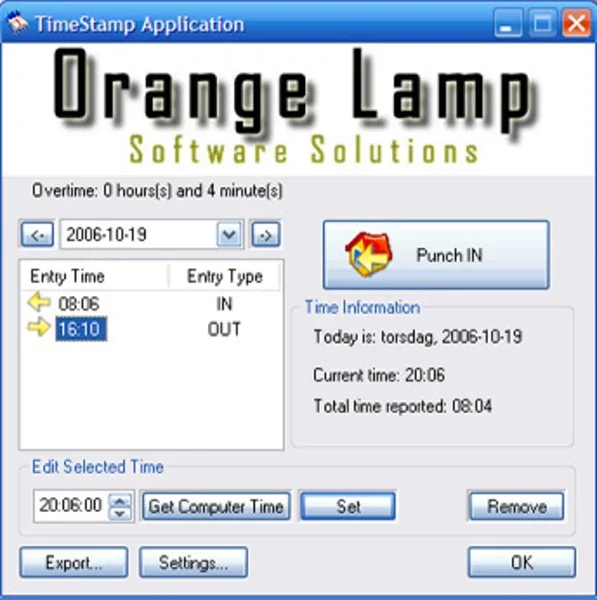
Punch IN starts the clock, Punch OUT stops it and logs the hours
You are on macOS — this is the Windows version. See the macOS version
All ages
Age rating
Screenshots
Description
TimeStamp counts the time you spend on a task, mostly work. You click Punch IN to start the clock. The same button, renamed Punch OUT, stops it again. Do that every day and you build up a log of your working time.
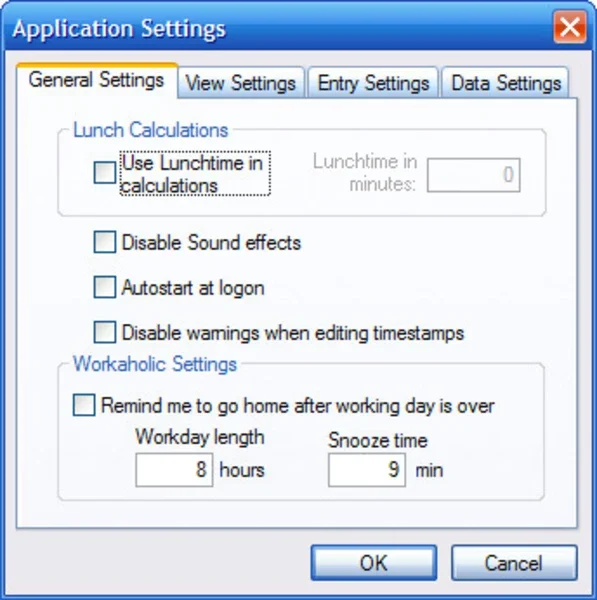
- Lunch breaks are counted too, and you can set how long they run.
- Punch IN can start by itself when Windows starts.
- A notification comes up when you hit the maximum hours for the day.
- If Punch OUT is still running when it shouldn't be, the program tells you.
- The log exports both ways: into Excel and out as plain text.
The clock keeps the exact time spent on each task, not a rounded estimate.
Download files
File1.30EXE
Version1.30
ReleasedSep 24, 2009
Size872.8 KB
SHA-256
Get
3316fbb18679222760a7900ff3a3eae9bdd403c295b525ebae06f885c72044e4
No digital signatureSystem requirements
Available on:
Minimum OS:
Windows Windows Vista or later
Additional information
Developer
Latest release
1.30 · Sep 24, 2009
Size
872.8 KB
Category
File type
EXE
SHA-256
3316fbb18679222760a7900ff3a3eae9bdd403c295b525ebae06f885c72044e4
Digital signature
No digital signature