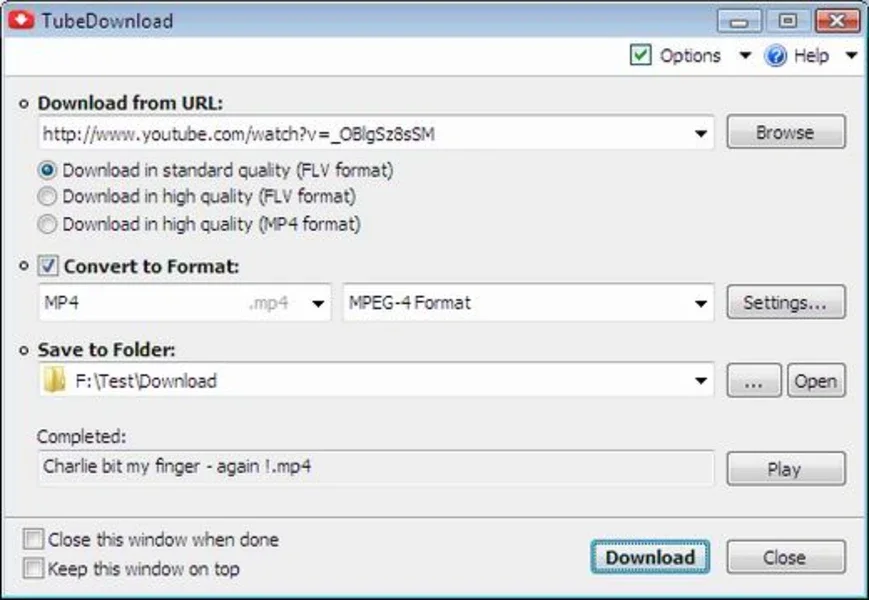

Screenshots
Description
Paste the YouTube URL into TubeDownload's text box, pick a destination folder, and the video saves to your PC. The download takes a few seconds. It's a free application for Windows.
- Quality choices: standard, HQ or HD.
- You can also choose the format of the downloaded video.
Once saved, the videos can be viewed without an Internet connection.
Download files
Filetubedownload-1-2.5.4.exeEXE
Version2.5.4
ReleasedApr 16, 2026
Size3.4 MB
SHA-256
Get
f5d05313671f4eb2c88df494216604a8d3186d61a59d131f84f8f62c4f32baa8
No digital signatureFile4.11.0EXE
Version4.11.0
ReleasedApr 4, 2016
Size13.2 MB
SHA-256
Get
4479b6b52c58a7e2b28be331983ff6e8de06087da66b51046557ca095cad85dc
No digital signatureFiletubedownload-2.7.1.exeEXE
Version2.7.1
ReleasedFeb 14, 2012
Size3.2 MB
SHA-256
Get
e1c88cbe6dbda1f8c16038556b873c874ac1f70826e1a7fb3f360f0578218937
Filetubedownload-2.5.5.exeEXE
Version2.5.5
ReleasedOct 16, 2009
Size3.4 MB
SHA-256
Get
7da56360570c29c373d9670f6fe01de5b4520da2187c5f633b441a9b7b22efa8
System requirements
Available on:
Additional information
Developer
Latest release
2.5.4 · Apr 16, 2026
Size
3.4 MB
File type
EXE
SHA-256
f5d05313671f4eb2c88df494216604a8d3186d61a59d131f84f8f62c4f32baa8
Digital signature
No digital signature