
Screenshots
Description
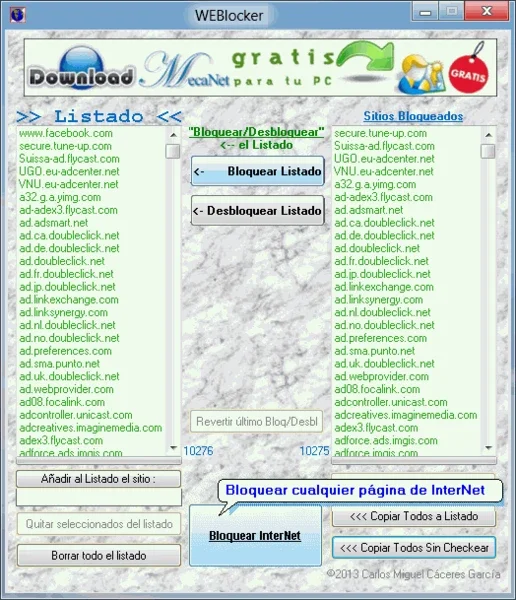
WEBlocker is a parental control tool for deciding which sites children can reach. You carry it on a USB stick and start it from there, so the setup travels with you and nothing goes on the machine's drive. It is a standalone application and needs no installation.
To put a site on the blocked list, you type its URL and click Add. One click locks the sites you picked, and another click unlocks them. Any type of webpage can go on the list, and the blocking works with any browser. If you would rather cut the connection altogether, the program can block access to the Internet entirely.
A safe copy feature keeps the state from before your last changes, so you can revert them if something went wrong. The program is free.
Download files
85d824fd0e577ab7a36cdcc9e255fc8c908b6cce80a9f3c9940b7f70fcd33bdf
No digital signaturea4e25a8172bf46f7a40945be5195c9592ed76db4bbdf55dab374c843a2abbf97
b092d2691612abc6c5420a24c0f1c4100e3fa92e9ed9c2321cb7533d99628ca2
62b3cb7764855e02e2751f047d9f5ddc0e8352a3724fa163bbb895f8c69d9f1d
a2b99487f1f6deed3d0a016c9a25ad205688abb3065b09b5174ed547bd29c0c0
System requirements
Available on:
Minimum OS:
Windows Windows Vista or later
Additional information
Developer
Latest release
Size
File type
SHA-256
85d824fd0e577ab7a36cdcc9e255fc8c908b6cce80a9f3c9940b7f70fcd33bdf