
WinCatalog 3.5 for Windows
Scans discs and drives, then finds any file by name or description
Screenshots
Description
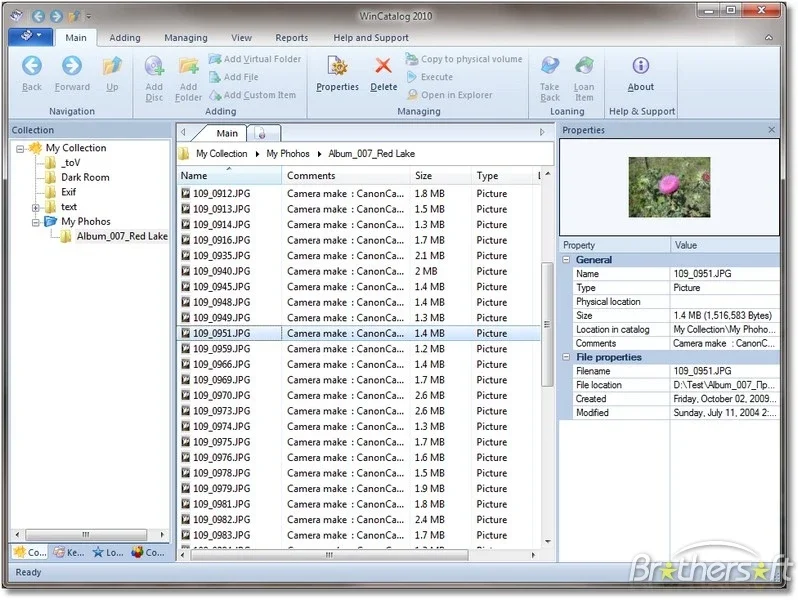
WinCatalog scans a disc and records where every file and folder on it sits. CD, DVD, hard drive, or other storage unit, it works the same way, and it works with any storage device on Windows. If you have documents spread across discs and shared folders and cannot remember which one holds what, this is the problem it addresses: open the program, type the name or a description, and it tells you which drive holds the item, usually within a moment. The table of contents it builds can be browsed without putting the disc back in the drive.
For text files, it keeps the opening passages of the document itself, so a search can match words from inside the file rather than only its name.
Put an audio CD in and it fetches the track names over the Internet.
Download files
c1a9b875c693c8a6b18999149e457bc3aa74f3f233d7c29f40d5ce1255557f35
Signed by OrangeCat Software, LLC · valid until Aug 8, 201475eccd996f73752b5d9a869168f77bce4a55ea69b4707d5358b3b86c1fedad10
Signed by Mikhail Rusakov · valid until Feb 11, 201458365043c13e17816dccf2f4e7861e949036360583c55bd2efdb203c3bc93f16
No digital signature98b976eb70ae93240c4d61b74c823c409714ea881d03d285226de4a76eea2f92
Signed by Mikhail Rusakov · valid until Jan 18, 2013System requirements
Available on:
Minimum OS:
Windows Windows 95 or later
Additional information
Developer
Latest release
Size
Category
File type
SHA-256
c1a9b875c693c8a6b18999149e457bc3aa74f3f233d7c29f40d5ce1255557f35