
Writing Tools 9.0 for Windows
AI writing tools that run from any folder on a PC
You are on macOS — this is the Windows version. See the macOS version
Screenshots
Description
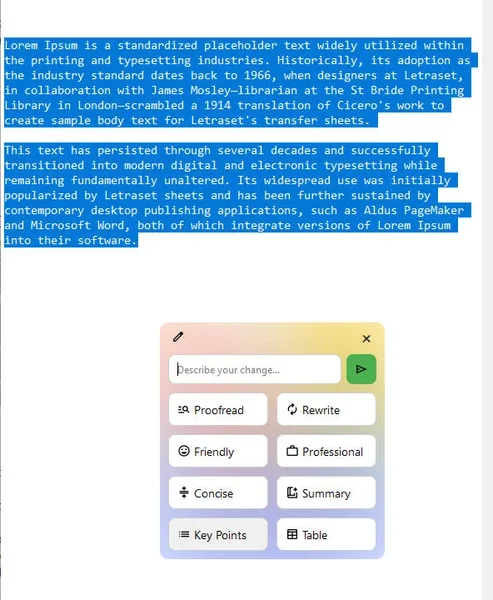
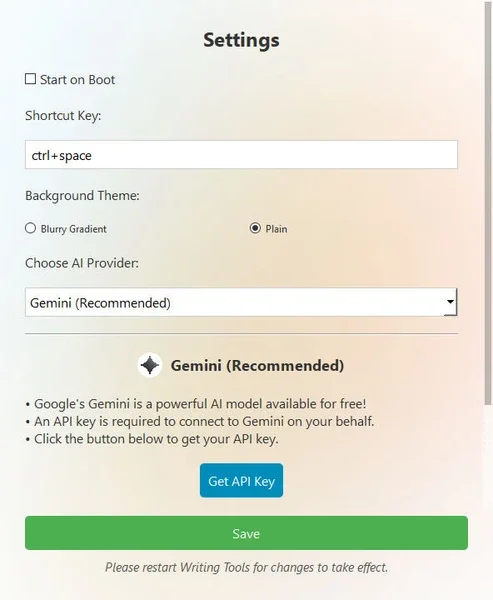
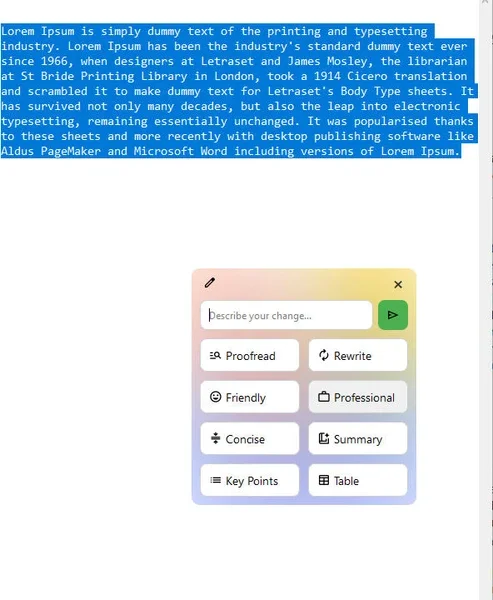
Writing Tools runs from a folder, so you unzip it and launch it on a PC. You set a keyboard shortcut, write your text, then press the shortcut to bring up a pop-up window. No user account is required. On first launch you have to supply a Gemini API Key, and the app includes a direct link for getting one.
Actions in the pop-up
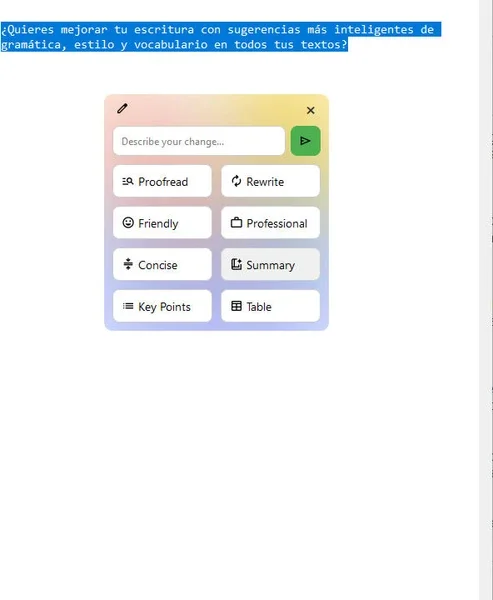
The pop-up handles the usual passes on a draft. It can correct spelling errors and suggest changes to a text's structure. The available actions are correct, rewrite, make friendlier, more professional, more concise, get a summary, extract key points, and create a table. It can summarize texts found in PDFs or on webpages, and selecting text on a page and pressing the shortcut summarizes an entire webpage.
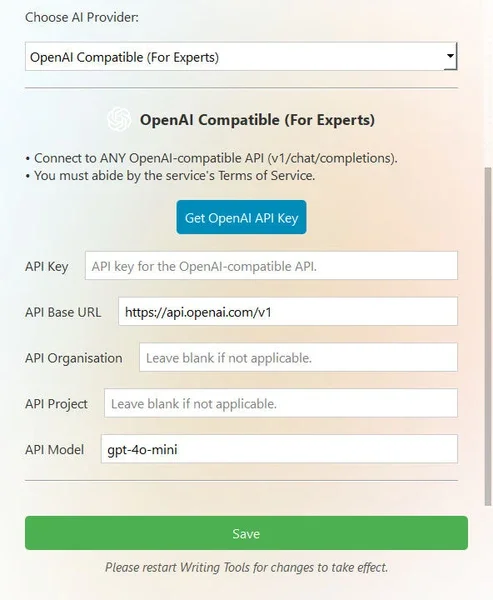
Customization options are very few.
Download files
b6604412fc94deee385a7708c80b09b6c82bc9d2face62ff3db3778ef13189bf
System requirements
Available on:
Minimum OS:
Windows XP or later
Additional information
Developer
Latest release
Size
Category
File type
SHA-256
b6604412fc94deee385a7708c80b09b6c82bc9d2face62ff3db3778ef13189bf