
Xmarks 4.0 for Windows
Syncs Firefox bookmarks between computers through a private online server
Screenshots
Description
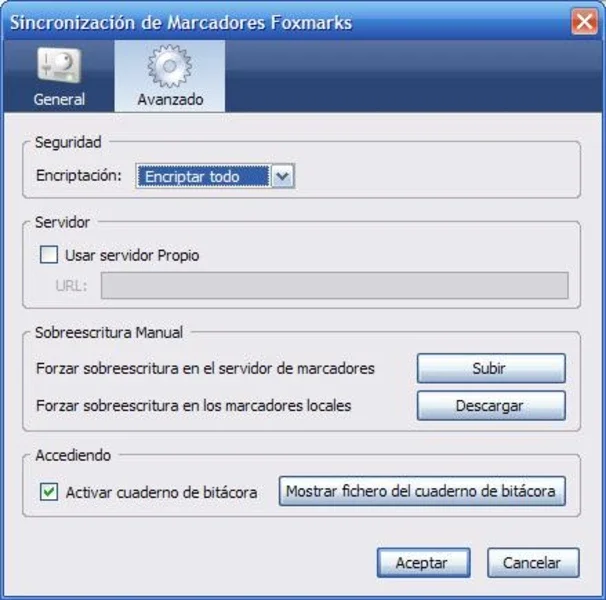
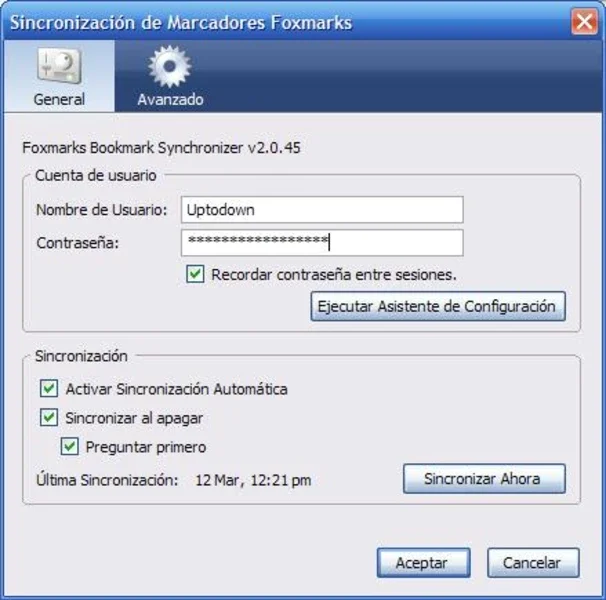
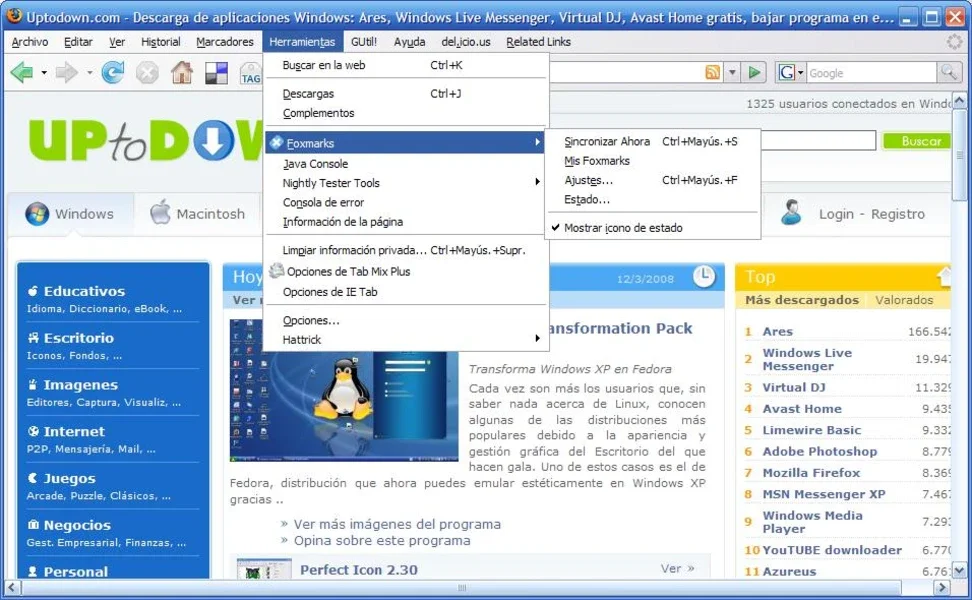
Xmarks keeps your Firefox bookmarks the same on more than one computer by syncing them over the Internet. It's a Firefox extension, so Firefox is the browser you need for it.
Syncing is manual: you start it yourself when you want to export or import information. On a sync you choose what happens to the two sets of links. You can merge the links on the server with the bookmarks on your computer, or you can replace one set with the other. It takes a user account, which costs nothing to create. The bookmarks go to a private server, and you can reach that server online from any computer. If a second computer also runs the extension, you import the session there and end up with identical bookmarks. Nothing about the links changes between machines; the point of the import is to leave the two bookmark sets matching.
The extension is version 3.8.7, published by Foxmarks under a proprietary license, and it costs nothing to use. Its catalog categories are Internet, and Plugins and extensions.
Download files
97225cc87b3787c48b33247161141483fbfb6b27ef379f0f90fe61bdb171d898
Signed by LastPass · valid until Sep 4, 2011e6da588bd9dc5299fbc393b1b65c46c82e22f352cc6a1f5b2ff18a3bab909671
Signed by Xmarks Inc. · valid until Apr 2, 20118e7c9fe1dd889e374e8b92be0900d0200e50eab3236369065195563c4d250da5
821987fa564afb8d63ed83113f739a9ec95c432fd7f88d86cc96b83b295e26e7
Signed by Xmarks Inc. · valid until Apr 2, 2011297ba34157d906a106370fdf12dcb0faaa46280b1902a3da716a912a8d93f102
System requirements
Available on:
Minimum OS:
Windows Windows 7 or later
Additional information
Developer
Latest release
Size
Category
File type
SHA-256
97225cc87b3787c48b33247161141483fbfb6b27ef379f0f90fe61bdb171d898