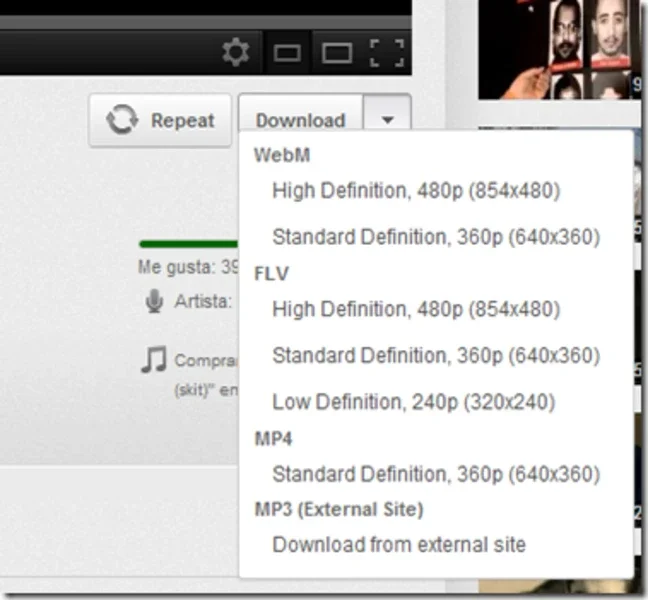

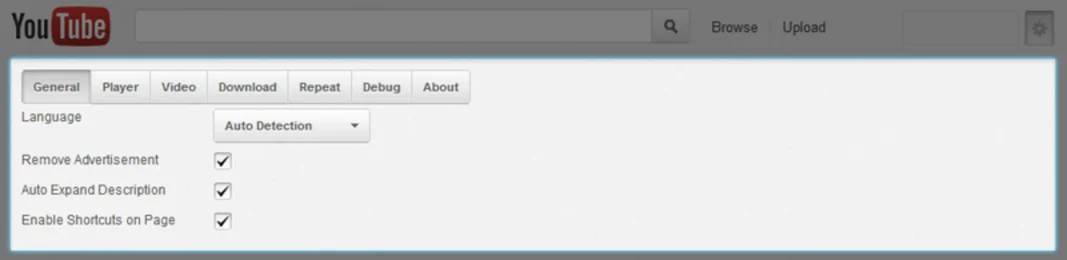
Screenshots
Description
A download button sits right on the video page, and YouTube Center handles multiple formats and resolutions, high-definition included. Playback control goes further than that: you can set a preferred video quality, turn adaptive buffering off, and adjust the size of the player. For watching, there is a cinematic Lights Off view, and page elements you would rather not see can be hidden.
It is a browser extension and a userscript, running as the latter through Tampermonkey or Greasemonkey. Firefox, Chrome, Opera, Safari, and Maxthon are all supported, and it works across desktop operating systems. On some browsers, installing takes developer-mode steps or a userscript manager.
The software is open-source and distributed through GitHub; it was authored in the open and later moved to code hosting platforms. The original project is mostly kept for reference these days, which means YouTube page changes can break things. When that happens, users may need to follow forks or development builds maintained by others, which keep part of the functionality working.
Download files
24db4ad445f3b9ba331ac749e38348eccb6d497a741e5f804637628afb1bb4eb
System requirements
Available on:
Minimum OS:
Windows XP or later
Additional information
Developer
Latest release
Size
File type
SHA-256
24db4ad445f3b9ba331ac749e38348eccb6d497a741e5f804637628afb1bb4eb