Auto Captions & Subtitle Maker
AZ Screen RecorderContains ads · In-app purchases
- EveryoneAge rating
- Video Players & EditorsCategory
- Nov 24, 2026Updated
- FreePrice
Links to the official Google Play listing of video.risenapps.video.subtitle.caption. Last checked on Nov 27, 2026.
Screenshots


About this app
Auto subtitles for videos: AI caption generator with translation & SRT export
Add auto captions and subtitles to your videos in a few taps. CapFlow's caption AI hears every word, writes it on screen and lets you style it, so people keep watching, even with the sound off.
Fix any word, pick a look, then share your finished video or save a subtitle file. CapFlow is a simple, free captions app for creators, teachers, coaches, podcasters and anyone who talks on camera.
No editing skills needed. The app does the slow part for you, and you stay in control of every word, every line and every look. Your next post can be ready before your coffee gets cold.
HOW IT WORKS
1. Pick a video from your gallery, or share one from another app
2. Wait a moment while the words appear on screen
3. Fix anything you like and choose a style
4. Save the finished video, or a file to upload with it
AUTOMATIC SUBTITLES AND CAPTIONS, DONE FOR YOU
• Auto caption generator: pick a video and get every word timed to the speech
• Auto subtitle generator that detects the spoken language for you
• AI captions that follow the speaker, word by word
• Caption maker and subtitle maker in one: no typing, no manual timing
• Auto caption videos of talks, lessons, interviews and vlogs
EDIT WITH EASE
• Caption editor: tap a line to fix a word, split or merge lines, drag to retime
• Subtitle editor with undo and redo, so you can try anything
• Remove filler words like "um" and "uh" with one tap
STYLE THAT KEEPS PEOPLE WATCHING
• Animated captions and word by word captions that catch the eye
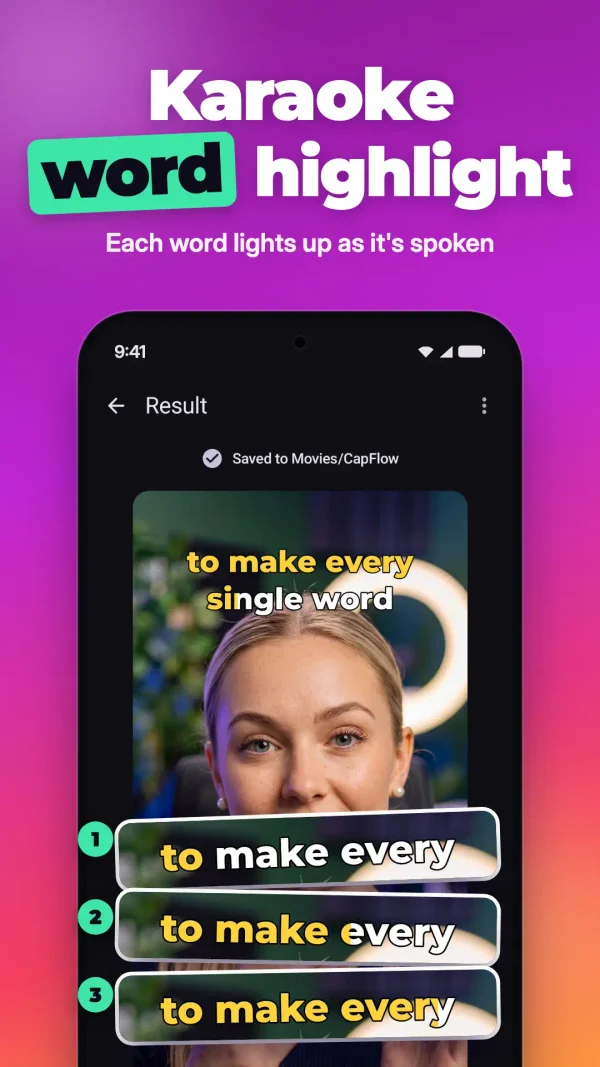
• Karaoke captions that light up each word as it is spoken
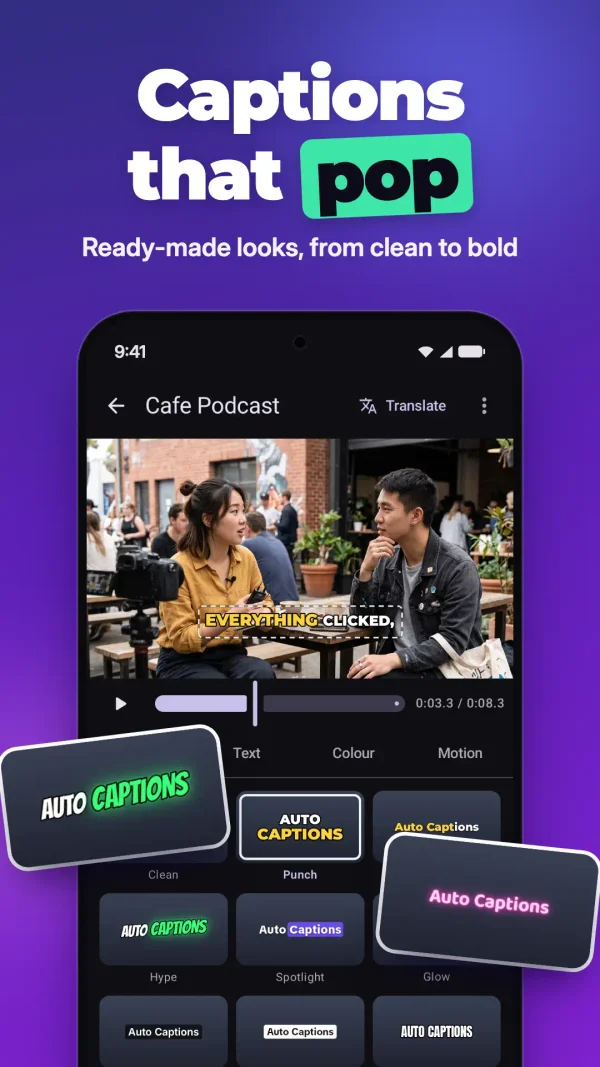
• Ready-made styles, from clean to bold
• Choose the font, size, color, outline and background
• Place text on video where it reads best
TRANSLATE AND EXPORT
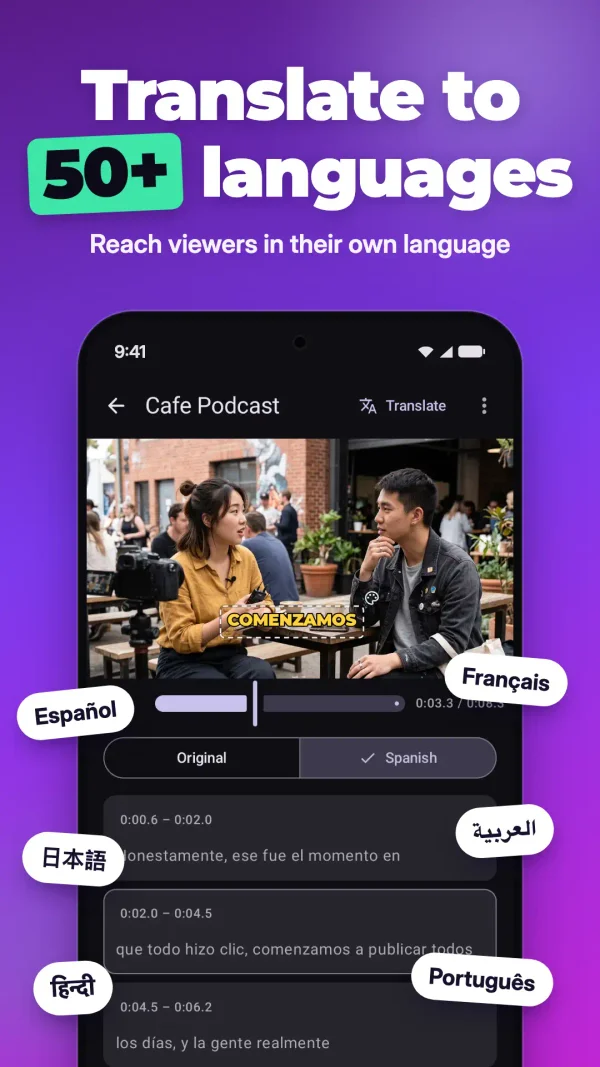
• Translate subtitles for videos into 50+ languages, or make bilingual subtitles that show the original and the translation together
• English subtitles for speech in other languages
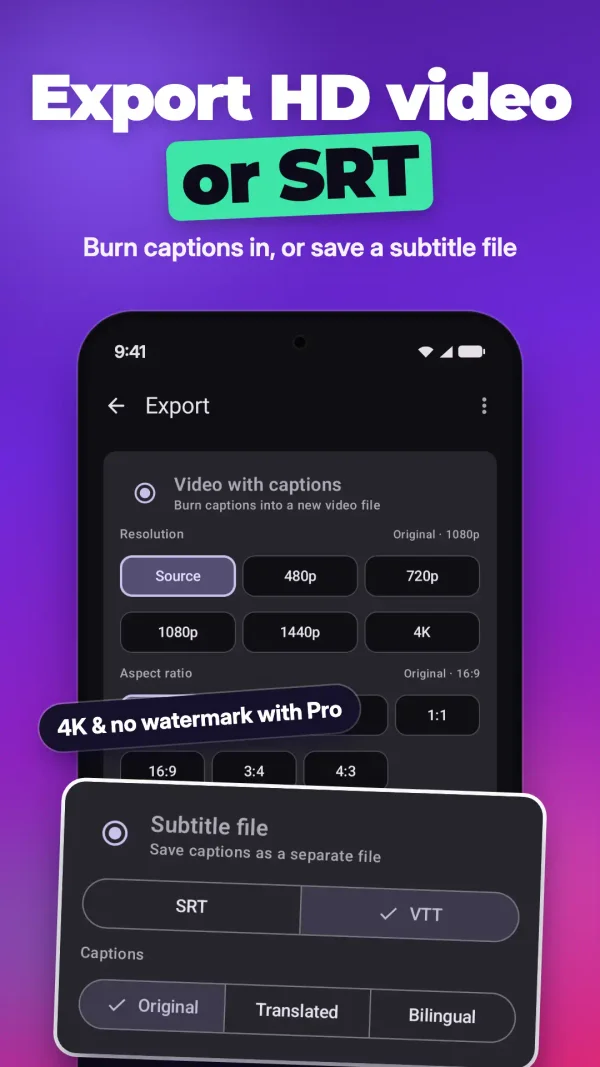
• Burn subtitles to video, or save SRT subtitles and VTT files for YouTube and video editors: an SRT generator in your pocket
• Video to text: transcribe video to text with timestamps
• Export in HD, with an option to export without watermark
CAPTIONS FOR VIDEOS ON EVERY PLATFORM
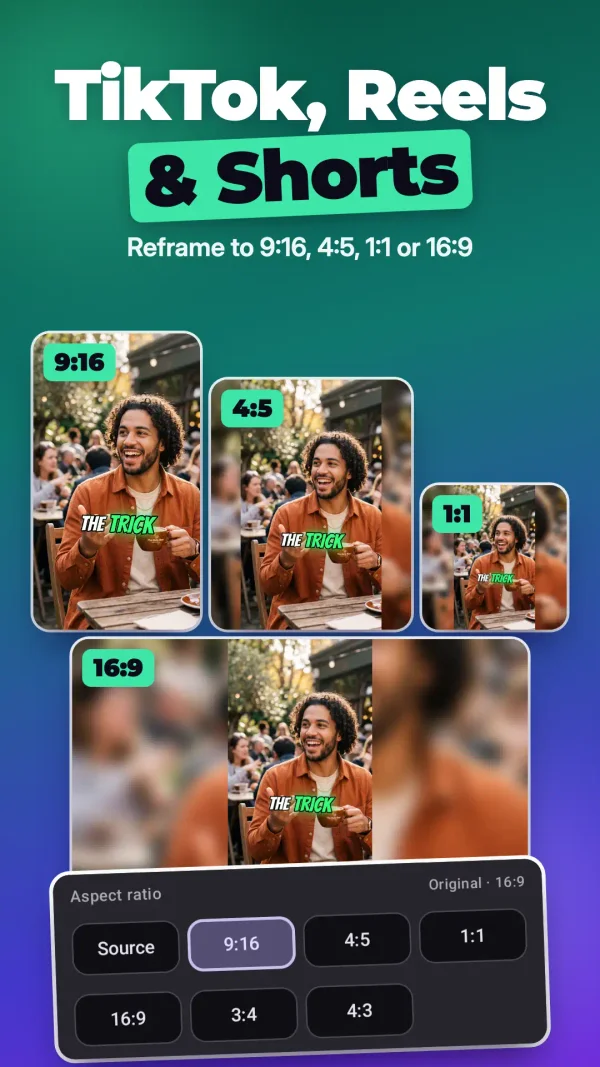
• Captions for Reels, captions for TikTok and subtitles for YouTube Shorts
• Reframe to 9:16, 4:5, 1:1 or 16:9 with a blurred background
• Captions for talking videos: tutorials, interviews, vlogs and podcasts
• Song subtitles for covers and music videos, with every sung word on screen
• Closed captions that make your videos easy to follow for everyone
WHY CREATORS CHOOSE CAPFLOW
• A video caption generator and video subtitle generator in one captions app
• Add captions to videos and add subtitles to videos right on your phone
• A speech to text video editor that saves hours of typing
• Free auto captions to start; go Pro for ad-free editing, 4K export and videos of any length
• AI subtitle generator: auto subtitles for videos in many languages
• Works in Hindi too: a Hindi caption generator and subtitle app for your Reels and Shorts
Many people watch videos with the sound off, on the bus, at work or late at night. Captions for videos keep them watching, help them follow every word and make your message clear, even in a noisy place or a second language. With AI captions, a free caption generator and a caption maker built for your phone, you can add captions to videos in minutes and post them the same day.
Add subtitles to videos today with CapFlow, the subtitle maker that does the typing for you, with auto captions for videos and auto subtitles for every story you tell. Try it on your next video and see how much longer people watch.
TikTok, Instagram, Reels, YouTube and Shorts are trademarks of their respective owners. CapFlow is an independent app and is not affiliated with, endorsed by or sponsored by any of these platforms.
Data safety
What AZ Screen Recorder declares on Google Play about the data this app collects and shares.
- This app may share these data types with third partiesLocation, App activity and 2 others
- This app may collect these data typesLocation, App activity and 2 others
- Data is encrypted in transit
- Data can’t be deleted
What’s new
Version 3.2.1 · Nov 24, 2026
Smoother captions, more control 🚀
• Captions split at natural pauses for easy reading ✨
• Choose caption length and place them left, centre or right
• Set times precisely and copy your subtitle text in a tap 📋
Thanks for using CapFlow ❤️
Developer contact
- Websiterisenapps.com
- Emailcontact.risenapps@gmail.com
- Privacy policysites.google.com
- Address9, ngõ 61, Nguyễn Đức Cảnh, Tương Mai, Hoàng Mai Hà Nội 100000 Vietnam
Information
- Offered by
- AZ Screen Recorder
- Category
- Video Players & Editors
- Version
- 3.2.1
- Updated
- Nov 24, 2026
- Released
- Jul 28, 2026
- Requires
- Android 8.0 or later
- Age rating
- Everyone
- Price
- Free
- In-app purchases
- $3.99 - $19.99 per item
- Package name
- video.risenapps.video.subtitle.caption
Similar apps
-
 LightCut -AI Auto Video Editor
Video Players & Editors
-
 ActionDirector - Video Editing
Video Players & Editors
-
 Node Video
Video Players & Editors
-
 GOGH: Animated Drawings
Art & Design
-
 AI Video Maker - Renderforest
Video Players & Editors
-
 Smart Video Crop - Video Cut
Video Players & Editors
-
 Eklipse: AI Gaming Clip Maker
Tools
-
 Reels Maker for Instagram BEAT
Photography
-
 Mojo: Reels and Video Captions
Photography
-
 Vozo AI Video Translator & Dub
Video Players & Editors
-
 Stop Motion Studio
Photography
-
 PixelFlow: Intro Video maker
Video Players & Editors