BBVA Business Mexico
BBVA- EveryoneAge rating
- FinanceCategory
- Nov 22, 2026Updated
- FreePrice
Links to the official Google Play listing of com.bbva.GEMA. Last checked on Nov 24, 2026.
Screenshots





About this app
Creating opportunities for your company: accounts, cards and SME management
BBVA Bancomer is now BBVA! Discover BBVA Business, the new app for managing your business from which you'll be able to make your daily queries and operations without having to go to the bank. At BBVA we are working to achieve a secure and customizable banking system that meets your needs.
BBVA Business is constantly evolving. We continue working hard to create a more powerful app full of very useful features for you and your business.
Access our app with greater security through your B Negocios mobile token and/or your Cronto device. Activate it on your mobile and start enjoying all the functionalities offered by BBVA Business:
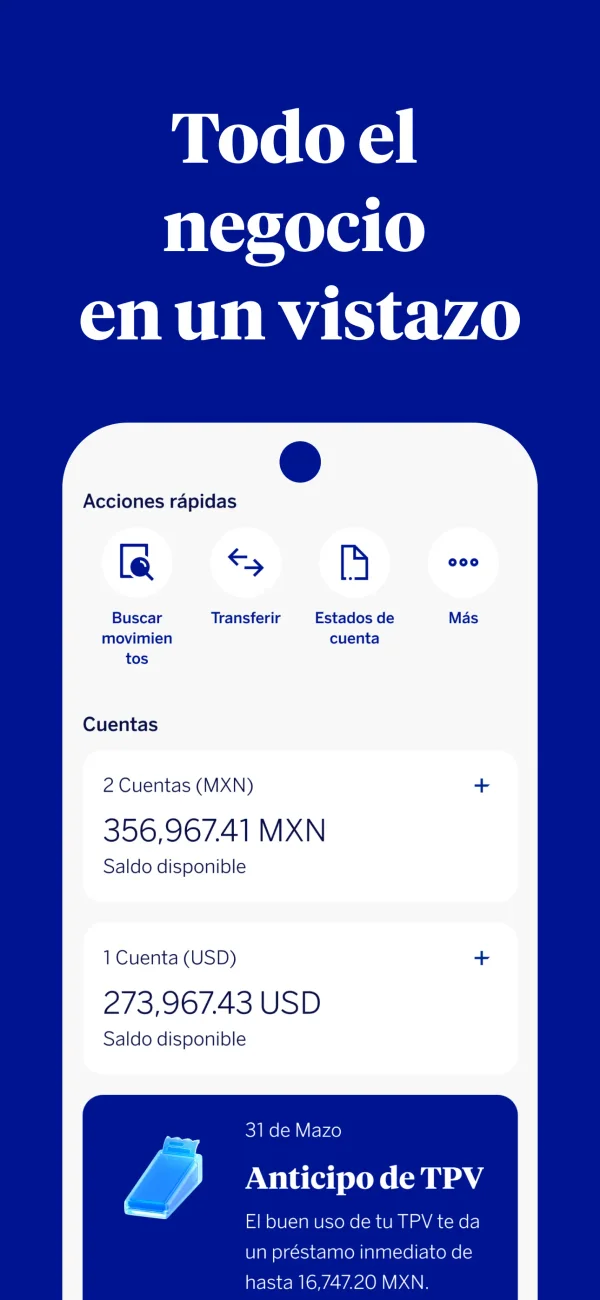
● Manage your BBVA accounts and cards
> Change the alias for your bank accounts and cards.
> Pay for your Business or MicroBusiness card.
> Make cash withdrawals from your cards.
> View account statements: check bank cards and account statements.
> Make money transfers to third party accounts at BBVA and other banks.
> Make payments for services.
> Execute transfers between your own accounts in different currencies (USD, MXN and EUR).
● Check balances and movements in your bank accounts:
> Find an executive summary of your products.
> Search for movements by filtering by income and expenses.
> Get details of transactions.
> Check investments in promissory notes.
● Manage your loans:
> Take out an instant loan, which we offer you as an advance on your POS to reward the good use you have made of it.
> Check your loans and credits.
● Control your business:
> Check the POS terminal sales.
> Obtain a daily and monthly summary of the operations and commissions charged in your affiliations to conciliate with your checking account.
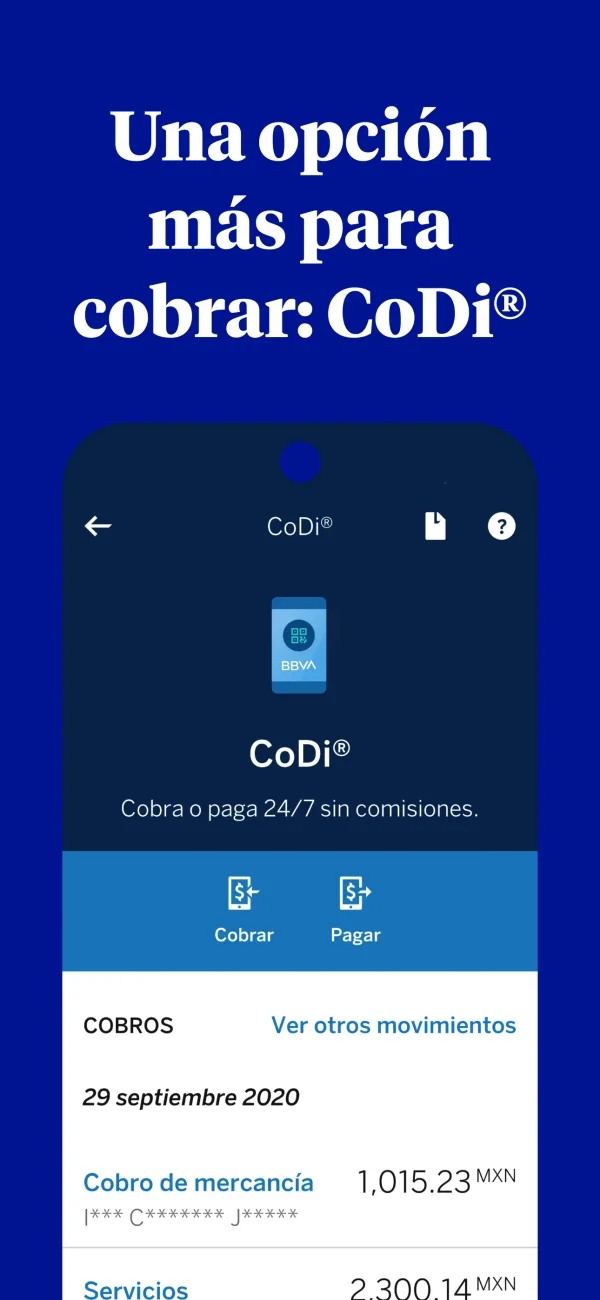
> Make CoDi charges immediately and without commissions: make charges through a QR code. This way you don't need to have a POS and you can do it directly from the app.
> Add biometric control to accept the security codes automatically generated with your mobile token.
● Contact BBVA directly:
> Receive financial advice.
> Find out more about BBVA's products and services.
> Clear up any doubts you may have about browsing the application.
● Locate BBVA ATMs and nearby branches.
● Configure the language of the application.
Make sure your data is transmitted securely and is not stored on your mobile phone. If you lose your cell phone, nobody can access the service, since you are the only one that knows the access passwords.
At BBVA, we want to listen to you and develop features in accordance with your needs. Leave us your comments and help us improve the app.
Data safety
What BBVA declares on Google Play about the data this app collects and shares.
- No data shared with third partiesLearn more about how developers declare sharing
- This app may collect these data typesFinancial info
- Data is encrypted in transit
- You can request that data be deleted
What’s new
Version 26.100.00 · Nov 22, 2026
In the last update we have incorporated new functionalities:
- Performance improvements
- Account and digital channel contracting for PFAE available from app
- International transfers
- Minor fixes
Developer contact
- Websitebbva.com.mx
- Emailgema.mx@bbva.com
- Privacy policyportal.bbva.mx
- AddressPLAZUELA SAN NICOLAS (IBAIONDO) 4 48005 BILBAO Spain
Information
- Offered by
- Google Commerce Ltd
- Category
- Finance
- Version
- 26.100.00
- Updated
- Nov 22, 2026
- Released
- May 9, 2019
- Requires
- Android 7.0 or later
- Age rating
- Everyone
- Price
- Free
- Package name
- com.bbva.GEMA
Similar apps
-
 Revolut: Spend, Save, Trade
Finance
-
 Inkpad Notepad & To do list
Productivity
-
 Life360: Family Safety & GPS
Lifestyle
-
 ARQ: Global Finance
Finance
-
 Monese - A banking alternative
Finance
-
 Budge: My Budget Planner
Finance
-
 Cleanfox - Smart Anti Spam
Productivity
-
 Flexcil Notes & PDF Reader
Productivity
-
 Fill, Sign and Edit Documents
Business
-
 Île-de-France Mobilités
Maps & Navigation
-
 When I Work Team Scheduling
Business
-
 Kizeo Forms, Mobile forms
Business