Brightness Control per app
Galaxy studio appsContains ads · In-app purchases
- EveryoneAge rating
- ToolsCategory
- Oct 25, 2026Updated
- FreePrice
Links to the official Google Play listing of com.bhanu.brightnesscontrolfree. Last checked on Nov 25, 2026.
Screenshots


About this app
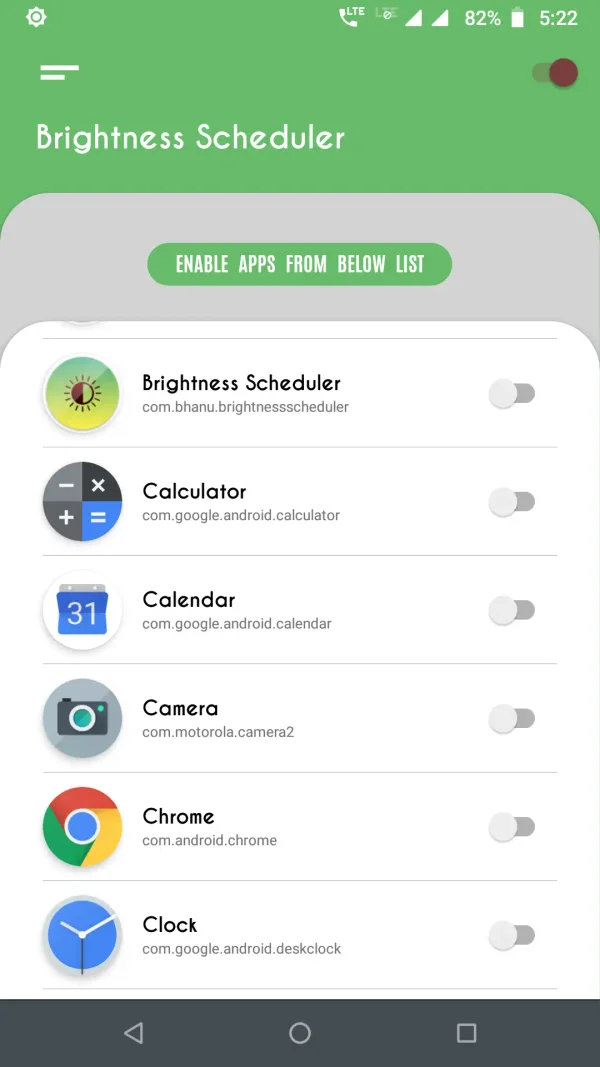
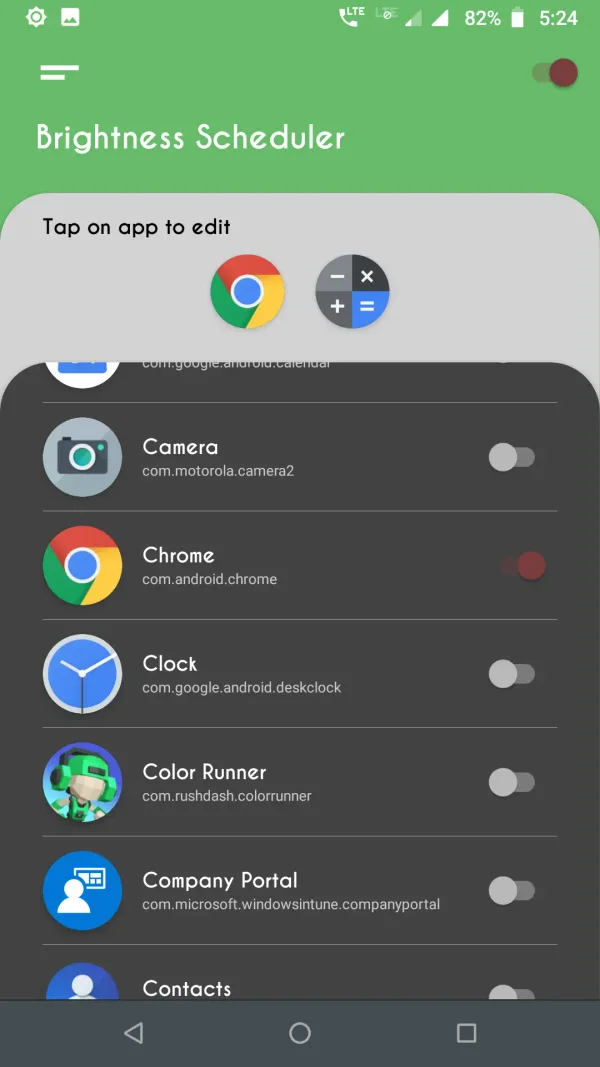
Brightness control per app automatically on app launch.
Brightness Increaser: Screen Dimmer - The Ultimate Brightness Control Tool!
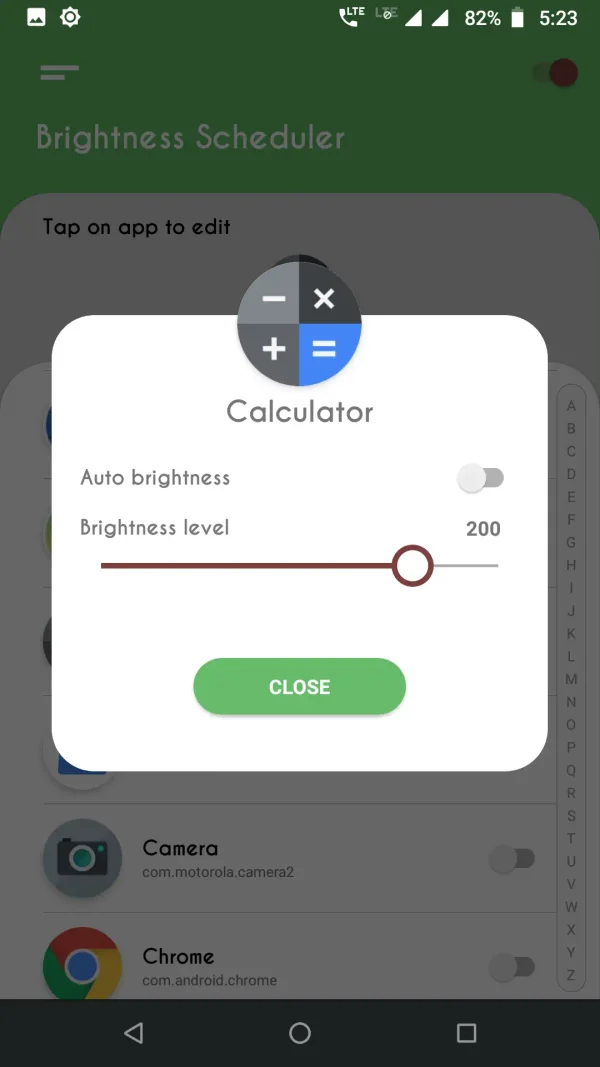
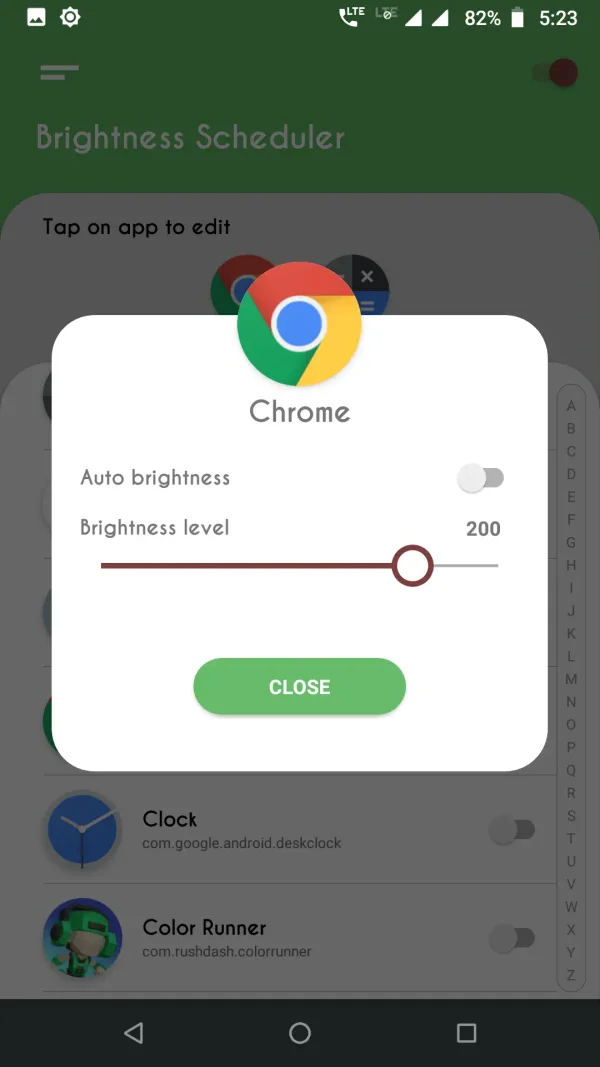
Brightness Increaser: Screen Dimmer—take control over your screen brightness. The app offers the possibility of setting and fine-tuning any application separately. No more manual changes needed—just an automated process through which to breeze using brightness tailored just for you. Brightness Increaser: Screen Dimmer is here to make your device truly adaptable.Whether in a dimly lit room or outdoors in bright sunlight, Brightness Increaser: Screen Dimmer ensures your screen is always at the optimal level.
📄 Key Features of Brightness Increaser: Screen Dimmer: 📄
🎛️Configure settings for specific apps effortlessly;
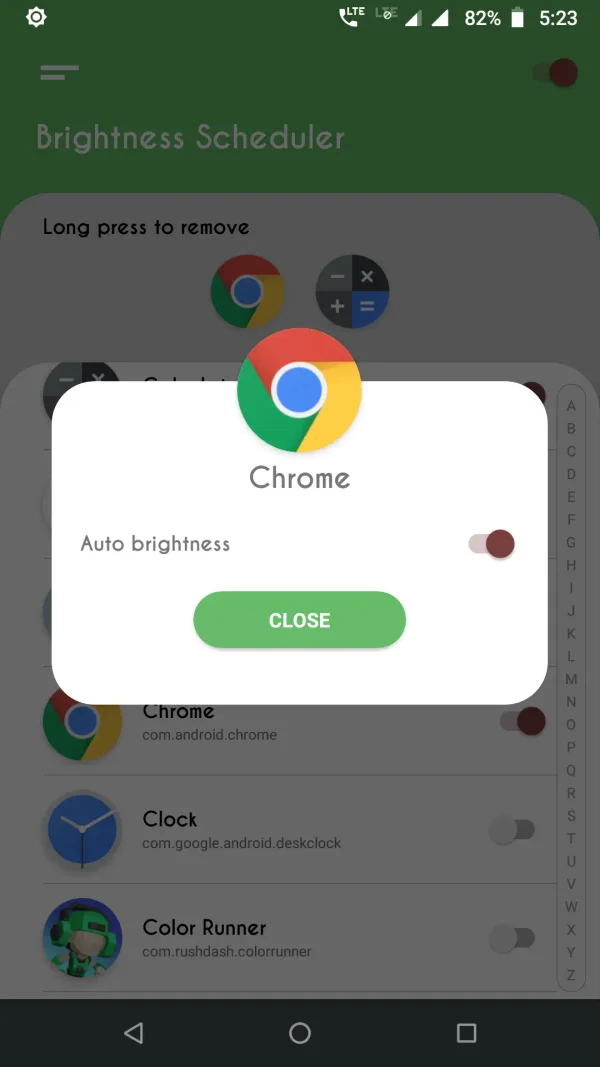
🎛️Automatically adjusts screen light when you open selected apps;
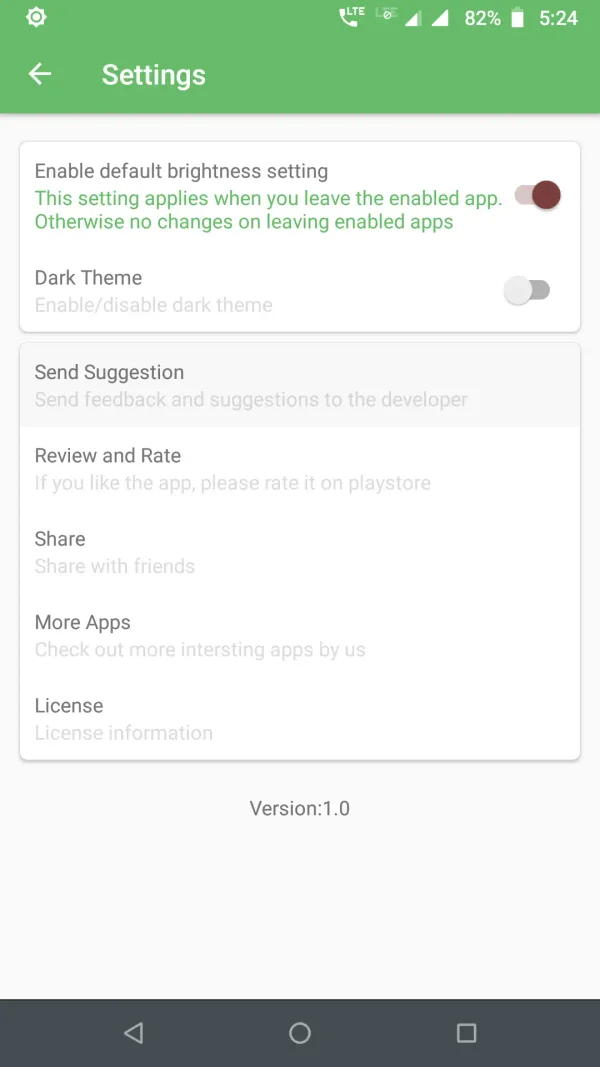
🎛️Default settings for apps without custom configurations;
🎛️Intuitive and user-friendly interface for quick setup.
Why Choose Brightness Increaser: Screen Dimmer?
Screen Brightness Dimmer offers a unique solution for precisely managing your screen's levels. By enabling automatic adjustments, you no longer need to fiddle with settings whenever you switch between apps.This app also includes advanced options to handle devices with maximum levels exceeding standard limits. Navigate to the settings menu to find and fix your device's maximum level, ensuring the best results for your screen.
How to Use Screen Brightness Dimmer:
✔️Grant the necessary permissions for the app.
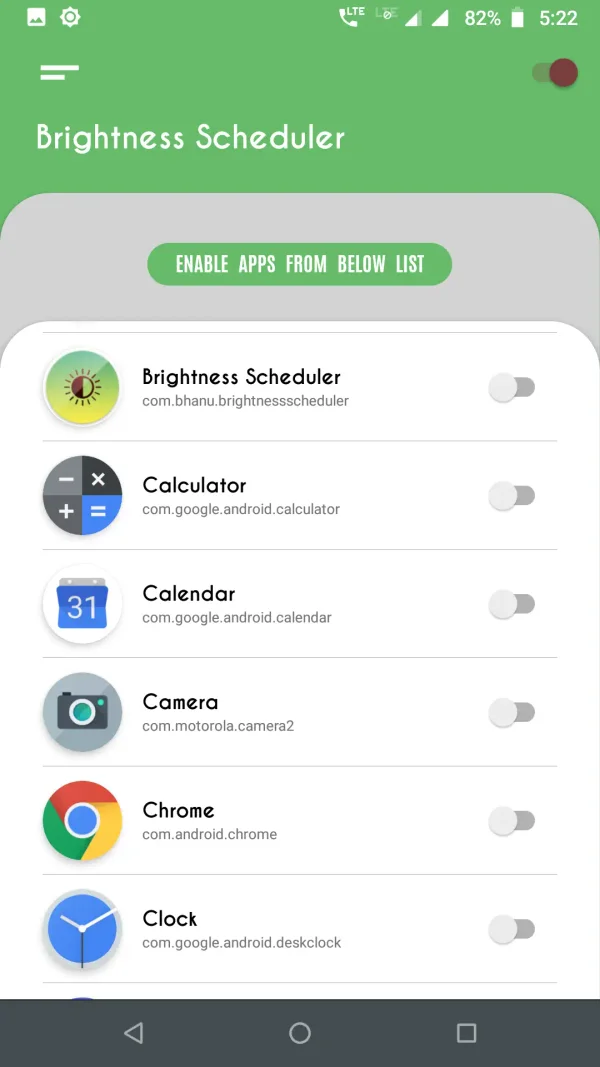
✔️Enable specific apps for custom settings.
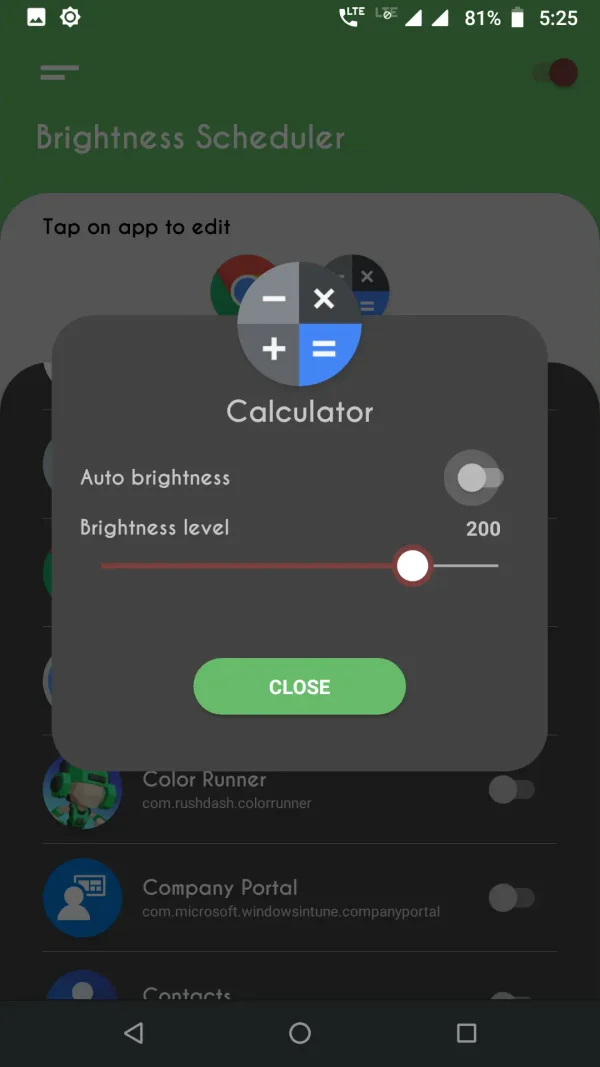
✔️Use the toggle switch next to the app name to configure screen light.
✔️Choose your desired level or enable auto mode.
✔️Enjoy seamless control with minimal effort.
With Screen Brightness Dimmer, you can also configure default settings for apps that are not explicitly set up. This feature ensures a smooth transition back to your preferred level when you exit configured apps.
Transform Your Device with Brightness Increaser: Screen Dimmer!
Experience the ease and efficiency of Adjust Brightness Control. Say goodbye to constant manual adjustments and let the app handle your changes. Whether you need Screen Brightness Dimmer for specific apps or Adjust Brightness Control for the entire device, this app has you covered. Download now and enjoy effortless management!
Optimize Your Experience with Adjust Brightness Control
Adjust Brightness Control requires background services to be active for real-time adjustments. Permissions such as "Modify System Settings" and "Usage Access" are necessary to ensure the app works as intended. These permissions enable the app to automatically check running apps and apply the appropriate settings.Additional Notes:
✔️Make sure the Brightness Manager switch is enabled for the app to function.
✔️Default brightness settings can be turned on in the app settings for a hassle-free experience.
✔️Auto-brightness mode prevents manual adjustments for configured apps, keeping your device optimized.
Data safety
What Galaxy studio apps declares on Google Play about the data this app collects and shares.
- This app may share these data types with third partiesDevice or other IDs
- No data collectedLearn more about how developers declare collection
- Data is encrypted in transit
- Data can’t be deleted
What’s new
Version 2.1.2 · Oct 25, 2026
Issue fixed for android 10 and above, android 10 onward app need system overlay permission to run activity from background service, app runs activity to change brightness from background service, Overlay permission added on permission dialog.
Developer contact
- Websitegalaxystudioapps.me
- Emailsupport.brightnesscontrolp@galaxystudioapps.me
- Privacy policygalaxystudioapps.me
- Address8 The Grn Ste 4184 Dover, DE 19901-3618 United States
Information
- Offered by
- Galaxy studio apps
- Category
- Tools
- Version
- 2.1.2
- Updated
- Oct 25, 2026
- Released
- Nov 15, 2020
- Requires
- Android 6.0 or later
- Age rating
- Everyone
- Price
- Free
- In-app purchases
- $0.99 - $99.99 per item
- Package name
- com.bhanu.brightnesscontrolfree