Brightness Control per app
Galaxy studio apps広告を含む · アプリ内課金
- 3 歳以上対象年齢
- ツールカテゴリ
- 2026/10/25更新日
- 無料価格
com.bhanu.brightnesscontrolfreeのGoogle Play公式ページにリンクしています。最終確認:2026/11/25。
スクリーンショット


このアプリについて
Googleによる英語 (アメリカ合衆国)からの自動翻訳です。
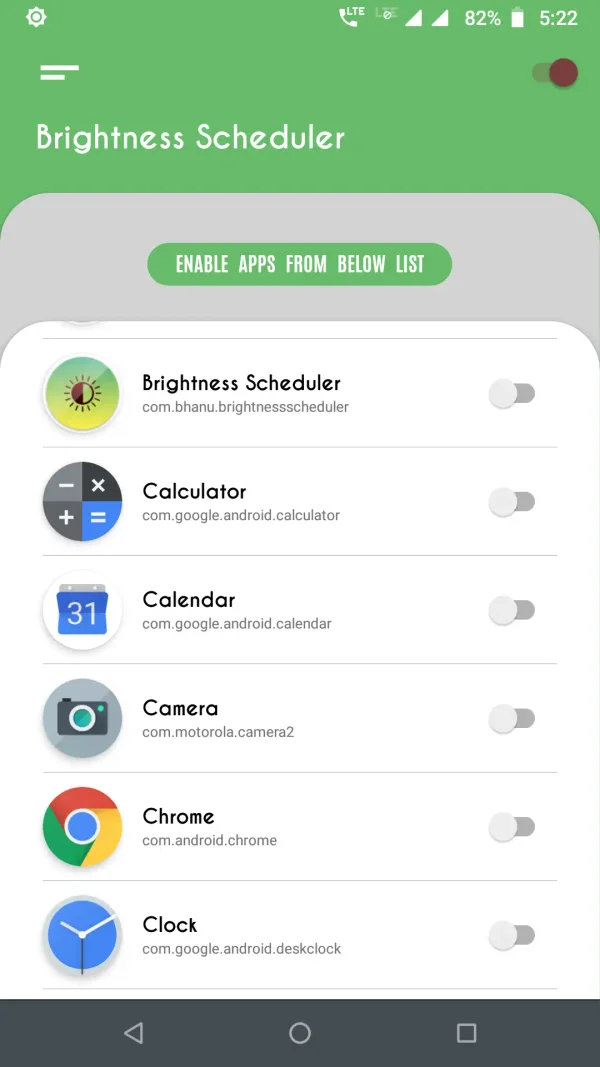
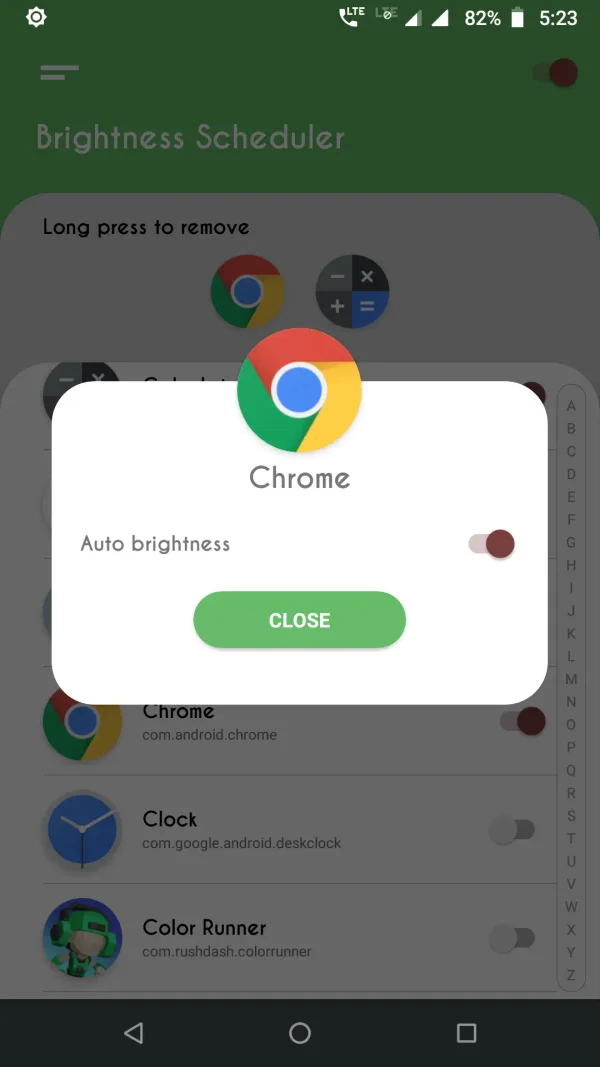
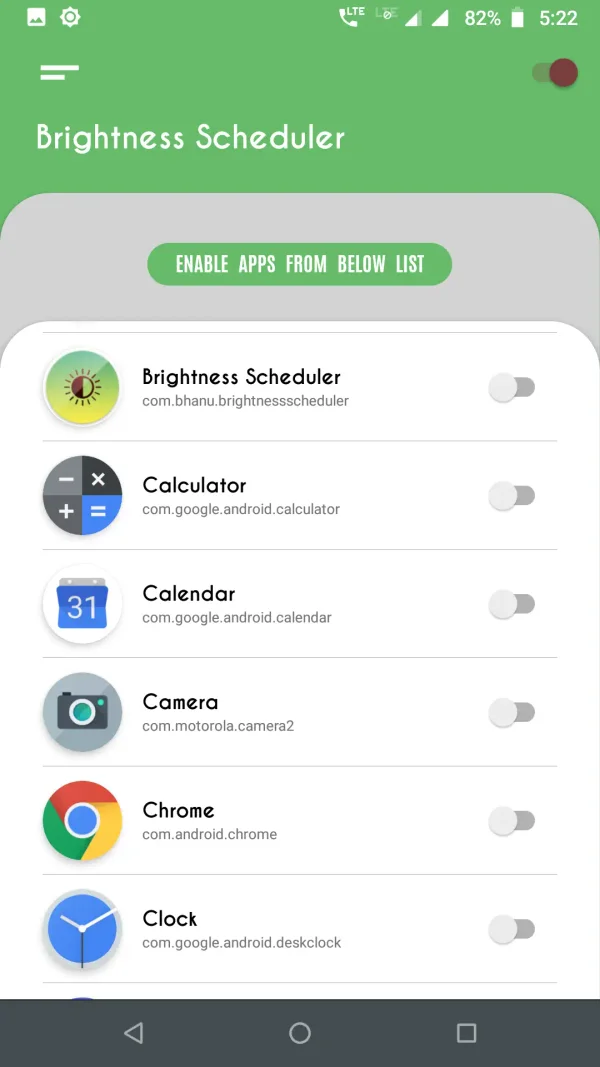
アプリの起動時にアプリごとの明るさを自動的に制御します。
輝度増加: 画面調光 - 究極の明るさ制御ツール!
輝度増加: 画面調光 - 画面の明るさを制御します。このアプリでは、アプリケーションを個別に設定および微調整することができます。手動で変更する必要はもうありません。自動化されたプロセスだけで、自分に合った明るさを使用して簡単に調整できます。 Brightness Increaser: Screen Dimmer は、デバイスを真に順応性のあるものにするためにあります。薄暗い部屋でも、明るい日光が当たる屋外でも、Brightness Inreaser: Screen Dimmer を使用すると、画面が常に最適なレベルに保たれます。
📄 輝度増加機能の主な機能: 画面調光機能: 📄
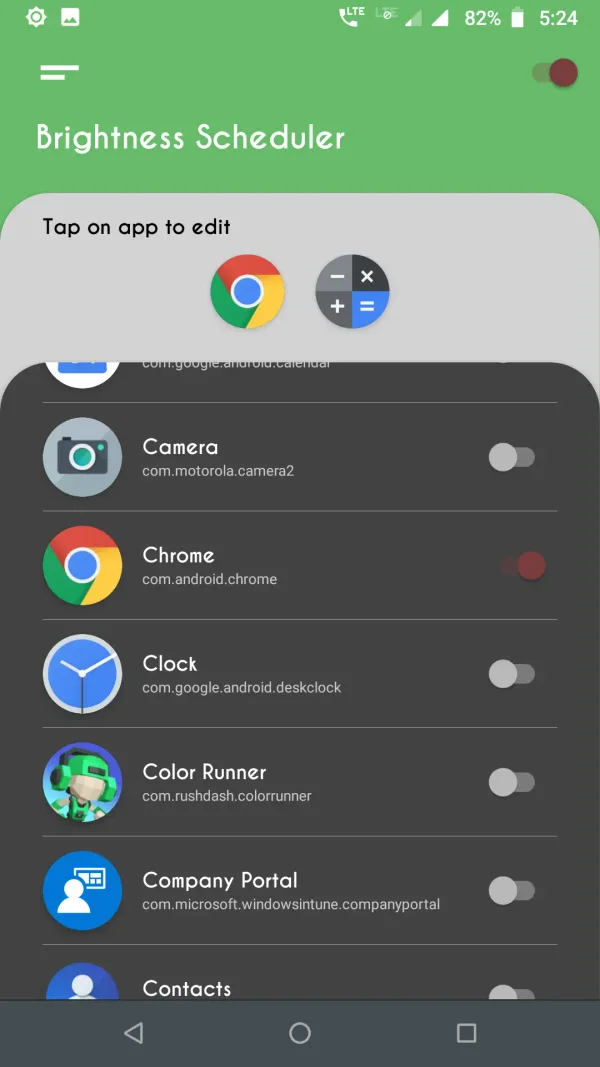
🎛️特定のアプリの設定を簡単に構成します。
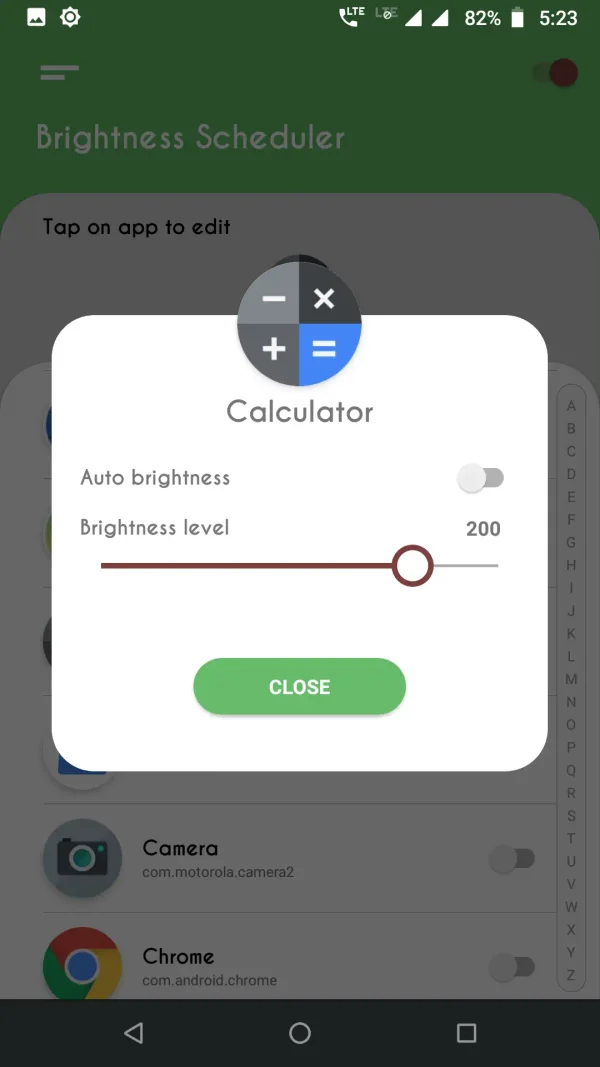
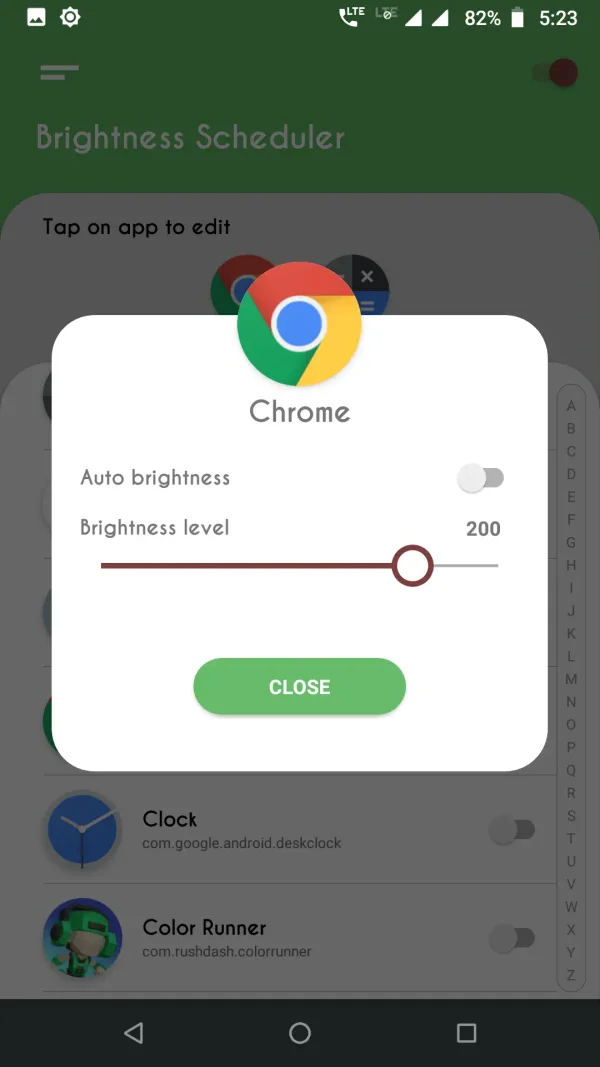
🎛️選択したアプリを開いたときに画面のライトを自動的に調整します。
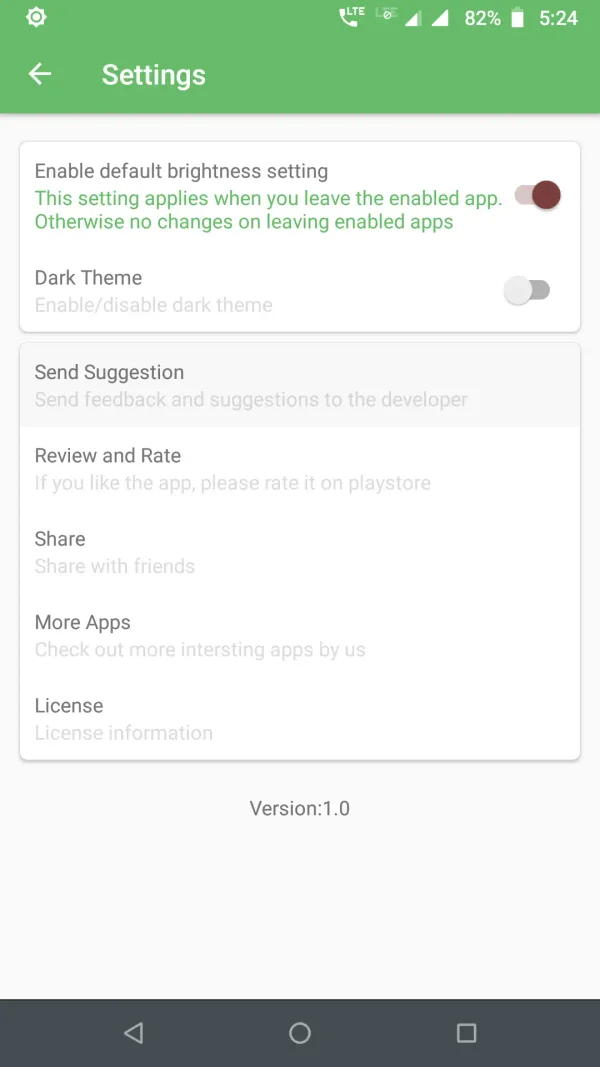
🎛️カスタム構成を持たないアプリのデフォルト設定。
🎛️直感的でユーザーフレンドリーなインターフェイスにより、迅速なセットアップが可能です。
輝度増加: 画面調光を選ぶ理由
画面輝度調光は、画面のレベルを正確に管理するための独自のソリューションを提供します。自動調整を有効にすると、アプリを切り替えるたびに設定をいじる必要がなくなります。このアプリには、標準の制限を超える最大レベルのデバイスを処理するための高度なオプションも含まれています。設定メニューに移動してデバイスの最大レベルを見つけて修正し、画面に最適な結果を確保します。
画面の明るさ調整機能の使用方法:
✔️アプリに必要な権限を付与します。
✔️特定のアプリのカスタム設定を有効にします。
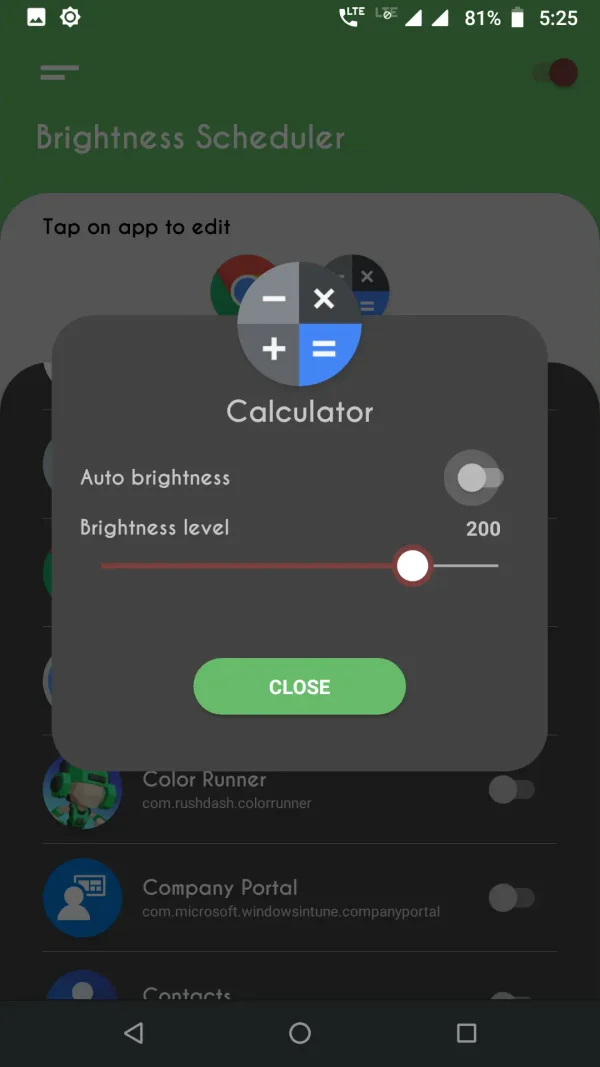
✔️アプリ名の横にあるトグルスイッチを使用して、画面のライトを設定します。
✔️希望のレベルを選択するか、自動モードを有効にしてください。
✔️最小限の労力でシームレスなコントロールをお楽しみください。
画面の明るさディマーを使用すると、明示的に設定されていないアプリのデフォルト設定を構成することもできます。この機能により、設定したアプリを終了するときに、希望のレベルにスムーズに戻ることができます。
輝度増加機能でデバイスを変身させましょう: 画面調光機能!
明るさ制御の簡単さと効率性を体験してください。定期的な手動調整に別れを告げ、アプリに変更を処理させます。特定のアプリの画面の明るさ調整が必要な場合でも、デバイス全体の明るさコントロールの調整が必要な場合でも、このアプリが対応します。今すぐダウンロードして、簡単な管理をお楽しみください!
明るさの調整コントロールでエクスペリエンスを最適化
明るさの調整コントロールでは、リアルタイム調整のためにバックグラウンド サービスがアクティブになっている必要があります。アプリが意図したとおりに動作するためには、「システム設定の変更」や「使用アクセス」などの権限が必要です。これらの権限により、アプリは実行中のアプリを自動的に確認し、適切な設定を適用できるようになります。追加メモ:
✔️アプリが機能するには、明るさマネージャーのスイッチが有効になっていることを確認してください。
✔️アプリの設定でデフォルトの明るさ設定をオンにすると、手間のかからないエクスペリエンスが得られます。
✔️自動明るさモードは、設定されたアプリの手動調整を防ぎ、デバイスを最適化した状態に保ちます。
原文を表示
Brightness Increaser: Screen Dimmer - The Ultimate Brightness Control Tool!
Brightness Increaser: Screen Dimmer—take control over your screen brightness. The app offers the possibility of setting and fine-tuning any application separately. No more manual changes needed—just an automated process through which to breeze using brightness tailored just for you. Brightness Increaser: Screen Dimmer is here to make your device truly adaptable.Whether in a dimly lit room or outdoors in bright sunlight, Brightness Increaser: Screen Dimmer ensures your screen is always at the optimal level.
📄 Key Features of Brightness Increaser: Screen Dimmer: 📄
🎛️Configure settings for specific apps effortlessly;
🎛️Automatically adjusts screen light when you open selected apps;
🎛️Default settings for apps without custom configurations;
🎛️Intuitive and user-friendly interface for quick setup.
Why Choose Brightness Increaser: Screen Dimmer?
Screen Brightness Dimmer offers a unique solution for precisely managing your screen's levels. By enabling automatic adjustments, you no longer need to fiddle with settings whenever you switch between apps.This app also includes advanced options to handle devices with maximum levels exceeding standard limits. Navigate to the settings menu to find and fix your device's maximum level, ensuring the best results for your screen.
How to Use Screen Brightness Dimmer:
✔️Grant the necessary permissions for the app.
✔️Enable specific apps for custom settings.
✔️Use the toggle switch next to the app name to configure screen light.
✔️Choose your desired level or enable auto mode.
✔️Enjoy seamless control with minimal effort.
With Screen Brightness Dimmer, you can also configure default settings for apps that are not explicitly set up. This feature ensures a smooth transition back to your preferred level when you exit configured apps.
Transform Your Device with Brightness Increaser: Screen Dimmer!
Experience the ease and efficiency of Adjust Brightness Control. Say goodbye to constant manual adjustments and let the app handle your changes. Whether you need Screen Brightness Dimmer for specific apps or Adjust Brightness Control for the entire device, this app has you covered. Download now and enjoy effortless management!
Optimize Your Experience with Adjust Brightness Control
Adjust Brightness Control requires background services to be active for real-time adjustments. Permissions such as "Modify System Settings" and "Usage Access" are necessary to ensure the app works as intended. These permissions enable the app to automatically check running apps and apply the appropriate settings.Additional Notes:
✔️Make sure the Brightness Manager switch is enabled for the app to function.
✔️Default brightness settings can be turned on in the app settings for a hassle-free experience.
✔️Auto-brightness mode prevents manual adjustments for configured apps, keeping your device optimized.
データ セーフティ
このアプリが収集・共有するデータについて、Galaxy studio appsがGoogle Playで申告している内容です。
- このアプリはサードパーティと以下の種類のデータを共有することがありますファイル、ドキュメント
- データは収集されません詳しくは、デベロッパーが収集を申告する方法についての説明をご覧ください
- データは送信中に暗号化されます
- データを削除できません
新機能
バージョン 2.1.2 · 2026/10/25
Issue fixed for android 10 and above, android 10 onward app need system overlay permission to run activity from background service, app runs activity to change brightness from background service, Overlay permission added on permission dialog.
開発元の連絡先
- ウェブサイトgalaxystudioapps.me
- メールsupport.brightnesscontrolp@galaxystudioapps.me
- プライバシーポリシーgalaxystudioapps.me
- 住所8 The Grn Ste 4184 Dover, DE 19901-3618 United States
情報
- 提供元
- Galaxy studio apps
- カテゴリ
- ツール
- バージョン
- 2.1.2
- 更新日
- 2026/10/25
- リリース
- 2020/11/15
- 必要条件
- Android 6.0以降
- 対象年齢
- 3 歳以上
- 価格
- 無料
- アプリ内課金
- ¥100~¥10,900/アイテム
- パッケージ名
- com.bhanu.brightnesscontrolfree