CapCut Pad
Bytedance Pte. Ltd.- TeenAge rating
- Video Players & EditorsCategory
- Nov 24, 2026Updated
- FreePrice
Links to the official Google Play listing of com.lemon.ccpadpro. Last checked on Nov 24, 2026.
Screenshots


About this app
Capture your precious moments, edit videos with stunning music and effects
Try out CapCut Pad version!
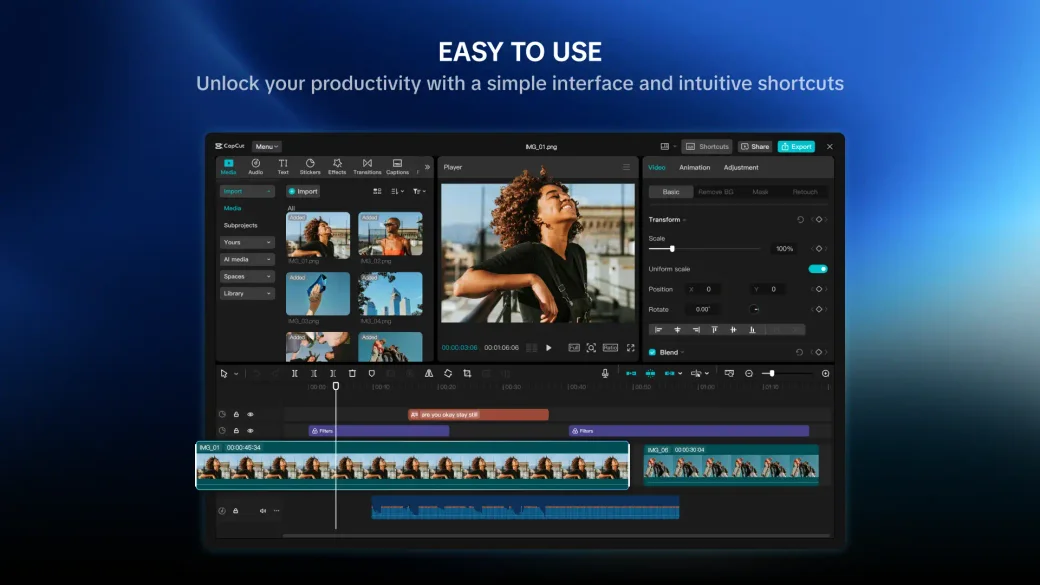
CapCut Pad brings desktop-level editing power to your fingertips. Enjoy precise multi-track timeline editing, smooth performance, and a creative workspace designed for touch.
CapCut offers easy-to-use video and photo editing tools, a wide range of in-app fonts and effects, and powerful features like keyframe animation, smooth slow motion, chroma key, and video stabilization—everything you need to capture and refine your moments.
Create high-quality videos with other unique features: auto captions, text-to-speech, motion tracking, and background removal. Show your personality and go viral on TikTok, YouTube, Instagram, WhatsApp, and Facebook!
FEATURES
Basic Video Editing
• Trim and shorten clips, and split or merge videos.
• Adjust video speed from 0.1x to 100x, and apply smooth speed curves.
• Animate video clips with zoom in/out effects.
• Highlight your best moments with the freeze-frame feature.
• Add creative transitions between clips.
Advanced Video Editing
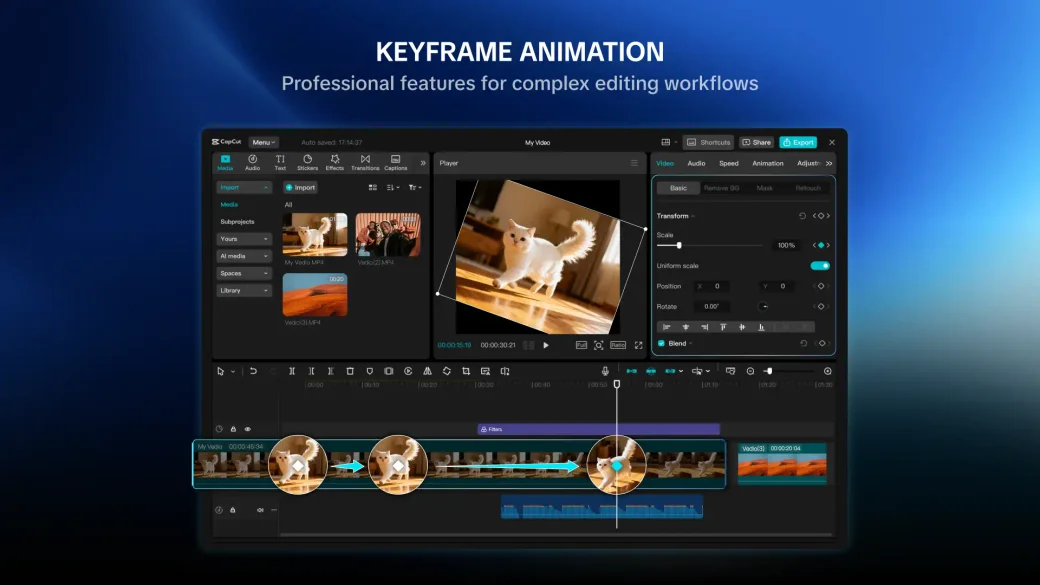
• Keyframe animation supported for all settings.
• Create smooth slow motion with optical flow and speed curves.
• Use chroma key to remove specific colors.
• Arrange and preview multiple clips on a multi-track timeline.
• Apply stabilization to keep your footage steady.
Intelligent Features
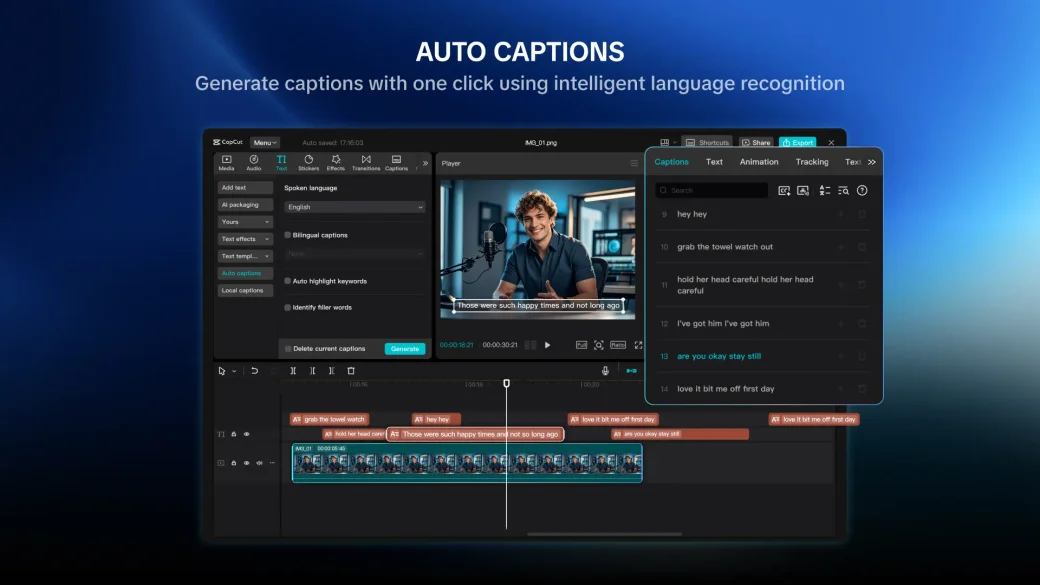
• Auto captions: generate subtitles automatically using speech recognition.
• Text-to-speech: convert text into voice in multiple languages and tones.
• Background removal: remove backgrounds automatically with one click.
Text & Stickers
• Add text with diverse fonts and styles, or use creative templates.
• Subtitles can be directly adjusted on the video timeline.
Trending Effects & Filters
• Explore weekly updated filters that match trending styles.
• Apply hundreds of visual effects including Glitch, Blur, and 3D.
• Adjust brightness, contrast, and saturation freely.
Music & Sound Effects
• Add music tracks or sound effects to your videos.
• Extract audio, clips, or recordings from existing footage.
Easy to Share
• Export videos up to 4K 60fps with smart HDR.
• Customize resolution and format, then share directly to social platforms.
CapCut is a all-in-one video editor and video maker application with everything you need to create stunning, high-quality videos. Beginners can get started with CapCut in a matter of seconds, while advanced users can enjoy all the functions they need to edit videos. Express your individuality with exclusive video editor and video maker functions. After your video is created, you can share it across social media with one click, accruing everyone's likes, comments and attention.
Terms of Service —
https://www.capcut.net/clause/user-agreement?region=us
Privacy Policy —
https://www.capcut.net/clause/privacy?region=us
Contact Us
Any questions about CapCut? Please contact us at capcut.support@bytedance.com.
Facebook: https://www.facebook.com/capcutapp/
Instagram: https://www.instagram.com/capcutapp/
YouTube: https://www.youtube.com/c/capcutofficial
TikTok: https://www.tiktok.com/@capcut
Data safety
What Bytedance Pte. Ltd. declares on Google Play about the data this app collects and shares.
- No data shared with third partiesLearn more about how developers declare sharing
- This app may collect these data typesLocation, Personal info and 3 others
- Data is encrypted in transit
- You can request that data be deleted
Developer contact
- Emailcapcut.support@bytedance.com
- Privacy policycapcut.net
- Address1 Raffles Quay #26-10 Singapore 048583
Information
- Offered by
- Bytedance Pte. Ltd.
- Category
- Video Players & Editors
- Version
- 9.8.0
- Updated
- Nov 24, 2026
- Released
- Apr 28, 2026
- Requires
- Android 8.0 or later
- Age rating
- Teen
- Price
- Free
- Package name
- com.lemon.ccpadpro
Similar apps
-
 Motion Ninja Video Editor
Video Players & Editors
-
 Polarr: Photo Filters & Editor
Photography
-
 YouCut - Video Editor & Maker
Video Players & Editors
-
 Vidu - AI Video Generator
Art & Design
-
 FilmoraHD - Video Creator
Video Players & Editors
-
 heyUp: Custom Lock Screen
Personalization
-
 Node Video
Video Players & Editors
-
 Alight Motion
Video Players & Editors
-
 Smart Video Crop - Video Cut
Video Players & Editors
-
 Posters Design! Picture layout
Art & Design
-
 Eklipse: AI Gaming Clip Maker
Tools
-
 Captions Lite
Video Players & Editors