CapCut Pad
Bytedance Pte. Ltd.- 12 歳以上対象年齢
- 動画プレーヤー&エディタカテゴリ
- 2026/11/24更新日
- 無料価格
com.lemon.ccpadproのGoogle Play公式ページにリンクしています。最終確認:2026/11/24。
スクリーンショット


このアプリについて
Googleによる英語 (アメリカ合衆国)からの自動翻訳です。
大切な瞬間を捉え、素晴らしい音楽とエフェクトでビデオを編集しましょう。
CapCut Pad版をお試しください!
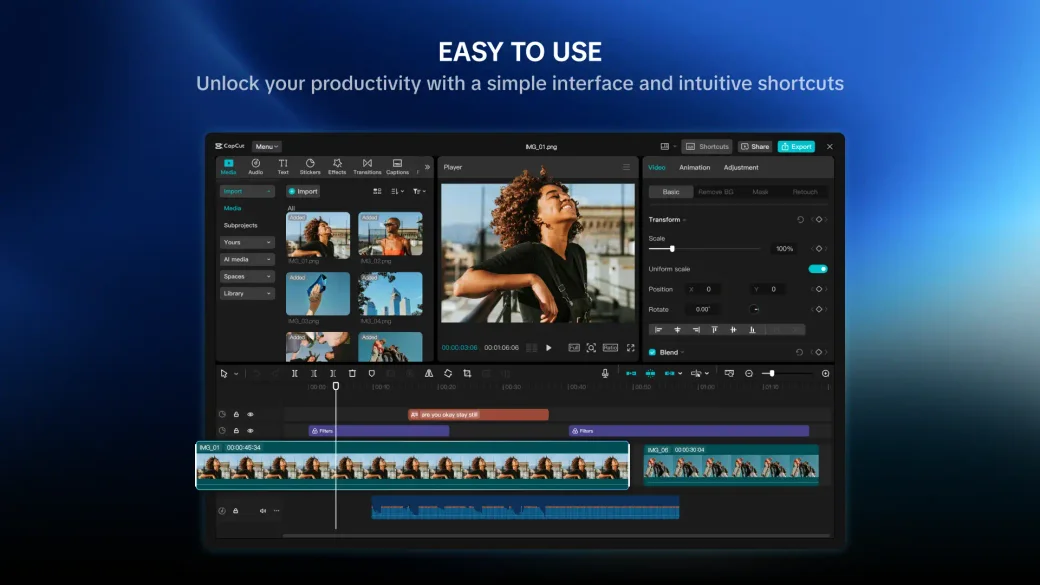
CapCut Padは、デスクトップレベルの編集機能を指先ひとつで操作できます。高精度なマルチトラックタイムライン編集、スムーズな動作、そしてタッチ操作に最適化されたクリエイティブなワークスペースをお楽しみください。
CapCutは、使いやすい動画・写真編集ツール、豊富なアプリ内フォントとエフェクト、そしてキーフレームアニメーション、スムーズなスローモーション、クロマキー、動画手ぶれ補正といった強力な機能を搭載。大切な瞬間を捉え、磨き上げるために必要なすべてが揃っています。
さらに、自動キャプション、テキスト読み上げ、モーショントラッキング、背景除去といった独自の機能で、高品質な動画を作成できます。個性あふれる動画で、TikTok、YouTube、Instagram、WhatsApp、Facebookで話題を巻き起こしましょう!
機能
基本的な動画編集
• クリップのトリミングと短縮、動画の分割と結合。
• 動画の再生速度を0.1倍から100倍まで調整し、スムーズな速度カーブを適用。
• ズームイン/ズームアウト効果で動画クリップにアニメーション効果を追加。
• フリーズフレーム機能で最高の瞬間を際立たせましょう。
• クリップ間にクリエイティブなトランジションを追加できます。
高度なビデオ編集
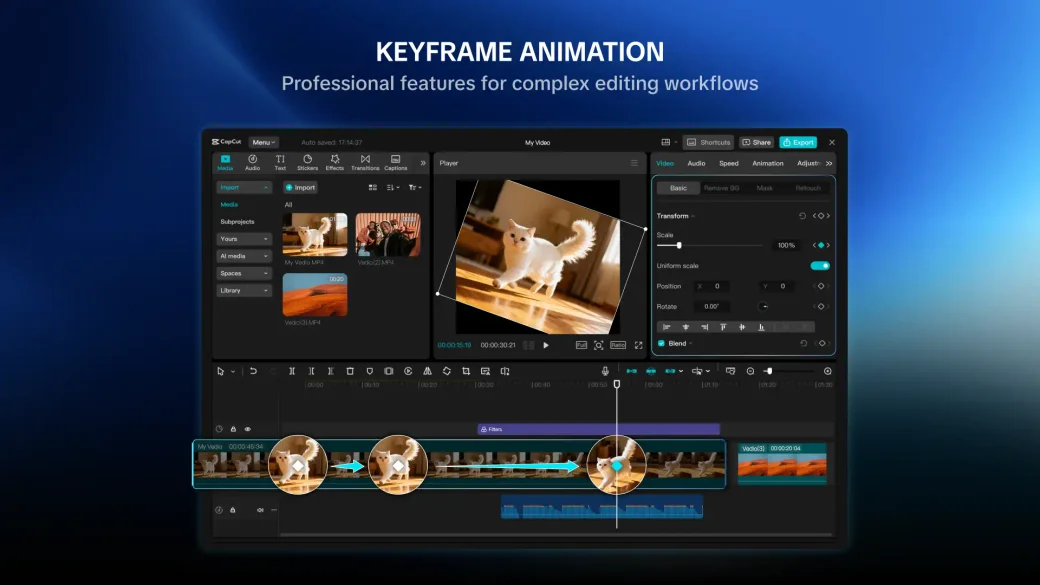
• すべての設定でキーフレームアニメーションに対応。
• オプティカルフローとスピードカーブで滑らかなスローモーションを作成できます。
• クロマキーを使用して特定の色を削除できます。
• マルチトラックタイムラインで複数のクリップを配置してプレビューできます。
• 手ぶれ補正を適用して映像を安定させることができます。
インテリジェント機能
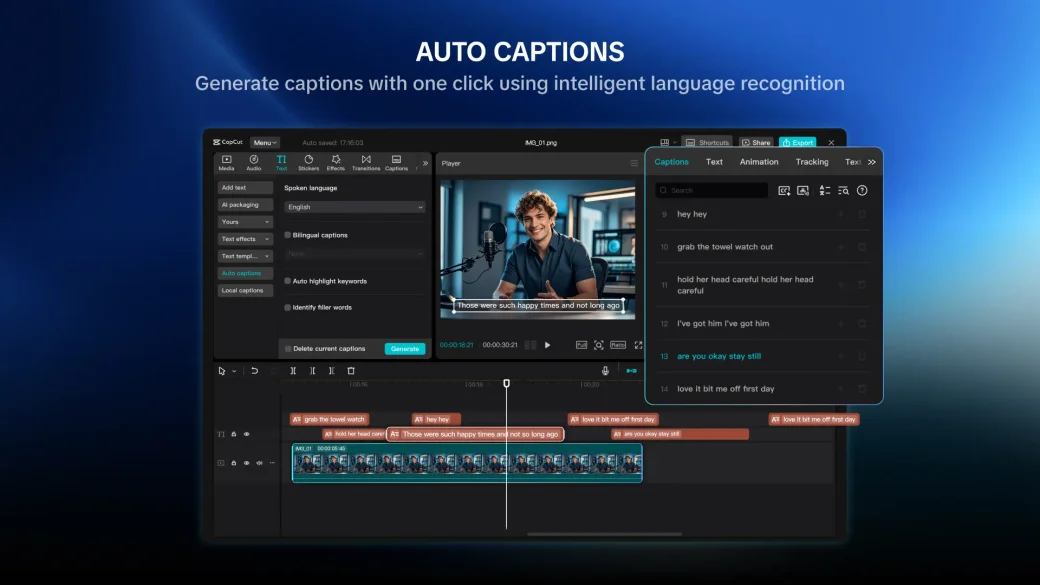
• 自動キャプション:音声認識を使用して字幕を自動生成します。
• テキスト読み上げ:複数の言語とトーンでテキストを音声に変換します。
• 背景除去:ワンクリックで背景を自動的に削除します。
テキストとステッカー
• 多様なフォントとスタイルでテキストを追加したり、クリエイティブなテンプレートを使用したりできます。
• 字幕はビデオタイムライン上で直接調整できます。
トレンドエフェクトとフィルター
• トレンドスタイルに合わせたフィルターを毎週更新。
• グリッチ、ブラー、3Dなど、数百種類のビジュアルエフェクトを適用できます。
• 明るさ、コントラスト、彩度を自由に調整できます。
音楽と効果音
• 動画に音楽トラックや効果音を追加できます。
• 既存の映像から音声、クリップ、録音を抽出できます。
簡単共有
• スマートHDR対応で最大4K 60fpsの動画をエクスポートできます。
• 解像度とフォーマットをカスタマイズし、ソーシャルメディアに直接共有できます。
CapCutは、美しい高画質動画を作成するために必要なすべてが揃ったオールインワンの動画編集・動画作成アプリです。初心者でも数秒で使い始められ、上級者は動画編集に必要なすべての機能を利用できます。独自の動画編集・動画作成機能で個性を表現しましょう。動画を作成したら、ワンクリックでソーシャルメディアに共有し、たくさんの「いいね!」やコメント、注目を集めましょう。
利用規約 —
https://www.capcut.net/clause/user-agreement?region=us
プライバシーポリシー —
https://www.capcut.net/clause/privacy?region=us
お問い合わせ
CapCutに関するご質問は、capcut.support@bytedance.comまでお問い合わせください。
Facebook: https://www.facebook.com/capcutapp/
Instagram: https://www.instagram.com/capcutapp/
YouTube: https://www.youtube.com/c/capcutofficial
TikTok: https://www.tiktok.com/@capcut
原文を表示
Try out CapCut Pad version!
CapCut Pad brings desktop-level editing power to your fingertips. Enjoy precise multi-track timeline editing, smooth performance, and a creative workspace designed for touch.
CapCut offers easy-to-use video and photo editing tools, a wide range of in-app fonts and effects, and powerful features like keyframe animation, smooth slow motion, chroma key, and video stabilization—everything you need to capture and refine your moments.
Create high-quality videos with other unique features: auto captions, text-to-speech, motion tracking, and background removal. Show your personality and go viral on TikTok, YouTube, Instagram, WhatsApp, and Facebook!
FEATURES
Basic Video Editing
• Trim and shorten clips, and split or merge videos.
• Adjust video speed from 0.1x to 100x, and apply smooth speed curves.
• Animate video clips with zoom in/out effects.
• Highlight your best moments with the freeze-frame feature.
• Add creative transitions between clips.
Advanced Video Editing
• Keyframe animation supported for all settings.
• Create smooth slow motion with optical flow and speed curves.
• Use chroma key to remove specific colors.
• Arrange and preview multiple clips on a multi-track timeline.
• Apply stabilization to keep your footage steady.
Intelligent Features
• Auto captions: generate subtitles automatically using speech recognition.
• Text-to-speech: convert text into voice in multiple languages and tones.
• Background removal: remove backgrounds automatically with one click.
Text & Stickers
• Add text with diverse fonts and styles, or use creative templates.
• Subtitles can be directly adjusted on the video timeline.
Trending Effects & Filters
• Explore weekly updated filters that match trending styles.
• Apply hundreds of visual effects including Glitch, Blur, and 3D.
• Adjust brightness, contrast, and saturation freely.
Music & Sound Effects
• Add music tracks or sound effects to your videos.
• Extract audio, clips, or recordings from existing footage.
Easy to Share
• Export videos up to 4K 60fps with smart HDR.
• Customize resolution and format, then share directly to social platforms.
CapCut is a all-in-one video editor and video maker application with everything you need to create stunning, high-quality videos. Beginners can get started with CapCut in a matter of seconds, while advanced users can enjoy all the functions they need to edit videos. Express your individuality with exclusive video editor and video maker functions. After your video is created, you can share it across social media with one click, accruing everyone's likes, comments and attention.
Terms of Service —
https://www.capcut.net/clause/user-agreement?region=us
Privacy Policy —
https://www.capcut.net/clause/privacy?region=us
Contact Us
Any questions about CapCut? Please contact us at capcut.support@bytedance.com.
Facebook: https://www.facebook.com/capcutapp/
Instagram: https://www.instagram.com/capcutapp/
YouTube: https://www.youtube.com/c/capcutofficial
TikTok: https://www.tiktok.com/@capcut
データ セーフティ
このアプリが収集・共有するデータについて、Bytedance Pte. Ltd.がGoogle Playで申告している内容です。
- 第三者と共有されるデータはありません詳しくは、デベロッパーが共有を申告する方法についての説明をご覧ください
- このアプリは以下の種類のデータを収集することがあります位置情報、個人情報、他 3 件
- データは送信中に暗号化されます
- データを削除するようリクエストできます
開発元の連絡先
- メールcapcut.support@bytedance.com
- プライバシーポリシーcapcut.net
- 住所1 Raffles Quay #26-10 Singapore 048583
情報
- 提供元
- Bytedance Pte. Ltd.
- カテゴリ
- 動画プレーヤー&エディタ
- バージョン
- 9.8.0
- 更新日
- 2026/11/24
- リリース
- 2026/4/28
- 必要条件
- Android 8.0以降
- 対象年齢
- 12 歳以上
- 価格
- 無料
- パッケージ名
- com.lemon.ccpadpro
類似のアプリ
-
 Motion Ninja Video Editor
動画プレーヤー&エディタ
-
 Polarr
写真
-
 YouCut - 動画編集&動画作成
動画プレーヤー&エディタ
-
 Vidu - AI Video Generator
アート&デザイン
-
 Filmora HD-動画編集アプリ:動画作成、動画加工
動画プレーヤー&エディタ
-
 heyUp:ロック画面ウィジェット&壁紙
カスタマイズ
-
 Node Video
動画プレーヤー&エディタ
-
 Alight Motion
動画プレーヤー&エディタ
-
 Smart Video Crop - Video Cut
動画プレーヤー&エディタ
-
 Posters: 写真加工・画像編集・コラージュ・背景透過
アート&デザイン
-
 Eklipse.gg
ツール
-
 Captions Lite
動画プレーヤー&エディタ