Challenges Alarm Clock
Garage App CoContains ads · In-app purchases
- EveryoneAge rating
- ProductivityCategory
- Jul 12, 2026Updated
- FreePrice
Links to the official Google Play listing of com.garageapp.alarmchallenges. Last checked on Nov 19, 2026.
Screenshots
About this app
Solve challenges to wake up. The loud alarm clock with games, puzzles & tasks
Challenges Alarm Clock is the best alarm clock for heavy sleepers and people who can't get out of bed. Solve fun challenges and simple tasks and games. This app has been designed to be simple to set up but also powerful enough so you can have a smart alarm clock that can do amazing things. The challenge alarm clock can recognise simple objects, such as a toothbrush, using the camera so you have to wake up and do it or solve simple puzzles, math equations, memory, and sequence games. It’s time to wake up by using this challenges alarm clock app.
★ Challenges and games (memory, sequence, retype, picture, smile, pose)
★ Prevent leaving app or turn off device while alarm active
★ Math alarm clock
★ Disable/limit number of snoozes
★ Multiple media (ringtone, songs, music)
★ Dark mode available
★ Prevent user from uninstall the app
★ Smooth increase volume
★ Extra loud volume
You can customize the alarm clock anyway you like:
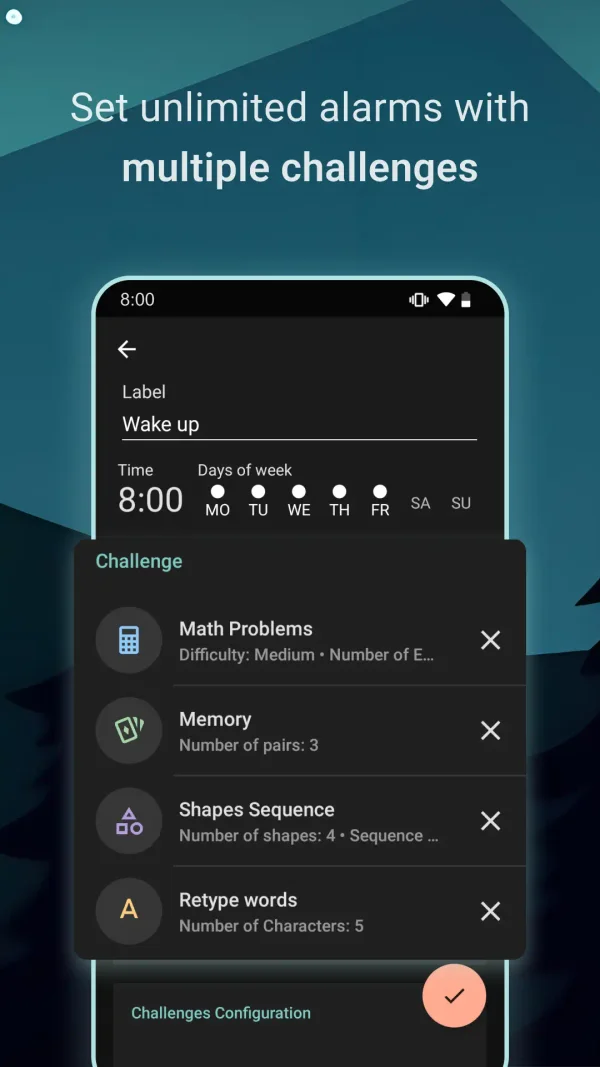
This alarm clock offers many different challenges such as puzzles, games, memory, math and taking pictures. Complete the tasks when you wake up so you can't dismiss it and go back to sleep. The perfect challenges alarm clock for heavy sleepers.
Some of the tasks to the alarm app are:
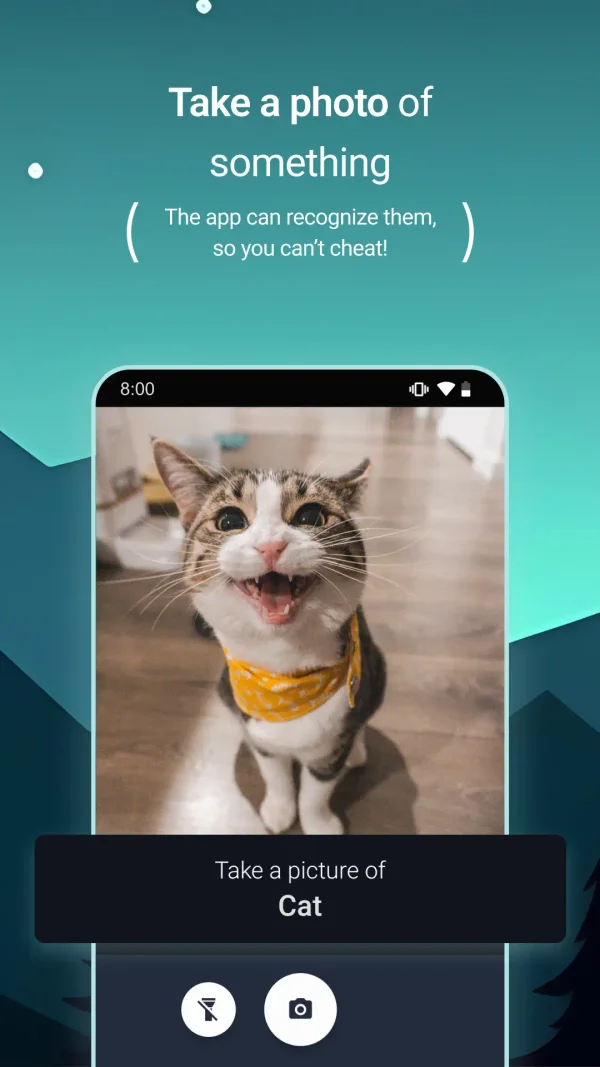
Using AI, the app can recognise a pre-select list of objects and can't turn off the smart alarm until you take pictures of pre-chosen objects or animals. For example, you forget to drink water after the wake up alarm? Add a challenge to take a picture of a cup when the loud alarm clock rings so when it starts you remember to drink water.
Simple like that, you have to wake up with a big smile. The motivational alarm clock will not stop until you show a big smile with all teeth to the camera.
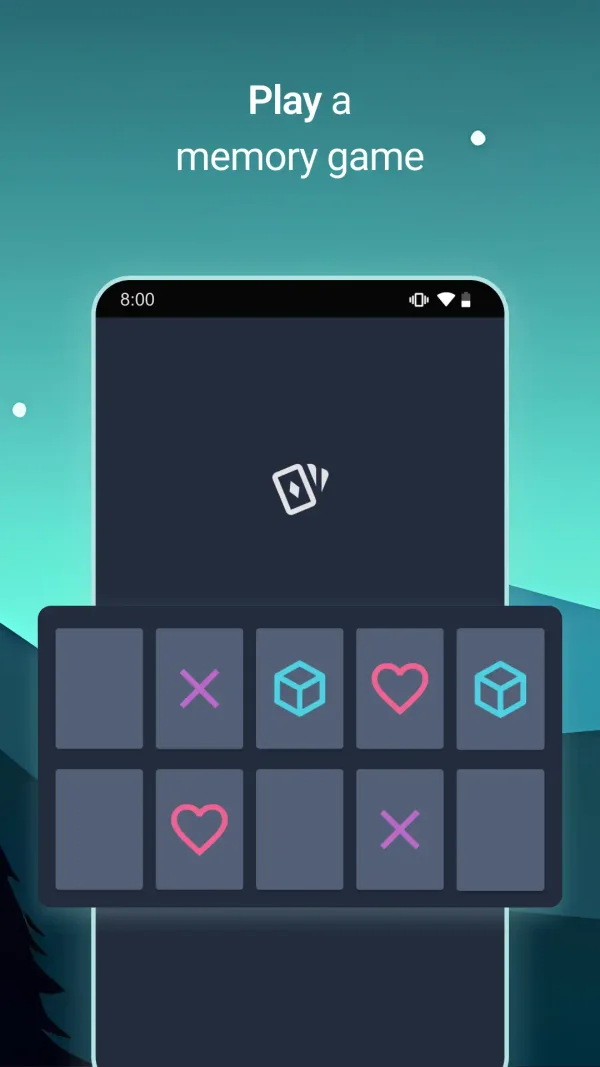
The classic memory game in the smart alarm. Configure the board with a number of cards and, when the challenges alarm clock rings, match the pairs on the board. You might also like other challenges such as the puzzle alarm clock.
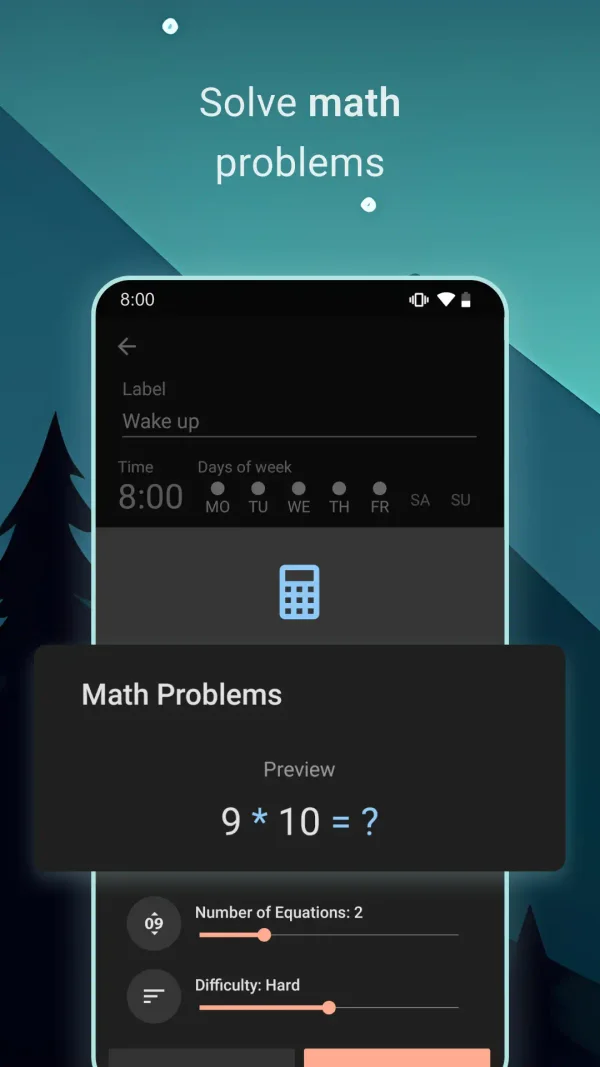
This is the best alarm clock for heavy sleepers. Imagine to wake up early and having to solve a math problem. With this challenge alarm clock, this is the case.
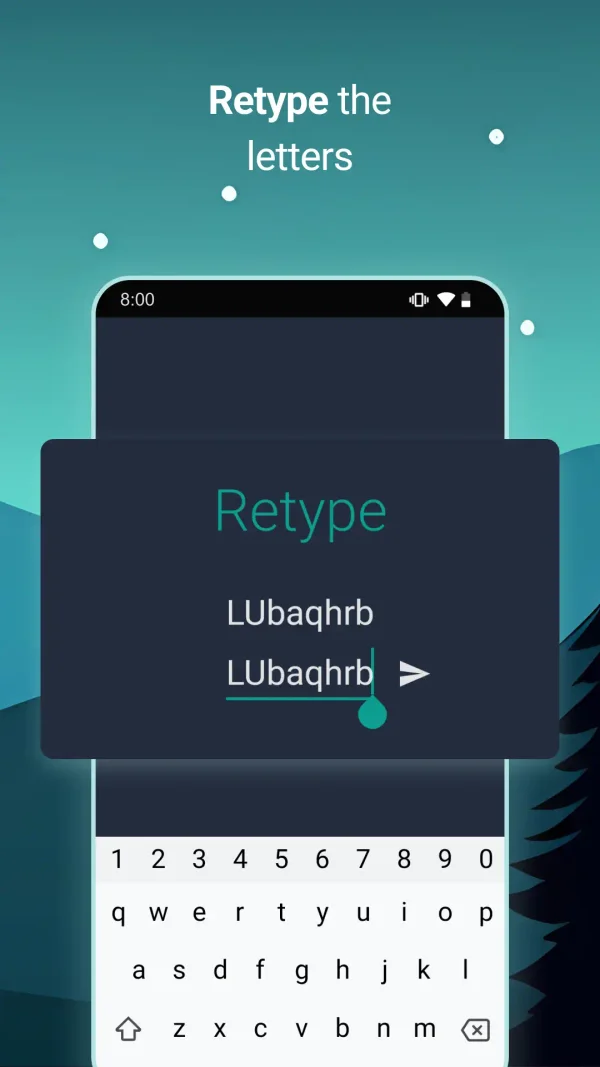
The alarm app shows a list of random characters and you have to write it. Seems simple, but try to do that as soon as the wake up alarm rings.
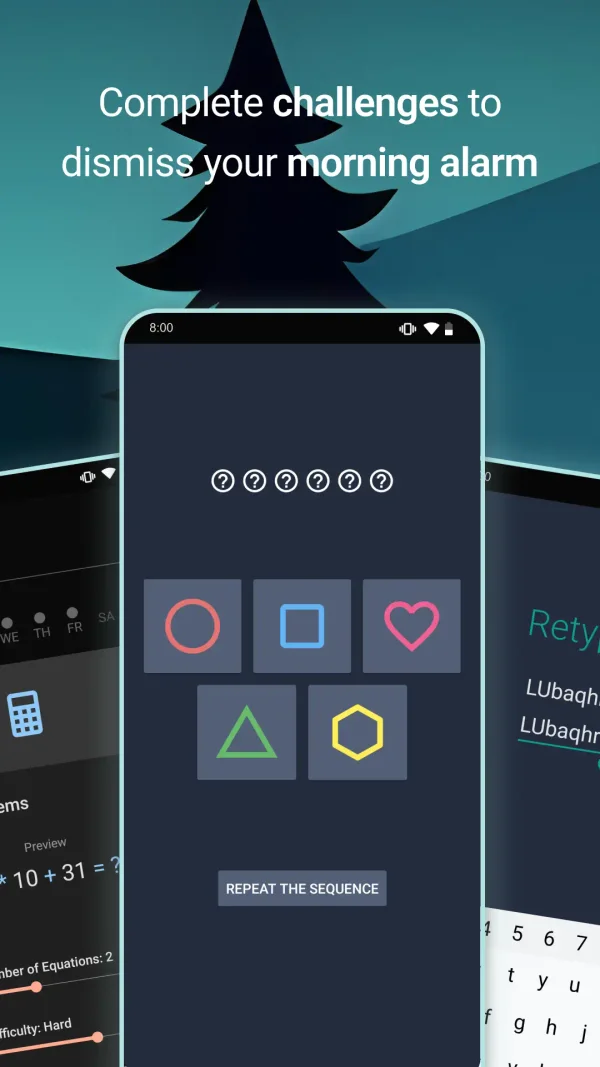
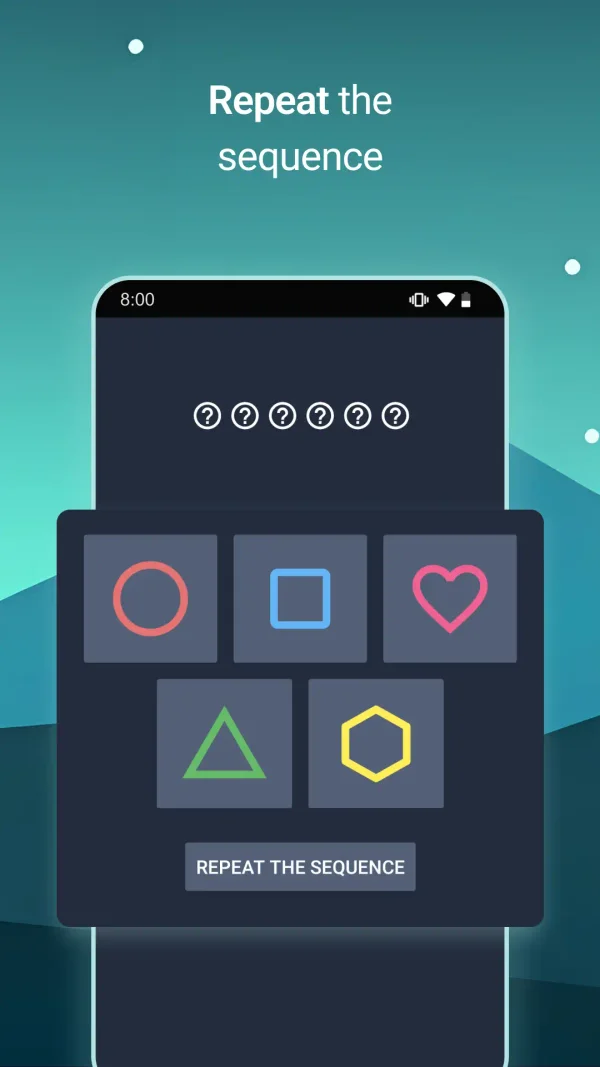
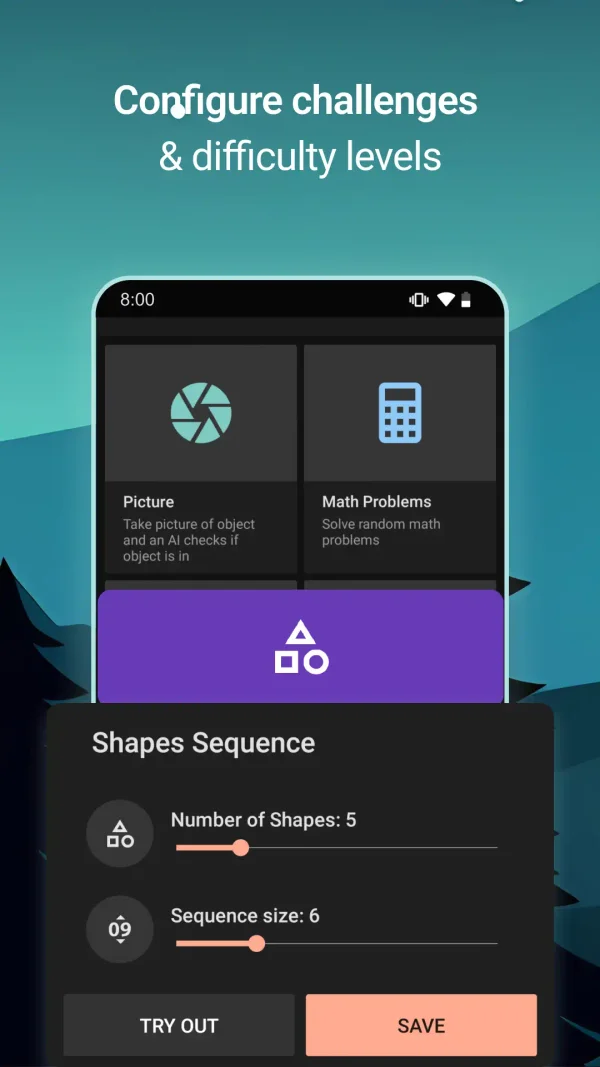
Complete the puzzles by tapping the shapes at the same order as they shine. The smart alarm can repeat the sequence as many times as needed to complete the puzzle alarm clock.
For this challenge, do the required pose in front of the camera. This can be yoga or any other pose that the motivational alarm app selects. A great way to start the day with this pose challenge of the wake up alarm.
Disable snooze or limit it, so the alarm app requires you to complete the challenges. It is also possible to shorten the snooze duration. This trick is great if you need an alarm clock for heavy sleepers.
You don't like when your phone is vibrating like crazy? Us neither, that's why you have the option to disable it. Or do you need an extra loud alarm clock to wake up?
Choose the volume of your favorite music, phone ringtones or no sound at all to the wake up alarm. The smart alarm clock can gradually increase the volume until max. Perfect for a gentle wake up. This alarm app can also override the phone volume for an extra loud alarm clock.
Change the theme of the alarm app between light and dark mode. The smart alarm clock can even do more.
The app uses the Accessibility Service for the ‘Prevent leaving app’ feature. This is a optional feature that prevents user from turn off the device or leave app while alarm is active.
Features:
★ Challenges and games (memory, sequence, retype, picture, smile, pose)
★ Prevent leaving app or turn off device while alarm active
★ Math alarm clock
★ Disable/limit number of snoozes
★ Multiple media (ringtone, songs, music)
★ Dark mode available
★ Prevent user from uninstall the app
★ Smooth increase volume
★ Extra loud volume
You can customize the alarm clock anyway you like:
Challenges Alarm Clock
This alarm clock offers many different challenges such as puzzles, games, memory, math and taking pictures. Complete the tasks when you wake up so you can't dismiss it and go back to sleep. The perfect challenges alarm clock for heavy sleepers.
Some of the tasks to the alarm app are:
Picture Challenge
Using AI, the app can recognise a pre-select list of objects and can't turn off the smart alarm until you take pictures of pre-chosen objects or animals. For example, you forget to drink water after the wake up alarm? Add a challenge to take a picture of a cup when the loud alarm clock rings so when it starts you remember to drink water.
Smile Challenge
Simple like that, you have to wake up with a big smile. The motivational alarm clock will not stop until you show a big smile with all teeth to the camera.
Memory Game
The classic memory game in the smart alarm. Configure the board with a number of cards and, when the challenges alarm clock rings, match the pairs on the board. You might also like other challenges such as the puzzle alarm clock.
Math Alarm Clock
This is the best alarm clock for heavy sleepers. Imagine to wake up early and having to solve a math problem. With this challenge alarm clock, this is the case.
Retype Game
The alarm app shows a list of random characters and you have to write it. Seems simple, but try to do that as soon as the wake up alarm rings.
Puzzle Alarm Clock
Complete the puzzles by tapping the shapes at the same order as they shine. The smart alarm can repeat the sequence as many times as needed to complete the puzzle alarm clock.
Pose Challenge
For this challenge, do the required pose in front of the camera. This can be yoga or any other pose that the motivational alarm app selects. A great way to start the day with this pose challenge of the wake up alarm.
Snooze
Disable snooze or limit it, so the alarm app requires you to complete the challenges. It is also possible to shorten the snooze duration. This trick is great if you need an alarm clock for heavy sleepers.
Vibrate
You don't like when your phone is vibrating like crazy? Us neither, that's why you have the option to disable it. Or do you need an extra loud alarm clock to wake up?
Media and Soft Wake
Choose the volume of your favorite music, phone ringtones or no sound at all to the wake up alarm. The smart alarm clock can gradually increase the volume until max. Perfect for a gentle wake up. This alarm app can also override the phone volume for an extra loud alarm clock.
Dark and Annoying Mode
Change the theme of the alarm app between light and dark mode. The smart alarm clock can even do more.
Permissions:
The app uses the Accessibility Service for the ‘Prevent leaving app’ feature. This is a optional feature that prevents user from turn off the device or leave app while alarm is active.
Data safety
What Garage App Co declares on Google Play about the data this app collects and shares.
- This app may share these data types with third partiesLocation
- No data collectedLearn more about how developers declare collection
- Data is encrypted in transit
- Data can’t be deleted
What’s new
Version 1.49.4 · Jul 12, 2026
What's new:
• New QR & Barcode Sequence challenge — scan a sequence of saved codes to turn off your alarm
• Bug fixes and polish
Developer contact
- Websitegarageappco.github.io
- Emailgarage.app.co@gmail.com
- Privacy policygarageappco.github.io
- AddressRua MARUPIARA 223 LOT 94 PAL 15083 ROCHA MIRANDA RIO DE JANEIRO - RJ 21510-210 Brazil
Information
- Offered by
- Garage App Co
- Category
- Productivity
- Version
- 1.49.4
- Updated
- Jul 12, 2026
- Released
- Feb 6, 2018
- Requires
- Android 8.0 or later
- Age rating
- Everyone
- Price
- Free
- In-app purchases
- $0.99 - $4.85 per item
- Package name
- com.garageapp.alarmchallenges
Similar apps
-
 Clock
Tools
-
 Clock
Tools
-
 Alarmy - Alarm Clock & Sleep
Productivity
-
 Simple Alarm Clock
Productivity
-
 Clock Phone 16, Alarm & Timer
Tools
-
 Talking Alarm Clock Beyond
Tools
-
 Student Calendar - Timetable
Education
-
 Sleep Cycle: Sleep Tracker
Health & Fitness
-
 Alarm Clock - Timer, Stopwatch
Productivity
-
 Water Tracker: Water Reminder
Health & Fitness
-
 Timer Plus - Workouts Timer
Health & Fitness
-
 Interval Timer & Tabata Timer
Health & Fitness