Circle Dashboard Watch Face
amoledwatchfaces™- EveryoneAge rating
- PersonalizationCategory
- Aug 20, 2026Updated
- $1.99Price
Links to the official Google Play listing of com.amoledwatchfaces.circleDashboard. Last checked on Nov 27, 2026.
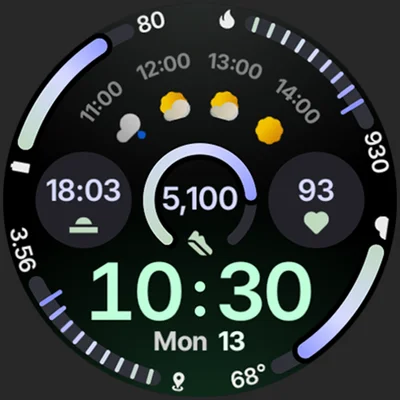
About this app
Sleek, highly customizable watch face inspired by Galaxy Watch Circle Dashboard.
Only for Wear OS 4+ devices
Inspired by Circle Dashboard watch face from Galaxy Watch 8 series.
Powered by Watch Face Format 4
amoledwatchfaces.com
BUY ONE GET ONE OFFER
amoledwatchfaces.com/bogo
CUSTOM COMPLICATION APPS
amoledwatchfaces.com/apps
FEATURES
• Watch Face Format 4
• watch face presets (flavors) (Wear OS 5+)
• 8 custom complication slots
• supported complication types - SHORT_TEXT, LONG_TEXT, RANGED_VALUE, MONOCHROMATIC_ICON, SMALL_IMAGE
• phone notifications complication support*
• new, material 3 expressive progress bars
• optional seconds indicator
• multilanguage
• true black background
• unlimited color theme combinations
• three always-on display styles
• battery friendly
• digital clock fonts
• digital clock blinking colon effect
• weather forecast, moon phases widget (Wear OS 5+)
• created in Android Studio
• custom app shortcut (complication)
• animated AOD entering (Wear OS 6+)
• adaptive complication text size
* requires Phone Battery Complication app
https://play.google.com/store/apps/details?id=com.weartools.phonebattcomp
USER CONFIGURATIONS
• Primary Theme (60+)
• Secondary Theme (60+)
• Tertiary Theme (60+)
• Digital Clock Font (5x)
• Date Format (6x)
• Circular Widget (Weather*, Moon Phases, Full Date)
• Weather Icon Pack* (2x)
• Weather Provider* (4x)
• AOD (3x)
• Custom Complications (8x)
• Leading Zero (Toggle)
• Seconds Indicator (Toggle)
• Complications Background (Toggle)
• Percentage Type Arcs (Toggle)
• Vivid Digital Clock** (Toggle)
* weather source type is only available on Wear OS 5+
** supported on Wear OS 6+
Installation and troubleshooting guide
amoledwatchfaces.com/guide
Please send any issues reports or help requests to our support address
support@amoledwatchfaces.com
Join our Telegram group for live support and discussion
t.me/amoledwatchfaces
Newsletter
amoledwatchfaces.com/contact#newsletter
amoledwatchfaces™ - Awf
Data safety
What amoledwatchfaces™ declares on Google Play about the data this app collects and shares.
- No data shared with third partiesLearn more about how developers declare sharing
- No data collectedLearn more about how developers declare collection
What’s new
Aug 20, 2026
v1.0.7
• added an option to disable blinking colon effect (wff3,wff4)
v1.0.5
• 12h - no leading zero option is now not showing dimmed leading zero (wff4)
• increased Date circular widget option brightness
v1.0.4
• small issue fixes
v1.0.3
• added steps and heart rate circular widget options
• added seconds (ss) date option
• xml adjustments
v1.0.2
• added two more providers - old Google Weather, OnePlus Weather
v1.0.1
• initial release
Developer contact
- Websiteamoledwatchfaces.com
- Emailsupport@amoledwatchfaces.com
- Privacy policyamoledwatchfaces.com
- Address51 Nižný Kručov 09301 Nižný Kručov Slovakia
Information
- Offered by
- amoledwatchfaces™
- Category
- Personalization
- Updated
- Aug 20, 2026
- Released
- Oct 14, 2025
- Age rating
- Everyone
- Price
- $1.99
- Package name
- com.amoledwatchfaces.circleDashboard
Similar apps
-
 Digital Watchface D13
Personalization
-
 Athlete 2 Lite: Watch face
Personalization
-
 Adaptive Watch Face
Personalization
-
 Gravity Watch Face
Personalization
-
 Pulse 2: Watch face
Personalization
-
 Verge Watch Face
Personalization
-
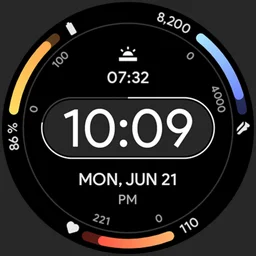 Dash Digital: Watch face
Personalization
-
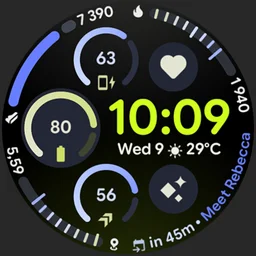 Adventurer 2 Watch Face
Personalization
-
 Pulse Watch Face
Personalization
-
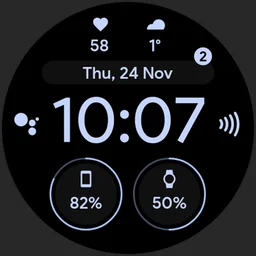 Pixel OLED: Watch face
Personalization
-
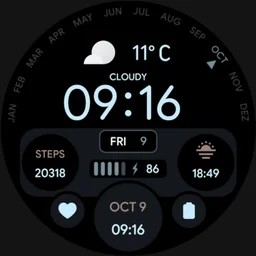 SG-158
Personalization
-
 Expedition Watch Face
Personalization