Circle Dashboard Watch Face
amoledwatchfaces™- USK ab 0 JahrenAltersfreigabe
- PersonalisierungKategorie
- 20.08.2026Aktualisiert
- 1,99 €Preis
Verlinkt auf den offiziellen Google Play-Eintrag von com.amoledwatchfaces.circleDashboard. Zuletzt geprüft am 27.11.2026.
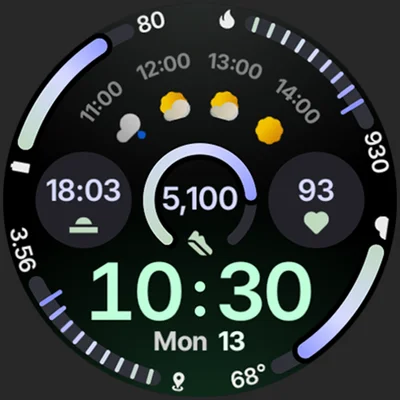
Über diese App
Automatische Übersetzung von Google. Originalsprache: Englisch (Vereinigte Staaten).
Schlankes, hochgradig anpassbares Zifferblatt, inspiriert vom Galaxy Watch Circle Dashboard.
Nur für Wear OS 4+ Geräte
Inspiriert vom Circle Dashboard-Zifferblatt der Galaxy Watch 8 Serie.
Unterstützt von Zifferblattformat 4
amoledwatchfaces.com
KAUFEN SIE EINS, ERHALTEN SIE EINS ANGEBOT
amoledwatchfaces.com/bogo
BENUTZERDEFINIERTE KOMPLIKATIONS-APPS
amoledwatchfaces.com/apps
FUNKTIONEN
• Zifferblattformat 4
• Zifferblattvoreinstellungen (Varianten) (ab Wear OS 5)
• 8 benutzerdefinierte Komplikationsplätze
• Unterstützte Komplikationstypen: KURZTEXT, LANGTEXT, BEREICHSWERT, MONOCHROMATISCHES SYMBOL, KLEINES BILD
• Unterstützung für Komplikationsfunktionen für Telefonbenachrichtigungen*
• Neue, ausdrucksstarke Fortschrittsbalken in Material 3
• Optionale Sekundenanzeige
• Mehrsprachig
• Echtschwarzer Hintergrund
• Unbegrenzte Farbkombinationen
• Drei Always-On-Displays
• Akkufreundlich
• Digitaluhr-Schriftarten
• Digitaluhr mit blinkendem Doppelpunkt
• Wettervorhersage, Mondphasen-Widget (ab Wear OS 5)
• Erstellt in Android Studio
• Benutzerdefinierte App-Verknüpfung (Komplikation)
• Animiertes AOD-Eingabe (Wear OS 6+)
• Adaptive Textgröße für Komplikationen
* Erfordert die App „Mobile Akku-Komplikationen“
https://play.google.com/store/apps/details?id=com.weartools.phonebattcomp
BENUTZERKONFIGURATIONEN
• Primäres Design (60+)
• Sekundäres Design (60+)
• Tertiäres Design (60+)
• Digitaluhr-Schriftart (5x)
• Datumsformat (6x)
• Kreisförmiges Widget (Wetter*, Mondphasen, Volldatum)
• Wettersymbolpaket* (2x)
• Wetteranbieter* (4x)
• AOD (3x)
• Benutzerdefinierte Komplikationen (8x)
• Führende Null (Umschalten)
• Sekundenanzeige (Umschalten)
• Hintergrund für Komplikationen (Umschalten)
• Prozent-Bögen (Umschalten)
• Leuchtende Digitaluhr** (Umschalten)
* Wetterquellentyp ist nur unter Wear OS 5+ verfügbar.
** Unterstützt unter Wear OS 6+.
Installations- und Fehlerbehebungsanleitung
amoledwatchfaces.com/guide
Problemberichte oder Hilfeanfragen senden Sie bitte an unsere Support-Adresse:
support@amoledwatchfaces.com
Treten Sie unserer Telegram-Gruppe für Live-Support und Diskussionen bei.
t.me/amoledwatchfaces
Newsletter
amoledwatchfaces.com/contact#newsletter
amoledwatchfaces™ - Awf
Originaltext anzeigen
Only for Wear OS 4+ devices
Inspired by Circle Dashboard watch face from Galaxy Watch 8 series.
Powered by Watch Face Format 4
amoledwatchfaces.com
BUY ONE GET ONE OFFER
amoledwatchfaces.com/bogo
CUSTOM COMPLICATION APPS
amoledwatchfaces.com/apps
FEATURES
• Watch Face Format 4
• watch face presets (flavors) (Wear OS 5+)
• 8 custom complication slots
• supported complication types - SHORT_TEXT, LONG_TEXT, RANGED_VALUE, MONOCHROMATIC_ICON, SMALL_IMAGE
• phone notifications complication support*
• new, material 3 expressive progress bars
• optional seconds indicator
• multilanguage
• true black background
• unlimited color theme combinations
• three always-on display styles
• battery friendly
• digital clock fonts
• digital clock blinking colon effect
• weather forecast, moon phases widget (Wear OS 5+)
• created in Android Studio
• custom app shortcut (complication)
• animated AOD entering (Wear OS 6+)
• adaptive complication text size
* requires Phone Battery Complication app
https://play.google.com/store/apps/details?id=com.weartools.phonebattcomp
USER CONFIGURATIONS
• Primary Theme (60+)
• Secondary Theme (60+)
• Tertiary Theme (60+)
• Digital Clock Font (5x)
• Date Format (6x)
• Circular Widget (Weather*, Moon Phases, Full Date)
• Weather Icon Pack* (2x)
• Weather Provider* (4x)
• AOD (3x)
• Custom Complications (8x)
• Leading Zero (Toggle)
• Seconds Indicator (Toggle)
• Complications Background (Toggle)
• Percentage Type Arcs (Toggle)
• Vivid Digital Clock** (Toggle)
* weather source type is only available on Wear OS 5+
** supported on Wear OS 6+
Installation and troubleshooting guide
amoledwatchfaces.com/guide
Please send any issues reports or help requests to our support address
support@amoledwatchfaces.com
Join our Telegram group for live support and discussion
t.me/amoledwatchfaces
Newsletter
amoledwatchfaces.com/contact#newsletter
amoledwatchfaces™ - Awf
Datensicherheit
Was amoledwatchfaces™ bei Google Play zu den Daten angibt, die diese App erfasst und weitergibt.
- Keine Daten werden mit Drittunternehmen oder -organisationen geteiltWeitere Informationen dazu, wie Entwickler Angaben zur Weitergabe von Daten machen
- Keine Daten erhobenWeitere Informationen dazu, wie Entwickler Angaben zur Datenerhebung machen
Neue Funktionen
20.08.2026
v1.0.7
• added an option to disable blinking colon effect (wff3,wff4)
v1.0.5
• 12h - no leading zero option is now not showing dimmed leading zero (wff4)
• increased Date circular widget option brightness
v1.0.4
• small issue fixes
v1.0.3
• added steps and heart rate circular widget options
• added seconds (ss) date option
• xml adjustments
v1.0.2
• added two more providers - old Google Weather, OnePlus Weather
v1.0.1
• initial release
Kontakt zum Entwickler
- Websiteamoledwatchfaces.com
- E-Mailsupport@amoledwatchfaces.com
- Datenschutzerklärungamoledwatchfaces.com
- Adresse51 Nižný Kručov 09301 Nižný Kručov Slovakia
Informationen
- Angeboten von
- amoledwatchfaces™
- Kategorie
- Personalisierung
- Aktualisiert
- 20.08.2026
- Veröffentlicht
- 14.10.2025
- Altersfreigabe
- USK ab 0 Jahren
- Preis
- 1,99 €
- Paketname
- com.amoledwatchfaces.circleDashboard
Ähnliche Apps
-
 Digital Watchface D13
Personalisierung
-
 Athlete 2 Lite: Watch face
Personalisierung
-
 Adaptive Watch Face
Personalisierung
-
 Gravity Watch Face
Personalisierung
-
 Pulse 2: Watch face
Personalisierung
-
 Verge Watch Face
Personalisierung
-
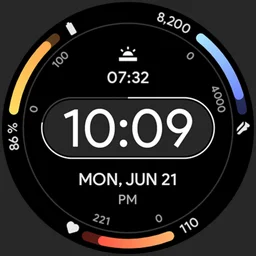 Dash Digital: Watch face
Personalisierung
-
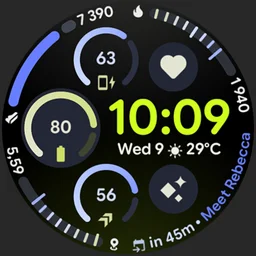 Adventurer 2 Watch Face
Personalisierung
-
 Pulse Watch Face
Personalisierung
-
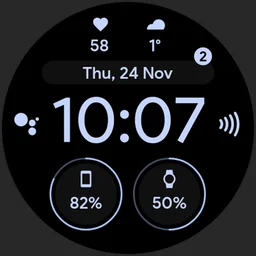 Pixel OLED: Watch face
Personalisierung
-
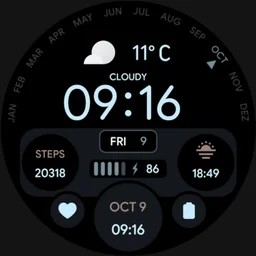 SG-158
Personalisierung
-
 Expedition Watch Face
Personalisierung